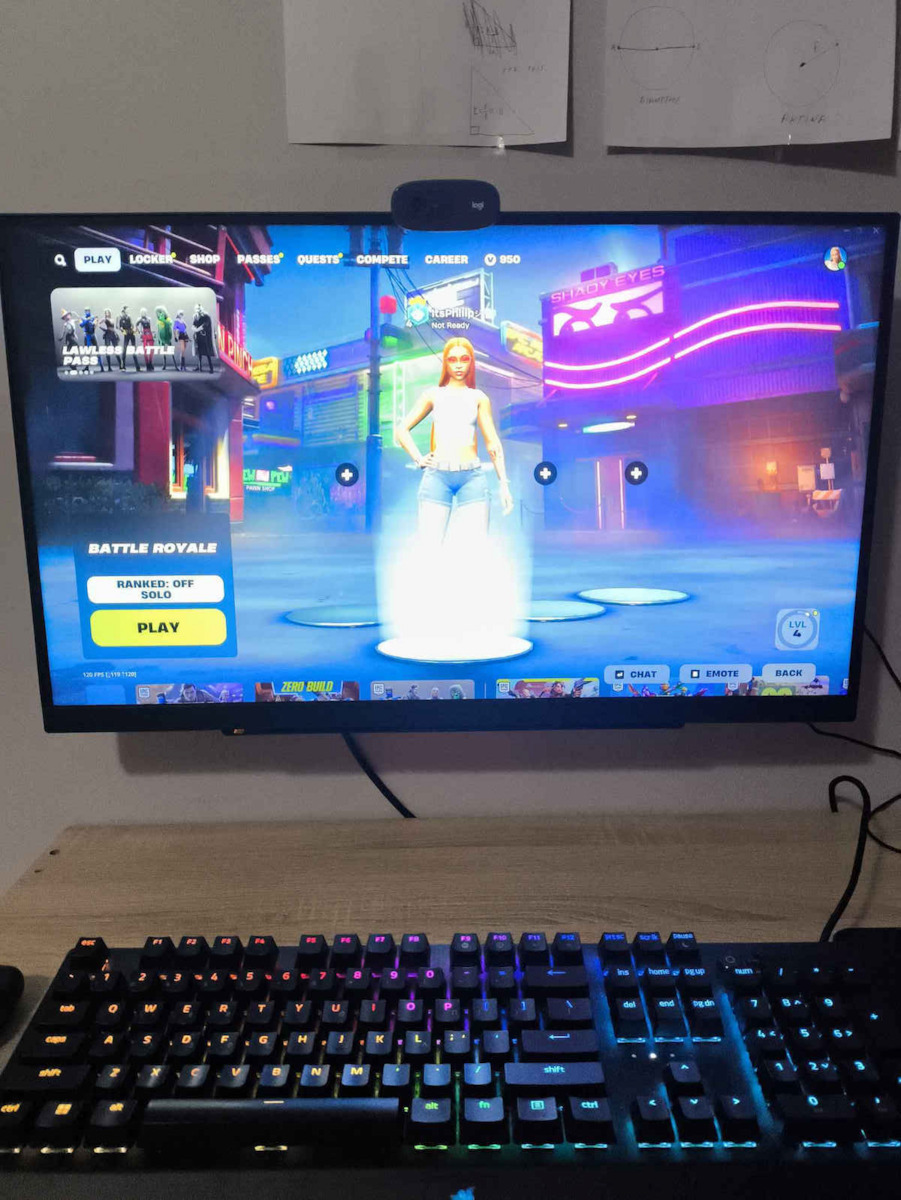
The screen is good for its price (≈€220), however, it does not come properly calibrated and some adjustments will be needed for a better user experience, so you have more accurate colors and less IPS bleeding (which is excessive in a dark room). G-Sync is easily adjustable in the NVIDIA app with very good results at 180Hz, and flickering is noticeably low. It has good clarity for reading text and programming, and excellent response in games that require it.
The settings I found and tried:
game mode - gamer 2
game adjust - freesync premium - on
black stabilizer - 60
response time - fast
brightness - 50-100. In games from 70-85, depending on the title, but be careful because beyond a certain point it strains the eyes excessively, even in a bright room. In a dark room and browsing, 45-55 is ideal.
contrast - 67
sharpness - 70
gamma - mode 3
colour temp - custom - r/g/b - red/51, green/50, blue/53
six colour - red_hue/45, red_saturation/51, green_hue/62, green_saturation/65, blue_hue/63, blue_saturation/54, cyan_hue/48, cyan_saturation/53, magenta_hue/58, magenta_saturation/55, yellow_hue/58, yellow_saturation/40
These settings are for a similar ultragear panel but I found them effective in more accurately representing certain colors, especially green. Also, connect the screen with the display port cable that comes in the package, not your own HDMI.
The black stabilizer serves to highlight dark spots in games on the screen, so it plays a bit with brightness again, but I suggest keeping it steadily at 60 and when switching tasks, e.g., from gaming to browsing or coding, just pull the lever from below towards you and easily change the brightness without going into the main menu.
The HDR does not work properly at these brightness levels and makes the panel look washed out, plus it strains excessively. It might work better with a console.
Also, for clearer text, go to the Windows settings and enable ClearType text and adjust it to your liking.
I found the FPS counter large, and I preferred data from the NVIDIA app with Alt+R and more details. It does have tricks that help with first-person shooters, but nothing significant that you can't find better in 3rd party apps.
The reason I ended up with this was that at the time of purchase, the Dell 2724D was very expensive, and I considered it the most balanced solution for this money. The panel is, however, from 5/2024. I hope I helped.
P.S. (update) Before switching to this, I was using an Asus PB 2K with a 10-year-old IPS panel and I was shocked at how bad the blacks are on the Ultragear. As others have mentioned, literally gray in a dark room if you have the brightness high and the black stabilizer - and they crash if you lower those two values too low. The best solution for blacks is OLED panels, but still very expensive. Nevertheless, much smoother, flicker-free, and more accurate colors after the adjustments. The screen is not recommended for people who want it just for browsing and tasks outside of gaming. For gaming, it is fantastic. Alternatively, consider the solutions from Dell and Gigabyte (maybe also MSI) at the same price, after doing research on YouTube, Reddit, and Rtings for the panel. If you work with good lighting and in bright displays, it is ideal; if you are in a dark room, playing very dark games and reading on a black background, this black and the bleeding will disappoint you if you come from panels with better blacks. If you are coming from an old full HD VA LCD panel, it is understandable that it may seem like a masterpiece to you.
Η οθόνη είναι καλή για την τιμή της ( ≈220€), παρ' όλ' αυτά δεν έρχεται σωστά καλιμπραρισμένη και θα χρειαστούν μερικές ρυθμίσεις για καλύτερη εμπειρία χρήσης, ώστε να έχετε πιο ακριβή χρώματα και λιγότερο ips bleeding (το οποίο σε σκοτεινό δωμάτιο είναι υπερβολικό). Το gsync ρυθμίζεται άμεσα στην nvidia app με πολυ καλό αποτέλεσμα και στα 180hz και το flickering είναι αισθητά χαμηλό. Έχει καλή ευκρίνεια και για ανάγνωση κειμένου και προγραμματισμό και εξαιρετική απόκριση στα παιχνίδια που το χρειάζονται.
Οι ρυθμίσεις που βρήκα και δοκίμασα:
game mode - gamer 2
game adjust- freesync premium-on
black stabilizer- 60
response time- fast
brightness- 50-100. Στα παιχνίδια από 70-85, ανάλογα τον τίτλο, αλλά προσοχή γιατί από ένα σημείο και πάνω κουράζει υπερβολικά τα μάτια, ακόμα και σε φωτεινό δωμάτιο. Σε σκοτεινό δωμάτιο και browsing, το 45-55 είναι ιδανικό.
contrast- 67
sharpness- 70
gamma- mode 3
colour temp- custom- r/g/b/- red/51, green/50, blue/53
six colour- red_hue/45, red_saturation/51, green_hue/62, green_saturation/65, blue_hue/63, blue_saturation/54, cyan_hue/48, cyan_saturation/53, magenta_hue/58, magenta_saturation/55, yellow_hue/58, yellow_saturation/40
Οι ρυθμίσεις αυτές είναι για παρόμοιο ultragear panel αλλά βρήκα ότι είναι αποτελεσματικές στην πιο πιστή αναπαράσταση ορισμένων χρωμάτων και σε αυτό, ειδικά στο πράσινο. Επίσης συνδέστε την οθόνη με το display port καλώδιο που έχει στη συσκευασία, όχι δικό σας hdmi.
To black stabilizer χρησιμεύει στο να αναδεικνύει σκοτεινά σημεία σε παιχνίδια στην οθόνη, άρα πάλι παίζει λίγο με τη φωτεινότητα, όμως προτείνω να το έχετε σταθερά στο 60 και όταν αλλάζετε εργασία, πχ από gaming σε browsing ή coding, απλά να τραβάτε προς τα εσάς το μοχλάκι από κάτω και να αλλάζετε εύκολα τη φωτεινότητα, χωρίς να μπαίνετε στο κεντρικό μενού.
Το hdr δεν λειτουργεί σε αυτές τις φωτεινότητες σωστά και κάνει το πάνελ να μοιάζει ξεπλυμένο, συν ότι κουράζει υπερβολικά. Ίσως δουλεύει καλύτερα με κονσόλα.
Επίσης, για πιο καθαρό κείμενο, πηγαίνετε στα windows settings και ενεργοποιείστε το cleartype text και ρυθμίστε το στα μέτρα σας.
Το fps counter που εχει το βρήκα μεγάλο, και προτίμησα δεδομένα από το nvidia app με alt+r και περισσότερα στοιχεία. Πάντως έχει και tricks που βοηθούν με firstPersonShooters, αλλά όχι κάτι σπουδαίο που δεν μπορείς να βρεις καλύτερα σε 3d party apps.
Ο λόγος που κατέληξα σε αυτό ήταν ότι τη στιγμή που αγοράστηκε, το dell 2724d ήταν πανάκριβο, και θεώρησα πως ήταν η πιο ισορροπημένη λύση σε αυτά τα χρήματα. Το πάνελ είναι πάντως 5/2024. Ελπίζω να βοήθησα.
Υ.Γ.(update) Πριν μεταβώ σε αυτήν, χρησιμοποιούσα μία asus pb 2k με ips panel 10ετιας και έπαθα σοκ με το πόσο κακά μαύρα έχει η ultragear. Όπως προείπαν και άλλοι, κυριολεκτικά γκρι σε σκοτεινό δωμάτιο, αν εχεις ψηλά τη φωτεινότητα και το black stabilizer -και τα κρασάρεις αν κατεβάσεις αυτές τις δύο τιμές χαμηλά. Η καλύτερη λυση στα μαύρα είναι oled panels, αλλά ακόμα πανάκριβα. Παρόλα αυτά, πολυ πιο smooth, flicker free και πιο ακριβή χρώματα μετά τις ρυθμίσεις. Η οθόνη δεν προτείνεται σε άτομα που τη θέλουν απλά για browsing και εργασίες εκτός gaming. Για παιχνίδια είναι φανταστική. Εναλλακτικά προτιμήστε τις λύσεις της dell και της gigabyte (ισως και της msi) στην ίδια τιμή, αφού πρώτα κάνετε έρευνα στο youtube, reddit, rtings για το πάνελ. Αν δουλεύετε με καλό φωτισμό και σε παραστάσεις φωτεινές, είναι ιδανική, αν είστε σε σκοτεινό δωμάτιο, παίζετε πολύ σκοτεινά παιχνίδια και διαβάζετε σε μαύρο φόντο, αυτό το μαύρο και το bleeding θα σας απογοητεύσουν αν έρχεστε από πάνελ με καλύτερα μαύρα. Αν έρχεστε από παλιο fullhd va lcd πανελ, λογικό να σας φανεί αριστούργημα.