USB Network Adapters

TP-LINK TX50UH USB Network Adapter with Wireless Wi-Fi Connection (Standard v1)

Upgrade your computer with the speeds of the future through the TP-Link Archer TX50UH.

Upgrade your computer with the speeds of the future through the TP-Link Archer TX50UH.

See full description See full description
44 00
Delivery Wed, 24 Jun - Fri, 26 Jun
14,00 €   shipping cost
Sent from Greece
From Hellasοrder 4.9 (1.9K Skroutz Hub reviews)

Description

Description

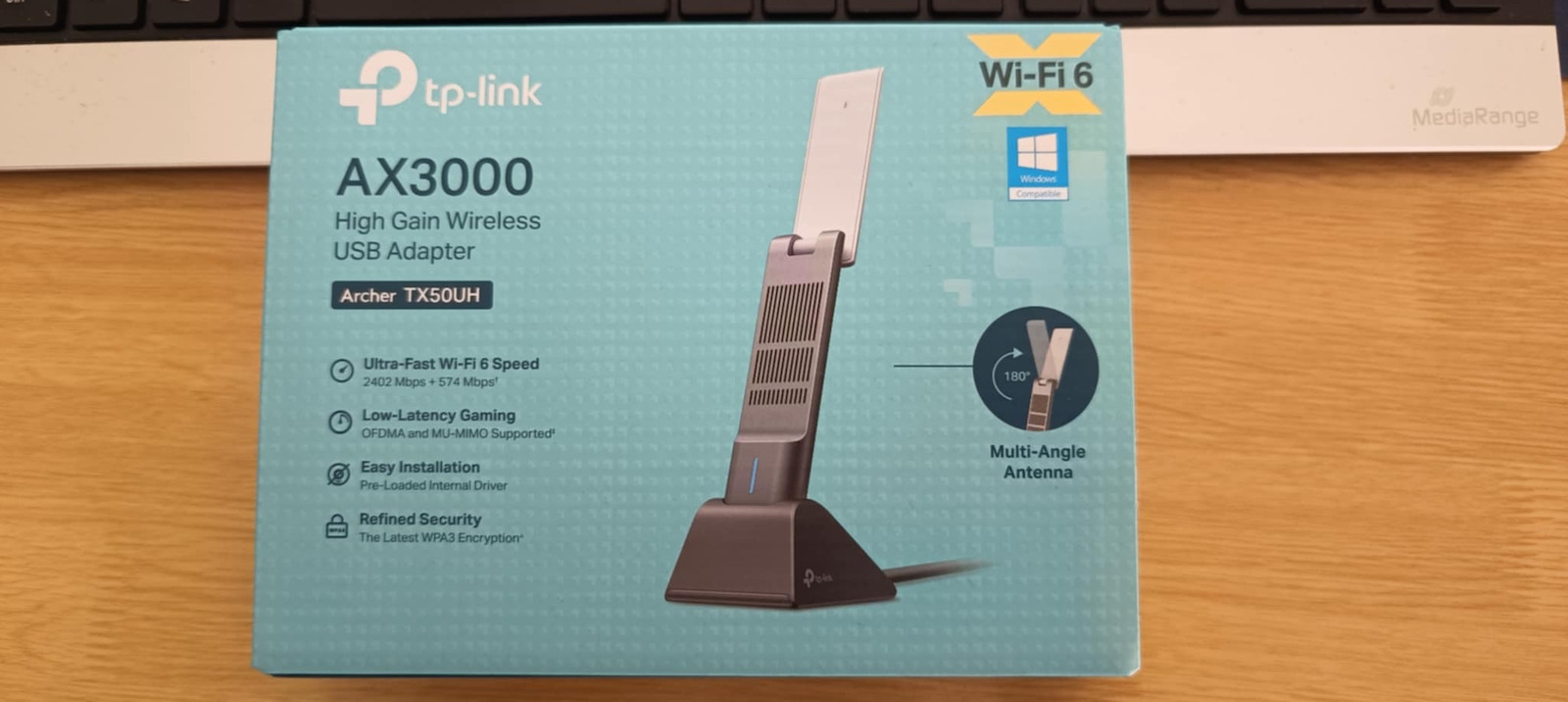
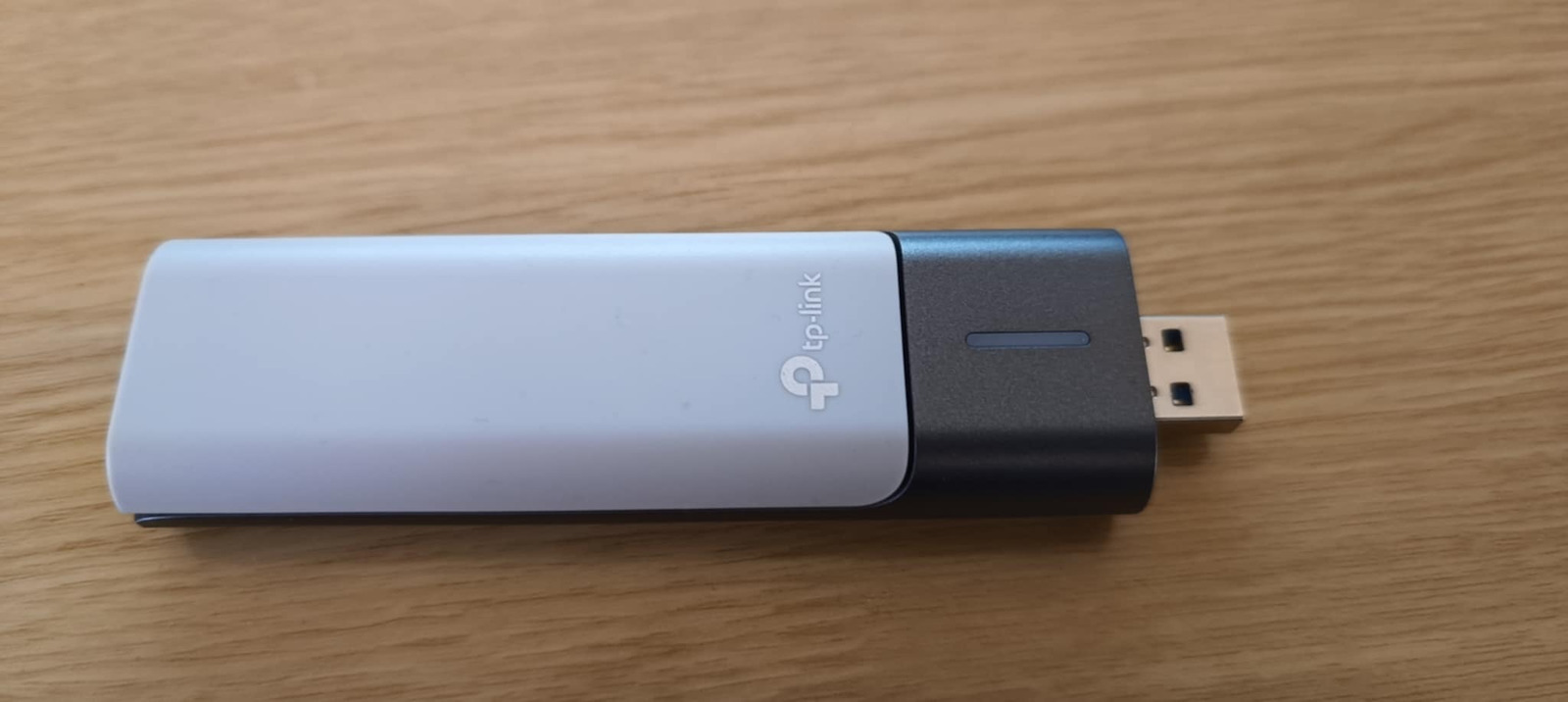
Upgrade your computer with the speeds of the future through the TP-Link Archer TX50UH. This AX3000 WiFi 6 USB adapter offers impressive speeds of up to 2402 Mbps on 5GHz, breaking the Gigabit barrier. Equipped with High Gain antennas, Beamforming technology, and USB 3.0 connectivity, it ensures a stable signal in every corner of your home and ultra-low latency for gaming and 4K streaming. It is the ultimate solution for those seeking the speed and reliability of a wired network with the convenience of wireless.

WiFi 6: Speeds Beyond Gigabit

With WiFi 6 technology, the Archer TX50UH takes your PC’s performance to the next level. It offers combined speeds of up to 3000 Mbps (2402 Mbps on the 5 GHz band and 574 Mbps on 2.4 GHz), allowing you to enjoy seamless 4K streaming, fast downloading of large files, and uninterrupted video calls simultaneously. This technology is designed to handle the future of networking, providing greater overall capacity and faster response for every online activity.

High Gain Antennas and Beamforming for Maximum Coverage

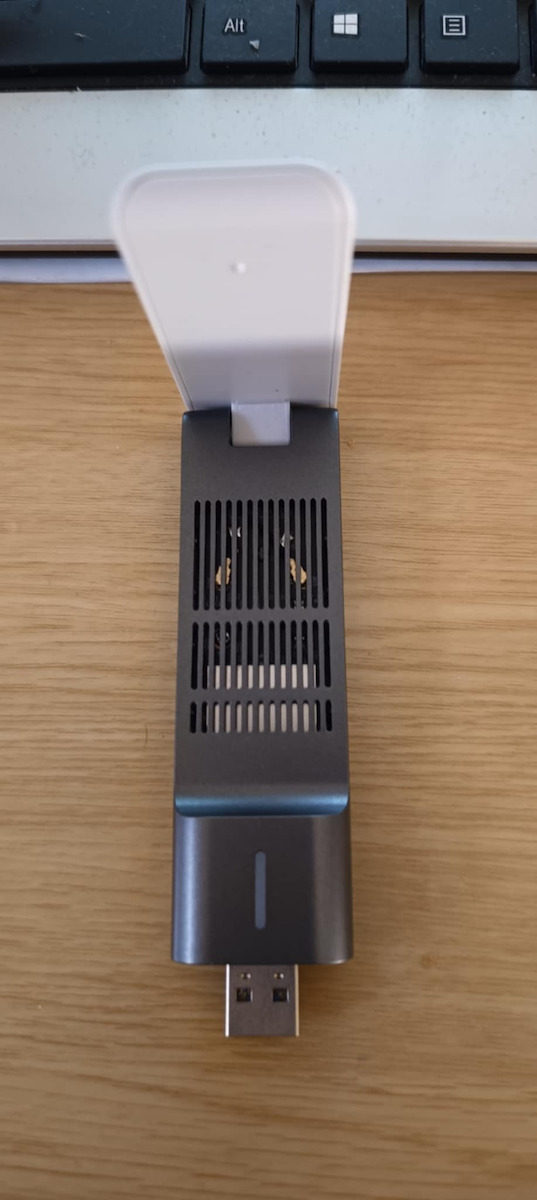
The Archer TX50UH features adjustable high gain antennas that ensure strong signal reception even when the router is at a long distance. Combined with Beamforming technology, the adapter not only receives the signal but also "focuses" it towards its source, reducing dead zones and interference. This means you can work or play from any point in your home with the same stability and reliability as a direct connection.

Gaming with Zero Lag thanks to OFDMA and MU-MIMO

Forget about delays and buffering during online gaming. Thanks to OFDMA and MU-MIMO technologies, your computer can receive and send data simultaneously with other devices on the network, without waiting in "line." This drastically reduces latency and network congestion, allowing for flawless gaming experiences and simultaneous high-quality streaming, even when multiple devices are connected to the same WiFi.

SuperSpeed USB 3.0 Connection

To fully utilize the speeds of WiFi 6, the adapter uses the USB 3.0 port, which offers data transfer speeds up to 10 times faster than the old USB 2.0. With a transfer rate reaching 4.8Gbps, any internal bottleneck is eliminated, ensuring that the wireless speed reaches your processor intact. It is also fully compatible with USB 2.0 ports, offering flexibility for older systems.

Advanced WPA3 Security and Compatibility

Your data security is guaranteed with the latest WPA3 encryption protocol. This standard provides enhanced protection for your personal passwords and shields your network from external attacks (brute-force). The Archer TX50UH is fully compatible with Windows 11 and Windows 10, ensuring a smooth installation experience, while automatic driver updates keep your system always safe and up to date.

Flexible Design with 1.2 Meter Cable

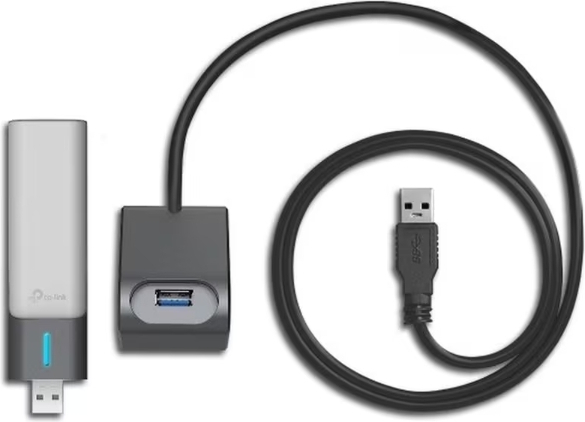
Unlike typical adapters that connect directly to the port, the Archer TX50UH comes with a high-quality USB 3.0 cable of 1.2 meters in length. This gives you the freedom to place the unit in the ideal position on your desk for optimal signal reception, avoiding obstacles behind your computer tower. Its flexible design allows for easy removal and transport, making it the ideal companion for laptop or desktop systems.

Manufacturer

See full description

Specifications

Specifications

Connection
Wireless
Antenna
-
USB-C
No

Important information

Specifications are collected from official manufacturer websites. Please verify the specifications before proceeding with your final purchase. If you notice any problem you can report it here.

See all specifications

Reviews (66)

Reviews

  1. 53
  2. 3
  3. 3
  4. 3
  5. 4
Review this product
  • Ease of installation
  • Speed
  • Range
  • Value for money
  • Does it disconnect/freeze sometimes?

Reviews photos

Reviews photos
Reviews photos
Reviews photos
Reviews photos
Reviews photos
Reviews photos

Reviews by our members

  • PolychronisG
    5
    1 out of 1 members found this review helpful

    Verified purchase

    Hyperfast connection with the router and if you have a WiFi6 router it is exactly what you need to reach and exceed 1Gbps

    Translated from Greek ·
    Did you find this review helpful?
  • Good but sometimes when I turn on the PC it doesn't connect, I have to reselect the network for it to "wake up"

    Translated from Greek ·
    Did you find this review helpful?
  • thanosopro23
    1
    0 out of 2 members found this review helpful

    Useless product, I just had it for 1.5 months and apart from the fact that it kept disconnecting from the internet, one day it just burned out and broke on its own. Stay away from such useless products, it's a waste of money

    Translated from Greek ·
    Did you find this review helpful?
  • George_Filippou_Magkanas
    1
    1 out of 3 members found this review helpful

    Out of nowhere it loses connection! Then the computer doesn't detect it! I ran the drivers and nothing. The 2020 Turbox works! This one doesn't

    Translated from Greek ·
    Did you find this review helpful?
  • Marion_J

    Verified purchase

    I got fiber 300mbs, my mobile was getting 300 everywhere in the house while the PC and laptop were getting 40-70mbs. With the antenna, I reached 300 on both. With continuous internet use for 8 hours daily, no disconnections, so far flawless.

    Translated from Greek ·
    Did you find this review helpful?
  • Kesidis08
    5
    3 out of 3 members found this review helpful

    Verified purchase

    I have a 1Gbps internet line and with this adapter I reach up to 960Mbps Download & 970Mbps Upload. Of course, I had to change some settings on the computer's internet to reach these speeds, because at first when you connect it and install the driver it only reaches 330Mbps. Nevertheless, I am satisfied with this product.

    Translated from Greek ·
    Did you find this review helpful?
  • WhiteGPTJET
    3
    1 out of 1 members found this review helpful

    Good temporary solution, but inferior compared to a PCIe card.
    I bought it as a temporary solution because my internal network card (PCIe) broke down. On a 500Mbps line, the USB adapter delivers around 300Mbps at a distance of 10 meters with one wall in between. For comparison, my old PCIe card and my mobile phone, at exactly the same spot, achieved 480-490Mbps. Although it does the job, the difference in performance is noticeable. Ideal for backup or basic use, but don't expect it to reach high speeds if there is distance.
    Update: After some adjustments, I managed to see speeds of 450-460Mbps. However, in gaming I occasionally notice packet loss, which is quite annoying in competitive games.

    Translated from Greek ·
    Did you find this review helpful?
  • Li Mu Bai
    5
    1 out of 1 members found this review helpful

    Verified purchase

    Excellent product, it does what the specifications say. The picture speaks for itself

    Translated from Greek ·
    Did you find this review helpful?
  • Thomas_Tomovits
    3
    2 out of 2 members found this review helpful

    Verified purchase

    In terms of speeds, it is very good. On a 500 Mbps fiber optic connection, it reaches speeds of 510-520. I am very satisfied. The downside, and I don't know if it happens to others or if it's something on my end, is that it has many and continuous disconnections even with simple use, e.g. watching videos on YouTube. Even after a month of use, I haven't found what might be causing it

    Translated from Greek ·
    • Ease of installation
    • Speed
    • Range
    • Value for money
    • Does it disconnect/freeze often?
    Did you find this review helpful?
  • With the VPN I used, I had problems when I turned on the PC; I needed a process before I could connect. It could be the VPN's fault or the PC's. Without the VPN app at startup, it works just fine. I consider it expensive since I only needed to cover a small range. Of course, with the cheap USBs, I couldn't get the full speed of my 300 Mbps connection, but with this one, I'm okay.

    Translated from Greek ·
    • Ease of installation
    • Range
    • Speed
    • Does it disconnect/freeze sometimes?
    • Value for money
    Did you find this review helpful?
  • xristinakard

    Verified purchase

    I put it on a PC with Windows 11 that doesn't have wifi so I wouldn't have to run a cable.
    It worked immediately, no drivers needed. Stable internet, no issues.

    Translated from Greek ·
    • Ease of installation
    • Range
    • Speed
    • Does it disconnect/freeze?
    • Value for money
    Did you find this review helpful?
  • Greg_Pet
    1
    3 out of 13 members found this review helpful

    Verified purchase

    In the room next to the router with 500 speed, it gets 340. It's a shame because I trusted the reviews and wasted my money. My phone right next to the antenna gets 490. (I also did all the settings suggested in the comments, and played around with the router's antennas just in case...)

    Translated from Greek ·
    Did you find this review helpful?
  • Patata_Fournou
    5
    1 out of 2 members found this review helpful

    Very satisfied with the installation as well as its performance. On a 1gbs connection, I get 940, however, I don't know if the limitation comes from the router or the adapter, because I don't have anything else to test it with.

    I definitely recommend it

    Translated from Greek ·
    • Ease of installation
    • Range
    • Speed
    • Does it disconnect/freeze?
    • Value for money
    Did you find this review helpful?
  • panosled
    5
    14 out of 14 members found this review helpful
    Fashion Enthusiast

    Excellent USB 3.0 network adapter with WiFi6 standard. In a difficult spot in the house, it gets full signal on the 5GHz frequency of the new Huawei WiFi6 router provided by Nova for Fiber connections! On a Fiber 500Mbps plan, it reaches speeds of 490!
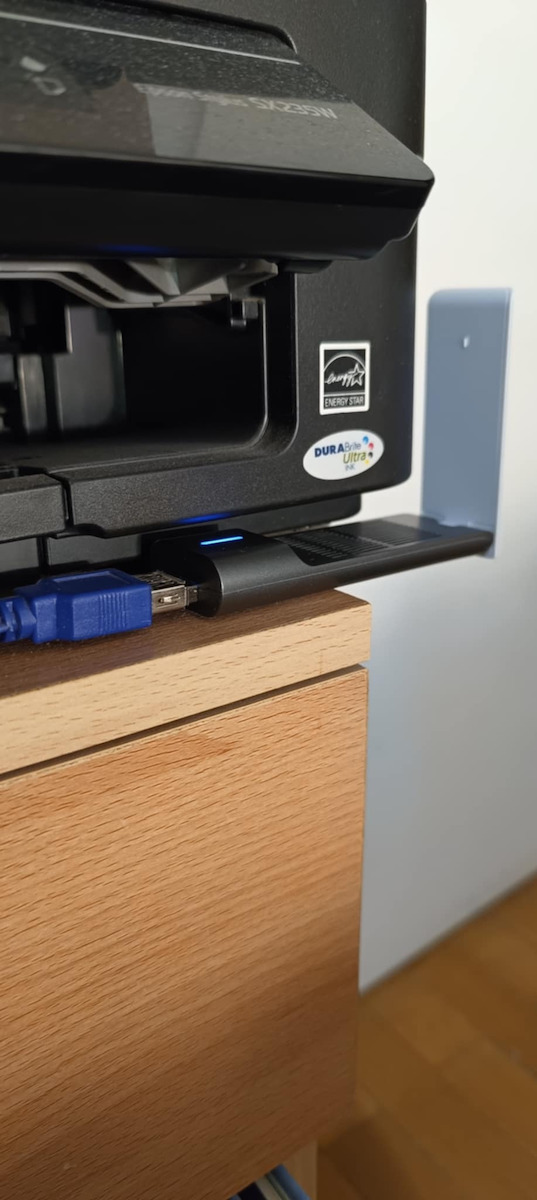
    The base with the USB 3.0 extension cable included in the box is very useful, although I connected it to an already existing cable from the desktop PC installation.
    The only thing that didn't match its specifications was that it is not plug n' play on Windows 11 (even though the packaging states pre-installed Windows drivers), but you can very easily go to the tp-link page and download them [https://www.tp-link.com/gr/support/download/archer-tx50uh/#Driver]

    Translated from Greek ·
    Did you find this review helpful?
  • IoannisFitness
    5
    1 out of 2 members found this review helpful

    Verified purchase

    I get signal even though the router is in another room!
    No signal loss!
    Easy to use and I haven't had any disconnection issues so far!
    I recommend it.

    Translated from Greek ·
    Did you find this review helpful?
  • giorgos7219
    5
    6 out of 8 members found this review helpful

    Very powerful, does what it promises and gives me almost the full 300Mbps of fiber optic.
    A few tips.
    Upgrade to the latest driver from the site.
    Make the settings suggested by the other user and also set your USB3 port not to 'cut' the power for saving.
    This way, all disconnections stopped for me too.

    Translated from Greek ·
    Did you find this review helpful?
  • loyxten
    5
    4 out of 5 members found this review helpful

    Verified purchase

    very good promises this does with 500 piano line 490 times and more stable super easy installation in windows environment tested in both 10 and 11 as for linux environment for now you have to install them manually and it requires a bit of searching and also not to have the latest kernel in the future maybe in the next lts versions they will support it

    Translated from Greek ·
    • Ease of installation
    • Range
    • Speed
    • Does it disconnect/freeze?
    • Value for money
    Did you find this review helpful?
  • christos_1987
    5
    24 out of 25 members found this review helpful

    Verified purchase

    While the initial connection and installation were extremely simple and problem-free, after a few hours it disconnects, requiring removal and reconnection to work again. Searching for articles on the topic, the following settings made the adapter stable without any disconnections as long as the computer stays on, even in sleep mode, and connects to the 5GHz band of the router for higher transfer speeds:

    Under Device Manager - TP-Link USB Wifi Adapter - Properties - Advanced

    Configure the following settings:

    2.4G Wireless Mode - Disabled

    Preferred Band - 3.5G Only

    Roaming Sensitivity Level - Disabled

    SupportFT 11kv - Disabled

    USB Switch Mode - USB 3.0 (on old PCs this may lead to constant disconnects of the adapter, so in that case use 2.0 setting instead)

    VHT 2.4ghz - Disabled

    Power Management - Uncheck “Allow this device to power off"

    Translated from Greek ·
    • Ease of installation
    • Range
    • Speed
    • Value for money
    • Does it disconnect/freeze often?
    Did you find this review helpful?
  • It has reached the full speed of the 100 Mbps connection. The router is in the next room.

    Translated from Greek ·
    Did you find this review helpful?
  • Verified purchase

    Very good. It never loses signal and always has very good download speed

    Translated from Greek ·
    Did you find this review helpful?
  • Slow to connect, its base has a problem

    Translated from Greek ·
    Did you find this review helpful?
  • Verified purchase

    Power!!!!!

    Translated from Greek ·
    Did you find this review helpful?
  • Verified purchase

    It has many disconnections and I believe they are due to the drivers for Windows 11

    Translated from Greek ·
    Did you find this review helpful?
  • 2
    0 out of 1 members found this review helpful

    It is not worth it, a bad product from TP Link

    Translated from Greek ·
    • Ease of installation
    • Value for money
    • Range
    • Speed
    • Does it disconnect/freeze often?
    Did you find this review helpful?
  • it gets 290 out of the 300mbps of the fiber with the distance of one room. Totally worth it

    Translated from Greek ·
    Did you find this review helpful?
  • 5
    0 out of 2 members found this review helpful

    the best there is!!

    Translated from Greek ·
    • Ease of installation
    • Range
    • Speed
    • Does it disconnect/freeze?
    • Value for money
    Did you find this review helpful?
  • 5
    0 out of 2 members found this review helpful

    Very good adapter, achieves the speeds it promises and is very stable.

    Translated from Greek ·
    Did you find this review helpful?
  • 5
    0 out of 2 members found this review helpful

    Verified purchase

    Very good antenna but it broke after 2 months

    Translated from Greek ·
    Did you find this review helpful?
  • Verified purchase

  • Hyperfast connection with the router and if you have a WiFi6 router it is exactly what you need to reach and exceed 1Gbps

    Translated from Greek ·
    1
  • Good but sometimes when I turn on the PC it doesn't connect, I have to reselect the network for it to "wake up"

    Translated from Greek ·
    0
  • Useless product, I just had it for 1.5 months and apart from the fact that it kept disconnecting from the internet, one day it just burned out and broke on its own. Stay away from such useless products, it's a waste of money

    Translated from Greek ·
    0
  • Out of nowhere it loses connection! Then the computer doesn't detect it! I ran the drivers and nothing. The 2020 Turbox works! This one doesn't

    Translated from Greek ·
    1
  • I got fiber 300mbs, my mobile was getting 300 everywhere in the house while the PC and laptop were getting 40-70mbs. With the antenna, I reached 300 on both. With continuous internet use for 8 hours daily, no disconnections, so far flawless.

    Translated from Greek ·
    0
  • See all

Description & Specifications

Upgrade your computer with the speeds of the future through the TP-Link Archer TX50UH. This AX3000 WiFi 6 USB adapter offers impressive speeds of up to 2402 Mbps on 5GHz, breaking the Gigabit barrier. Equipped with High Gain antennas, Beamforming technology, and USB 3.0 connectivity, it ensures a stable signal in every corner of your home and ultra-low latency for gaming and 4K streaming. It is the ultimate solution for those seeking the speed and reliability of a wired network with the convenience of wireless.

WiFi 6: Speeds Beyond Gigabit

With WiFi 6 technology, the Archer TX50UH takes your PC’s performance to the next level. It offers combined speeds of up to 3000 Mbps (2402 Mbps on the 5 GHz band and 574 Mbps on 2.4 GHz), allowing you to enjoy seamless 4K streaming, fast downloading of large files, and uninterrupted video calls simultaneously. This technology is designed to handle the future of networking, providing greater overall capacity and faster response for every online activity.

High Gain Antennas and Beamforming for Maximum Coverage

The Archer TX50UH features adjustable high gain antennas that ensure strong signal reception even when the router is at a long distance. Combined with Beamforming technology, the adapter not only receives the signal but also "focuses" it towards its source, reducing dead zones and interference. This means you can work or play from any point in your home with the same stability and reliability as a direct connection.

Gaming with Zero Lag thanks to OFDMA and MU-MIMO

Forget about delays and buffering during online gaming. Thanks to OFDMA and MU-MIMO technologies, your computer can receive and send data simultaneously with other devices on the network, without waiting in "line." This drastically reduces latency and network congestion, allowing for flawless gaming experiences and simultaneous high-quality streaming, even when multiple devices are connected to the same WiFi.

SuperSpeed USB 3.0 Connection

To fully utilize the speeds of WiFi 6, the adapter uses the USB 3.0 port, which offers data transfer speeds up to 10 times faster than the old USB 2.0. With a transfer rate reaching 4.8Gbps, any internal bottleneck is eliminated, ensuring that the wireless speed reaches your processor intact. It is also fully compatible with USB 2.0 ports, offering flexibility for older systems.

Advanced WPA3 Security and Compatibility

Your data security is guaranteed with the latest WPA3 encryption protocol. This standard provides enhanced protection for your personal passwords and shields your network from external attacks (brute-force). The Archer TX50UH is fully compatible with Windows 11 and Windows 10, ensuring a smooth installation experience, while automatic driver updates keep your system always safe and up to date.

Flexible Design with 1.2 Meter Cable

Unlike typical adapters that connect directly to the port, the Archer TX50UH comes with a high-quality USB 3.0 cable of 1.2 meters in length. This gives you the freedom to place the unit in the ideal position on your desk for optimal signal reception, avoiding obstacles behind your computer tower. Its flexible design allows for easy removal and transport, making it the ideal companion for laptop or desktop systems.

Manufacturer

Connection
Wireless
Antenna
-
USB-C
No

Important information

Specifications are collected from official manufacturer websites. Please verify the specifications before proceeding with your final purchase. If you notice any problem you can report it here.

Reviews (66)

  1. 53
  2. 3
  3. 3
  4. 3
  5. 4
Review this product
  • Ease of installation
  • Speed
  • Range
  • Value for money
  • Does it disconnect/freeze sometimes?

Reviews photos

Reviews photos
Reviews photos
Reviews photos
Reviews photos
Reviews photos
Reviews photos

Reviews by our members

  • PolychronisG
    5
    1 out of 1 members found this review helpful

    Verified purchase

    Hyperfast connection with the router and if you have a WiFi6 router it is exactly what you need to reach and exceed 1Gbps

    Translated from Greek ·
    Did you find this review helpful?
  • Good but sometimes when I turn on the PC it doesn't connect, I have to reselect the network for it to "wake up"

    Translated from Greek ·
    Did you find this review helpful?
  • thanosopro23
    1
    0 out of 2 members found this review helpful

    Useless product, I just had it for 1.5 months and apart from the fact that it kept disconnecting from the internet, one day it just burned out and broke on its own. Stay away from such useless products, it's a waste of money

    Translated from Greek ·
    Did you find this review helpful?
  • George_Filippou_Magkanas
    1
    1 out of 3 members found this review helpful

    Out of nowhere it loses connection! Then the computer doesn't detect it! I ran the drivers and nothing. The 2020 Turbox works! This one doesn't

    Translated from Greek ·
    Did you find this review helpful?
  • Marion_J

    Verified purchase

    I got fiber 300mbs, my mobile was getting 300 everywhere in the house while the PC and laptop were getting 40-70mbs. With the antenna, I reached 300 on both. With continuous internet use for 8 hours daily, no disconnections, so far flawless.

    Translated from Greek ·
    Did you find this review helpful?
  • Kesidis08
    5
    3 out of 3 members found this review helpful

    Verified purchase

    I have a 1Gbps internet line and with this adapter I reach up to 960Mbps Download & 970Mbps Upload. Of course, I had to change some settings on the computer's internet to reach these speeds, because at first when you connect it and install the driver it only reaches 330Mbps. Nevertheless, I am satisfied with this product.

    Translated from Greek ·
    Did you find this review helpful?
  • WhiteGPTJET
    3
    1 out of 1 members found this review helpful

    Good temporary solution, but inferior compared to a PCIe card.
    I bought it as a temporary solution because my internal network card (PCIe) broke down. On a 500Mbps line, the USB adapter delivers around 300Mbps at a distance of 10 meters with one wall in between. For comparison, my old PCIe card and my mobile phone, at exactly the same spot, achieved 480-490Mbps. Although it does the job, the difference in performance is noticeable. Ideal for backup or basic use, but don't expect it to reach high speeds if there is distance.
    Update: After some adjustments, I managed to see speeds of 450-460Mbps. However, in gaming I occasionally notice packet loss, which is quite annoying in competitive games.

    Translated from Greek ·
    Did you find this review helpful?
  • Li Mu Bai
    5
    1 out of 1 members found this review helpful

    Verified purchase

    Excellent product, it does what the specifications say. The picture speaks for itself

    Translated from Greek ·
    Did you find this review helpful?
  • Thomas_Tomovits
    3
    2 out of 2 members found this review helpful

    Verified purchase

    In terms of speeds, it is very good. On a 500 Mbps fiber optic connection, it reaches speeds of 510-520. I am very satisfied. The downside, and I don't know if it happens to others or if it's something on my end, is that it has many and continuous disconnections even with simple use, e.g. watching videos on YouTube. Even after a month of use, I haven't found what might be causing it

    Translated from Greek ·
    • Ease of installation
    • Speed
    • Range
    • Value for money
    • Does it disconnect/freeze often?
    Did you find this review helpful?
  • With the VPN I used, I had problems when I turned on the PC; I needed a process before I could connect. It could be the VPN's fault or the PC's. Without the VPN app at startup, it works just fine. I consider it expensive since I only needed to cover a small range. Of course, with the cheap USBs, I couldn't get the full speed of my 300 Mbps connection, but with this one, I'm okay.

    Translated from Greek ·
    • Ease of installation
    • Range
    • Speed
    • Does it disconnect/freeze sometimes?
    • Value for money
    Did you find this review helpful?
  • xristinakard

    Verified purchase

    I put it on a PC with Windows 11 that doesn't have wifi so I wouldn't have to run a cable.
    It worked immediately, no drivers needed. Stable internet, no issues.

    Translated from Greek ·
    • Ease of installation
    • Range
    • Speed
    • Does it disconnect/freeze?
    • Value for money
    Did you find this review helpful?
  • Greg_Pet
    1
    3 out of 13 members found this review helpful

    Verified purchase

    In the room next to the router with 500 speed, it gets 340. It's a shame because I trusted the reviews and wasted my money. My phone right next to the antenna gets 490. (I also did all the settings suggested in the comments, and played around with the router's antennas just in case...)

    Translated from Greek ·
    Did you find this review helpful?
  • Patata_Fournou
    5
    1 out of 2 members found this review helpful

    Very satisfied with the installation as well as its performance. On a 1gbs connection, I get 940, however, I don't know if the limitation comes from the router or the adapter, because I don't have anything else to test it with.

    I definitely recommend it

    Translated from Greek ·
    • Ease of installation
    • Range
    • Speed
    • Does it disconnect/freeze?
    • Value for money
    Did you find this review helpful?
  • panosled
    5
    14 out of 14 members found this review helpful
    Fashion Enthusiast

    Excellent USB 3.0 network adapter with WiFi6 standard. In a difficult spot in the house, it gets full signal on the 5GHz frequency of the new Huawei WiFi6 router provided by Nova for Fiber connections! On a Fiber 500Mbps plan, it reaches speeds of 490!
    The base with the USB 3.0 extension cable included in the box is very useful, although I connected it to an already existing cable from the desktop PC installation.
    The only thing that didn't match its specifications was that it is not plug n' play on Windows 11 (even though the packaging states pre-installed Windows drivers), but you can very easily go to the tp-link page and download them [https://www.tp-link.com/gr/support/download/archer-tx50uh/#Driver]

    Translated from Greek ·
    Did you find this review helpful?
  • IoannisFitness
    5
    1 out of 2 members found this review helpful

    Verified purchase

    I get signal even though the router is in another room!
    No signal loss!
    Easy to use and I haven't had any disconnection issues so far!
    I recommend it.

    Translated from Greek ·
    Did you find this review helpful?
  • giorgos7219
    5
    6 out of 8 members found this review helpful

    Very powerful, does what it promises and gives me almost the full 300Mbps of fiber optic.
    A few tips.
    Upgrade to the latest driver from the site.
    Make the settings suggested by the other user and also set your USB3 port not to 'cut' the power for saving.
    This way, all disconnections stopped for me too.

    Translated from Greek ·
    Did you find this review helpful?
  • loyxten
    5
    4 out of 5 members found this review helpful

    Verified purchase

    very good promises this does with 500 piano line 490 times and more stable super easy installation in windows environment tested in both 10 and 11 as for linux environment for now you have to install them manually and it requires a bit of searching and also not to have the latest kernel in the future maybe in the next lts versions they will support it

    Translated from Greek ·
    • Ease of installation
    • Range
    • Speed
    • Does it disconnect/freeze?
    • Value for money
    Did you find this review helpful?
  • christos_1987
    5
    24 out of 25 members found this review helpful

    Verified purchase

    While the initial connection and installation were extremely simple and problem-free, after a few hours it disconnects, requiring removal and reconnection to work again. Searching for articles on the topic, the following settings made the adapter stable without any disconnections as long as the computer stays on, even in sleep mode, and connects to the 5GHz band of the router for higher transfer speeds:

    Under Device Manager - TP-Link USB Wifi Adapter - Properties - Advanced

    Configure the following settings:

    2.4G Wireless Mode - Disabled

    Preferred Band - 3.5G Only

    Roaming Sensitivity Level - Disabled

    SupportFT 11kv - Disabled

    USB Switch Mode - USB 3.0 (on old PCs this may lead to constant disconnects of the adapter, so in that case use 2.0 setting instead)

    VHT 2.4ghz - Disabled

    Power Management - Uncheck “Allow this device to power off"

    Translated from Greek ·
    • Ease of installation
    • Range
    • Speed
    • Value for money
    • Does it disconnect/freeze often?
    Did you find this review helpful?
  • It has reached the full speed of the 100 Mbps connection. The router is in the next room.

    Translated from Greek ·
    Did you find this review helpful?
  • Verified purchase

    Very good. It never loses signal and always has very good download speed

    Translated from Greek ·
    Did you find this review helpful?
  • Slow to connect, its base has a problem

    Translated from Greek ·
    Did you find this review helpful?
  • Verified purchase

    Power!!!!!

    Translated from Greek ·
    Did you find this review helpful?
  • Verified purchase

    It has many disconnections and I believe they are due to the drivers for Windows 11

    Translated from Greek ·
    Did you find this review helpful?
  • 2
    0 out of 1 members found this review helpful

    It is not worth it, a bad product from TP Link

    Translated from Greek ·
    • Ease of installation
    • Value for money
    • Range
    • Speed
    • Does it disconnect/freeze often?
    Did you find this review helpful?
  • it gets 290 out of the 300mbps of the fiber with the distance of one room. Totally worth it

    Translated from Greek ·
    Did you find this review helpful?
  • 5
    0 out of 2 members found this review helpful

    the best there is!!

    Translated from Greek ·
    • Ease of installation
    • Range
    • Speed
    • Does it disconnect/freeze?
    • Value for money
    Did you find this review helpful?
  • 5
    0 out of 2 members found this review helpful

    Very good adapter, achieves the speeds it promises and is very stable.

    Translated from Greek ·
    Did you find this review helpful?
  • 5
    0 out of 2 members found this review helpful

    Verified purchase

    Very good antenna but it broke after 2 months

    Translated from Greek ·
    Did you find this review helpful?
  • Verified purchase

  • Hyperfast connection with the router and if you have a WiFi6 router it is exactly what you need to reach and exceed 1Gbps

    Translated from Greek ·
    1
  • Good but sometimes when I turn on the PC it doesn't connect, I have to reselect the network for it to "wake up"

    Translated from Greek ·
    0
  • Useless product, I just had it for 1.5 months and apart from the fact that it kept disconnecting from the internet, one day it just burned out and broke on its own. Stay away from such useless products, it's a waste of money

    Translated from Greek ·
    0
  • Out of nowhere it loses connection! Then the computer doesn't detect it! I ran the drivers and nothing. The 2020 Turbox works! This one doesn't

    Translated from Greek ·
    1
  • I got fiber 300mbs, my mobile was getting 300 everywhere in the house while the PC and laptop were getting 40-70mbs. With the antenna, I reached 300 on both. With continuous internet use for 8 hours daily, no disconnections, so far flawless.

    Translated from Greek ·
    0
  • See all
44,00 €
14,00 €   shipping cost