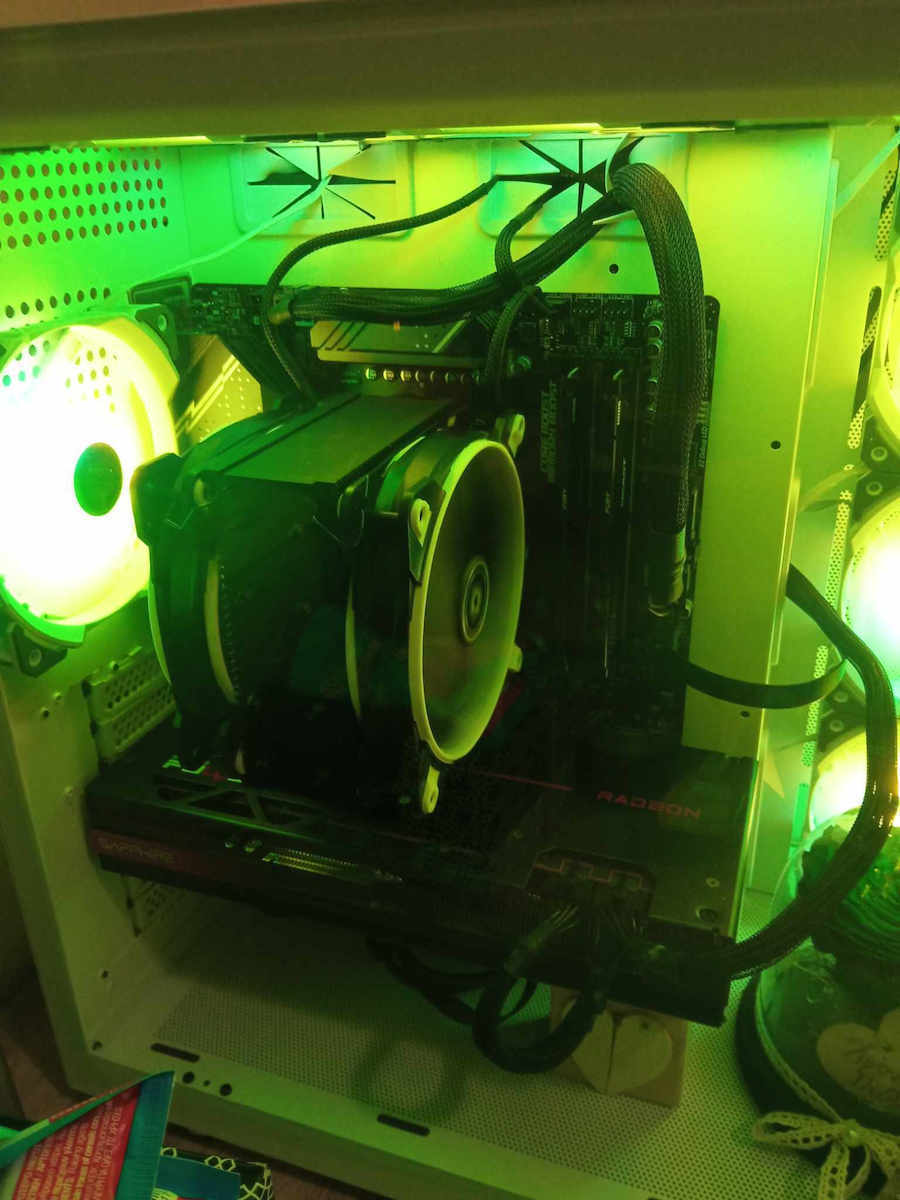
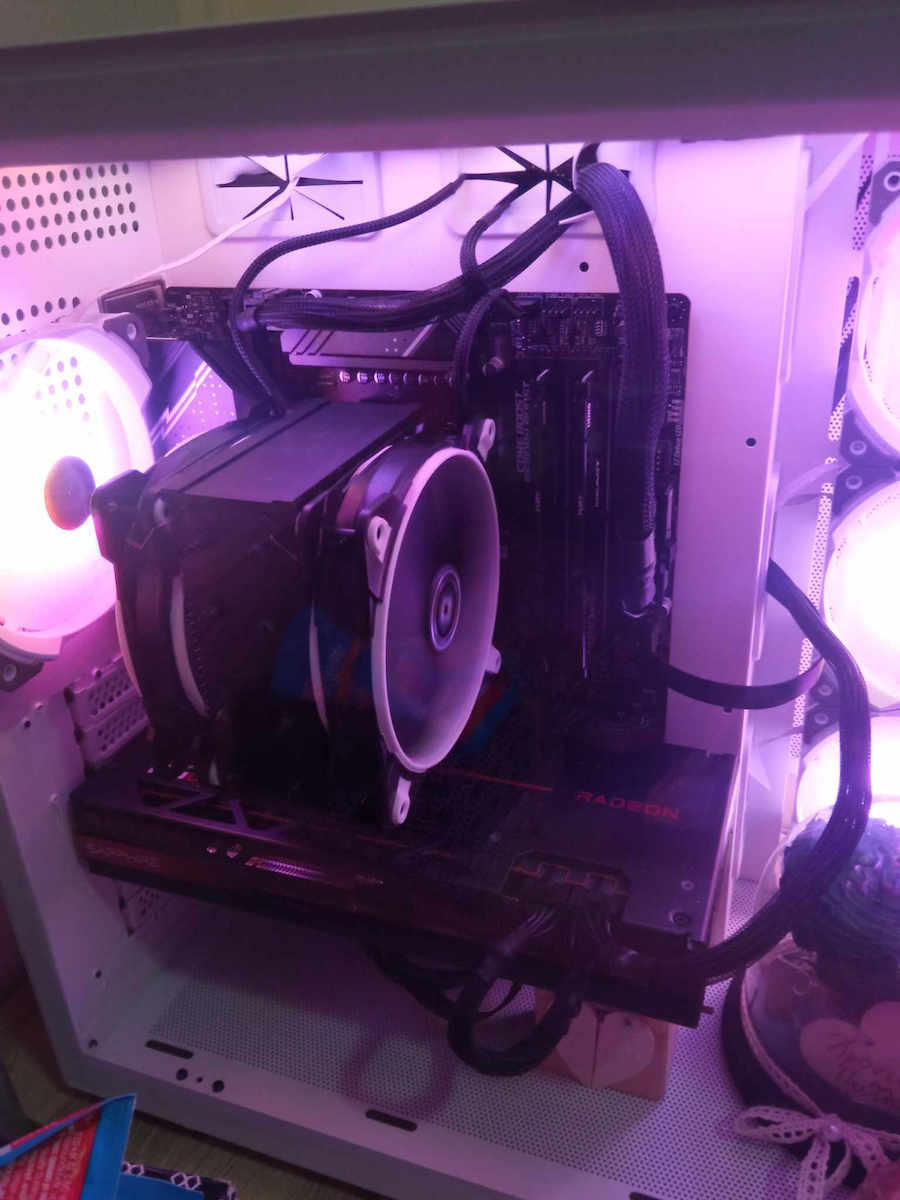
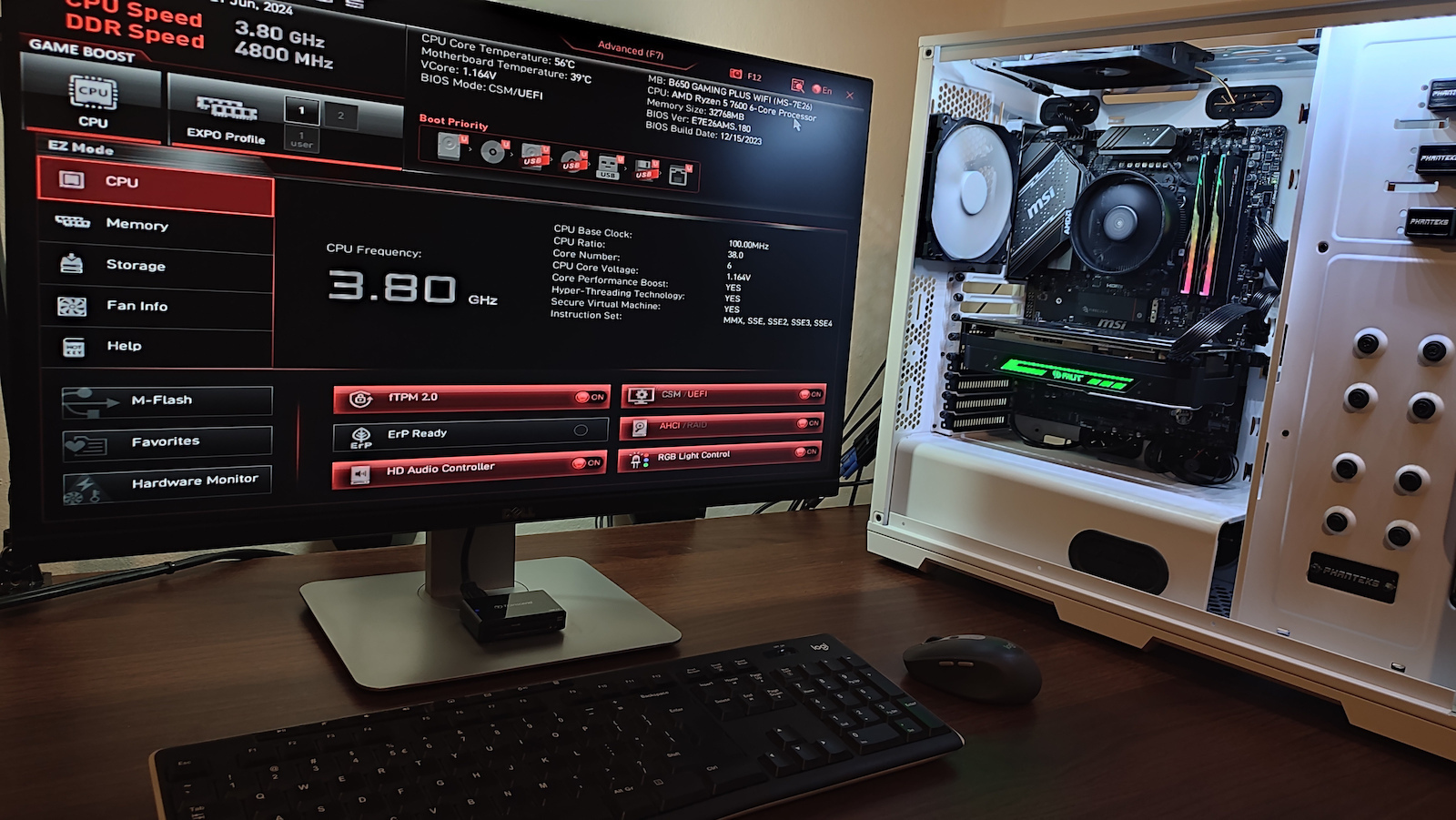
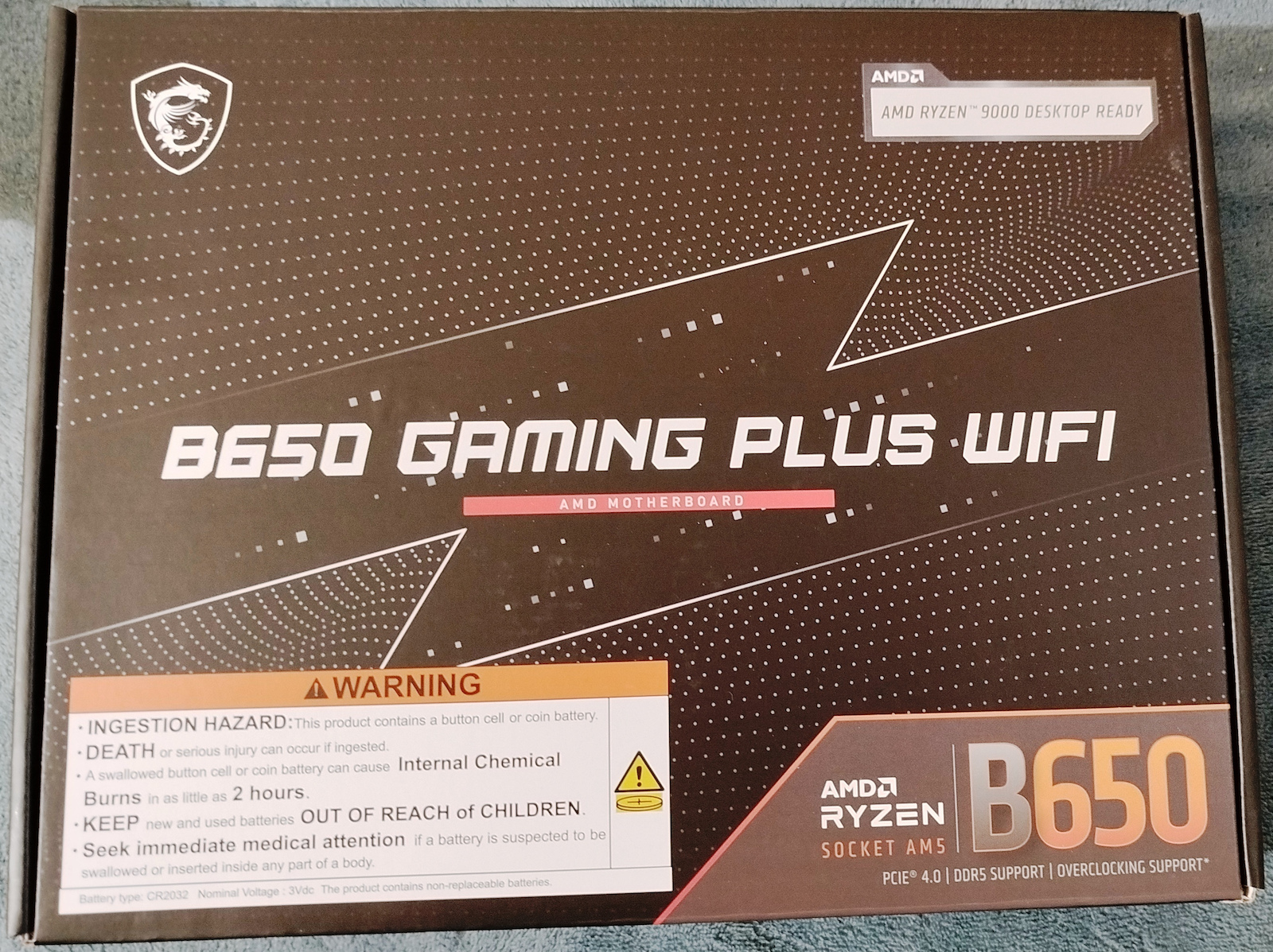
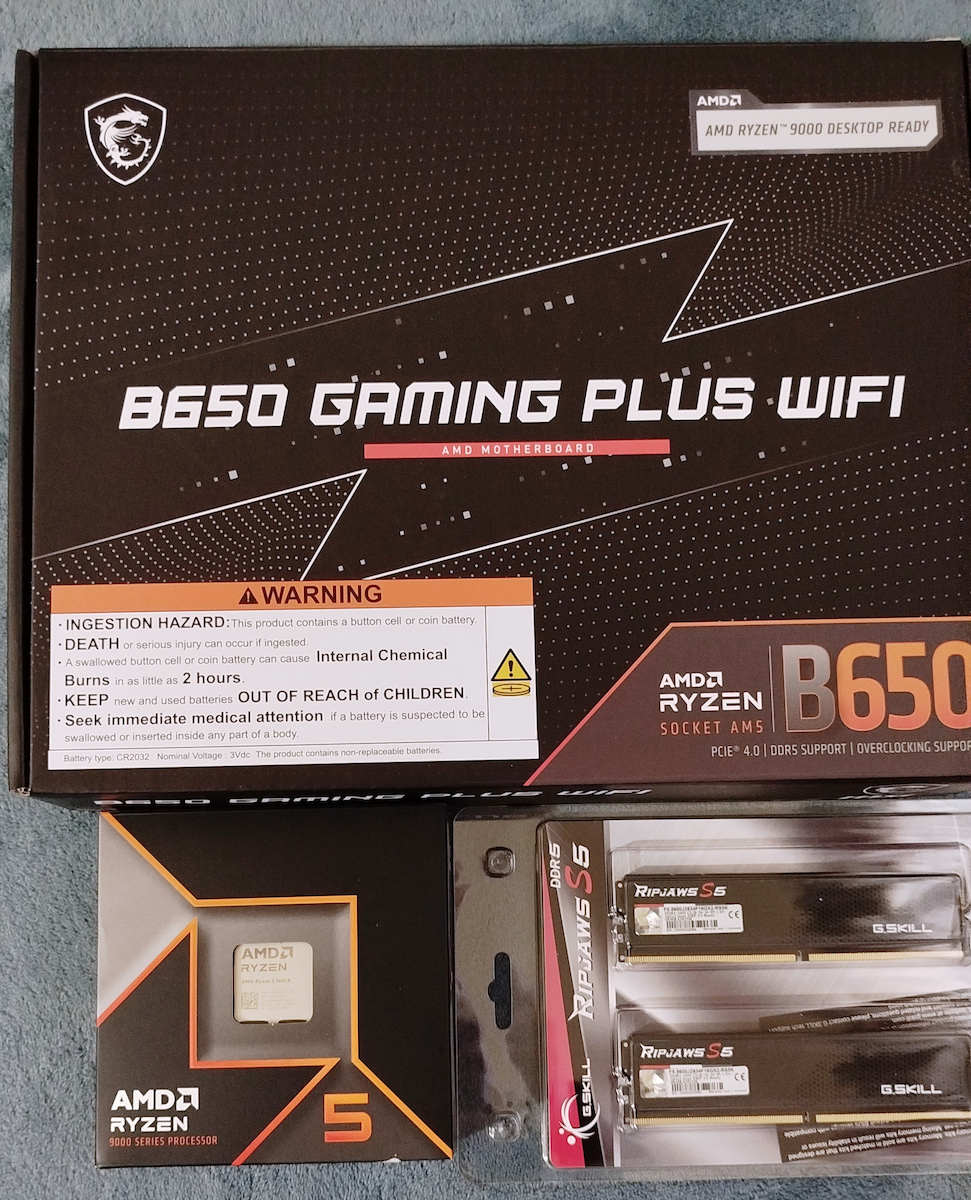
The motherboard MSI B650 Gaming Plus WiFi is aimed at users who want to build a powerful computer for gaming or professional use. It is designed to support AMD Ryzen 7000 Series processors and features high RAM speeds, rich connectivity options, and various technologies to enhance the system's performance and reliability.
Exclusive Features
Connections
Thermal Solution
Cooling
Extended Heatsink
The extended heatsink enlarges the heat dissipation surface and maintains performance under heavy loads.
M.2 Frozr Shield
The reinforced M.2 thermal solution helps secure the M.2 SSD and ensures incredible performance.
Heavily Plated VRM Heatsink
The VRM heatsink covers the upper MOS and helps in heat dissipation.
Chipset Thermal Padding
The chipset heatsink is designed to reduce dust and noise and is also capable of maintaining high PCH performance.
12+2+1 Power Design
Unleash and sustain maximum performance with a VRM design built with a total power design of 12+2+1. Combining dual power connectors and exclusive Core Boost technology, the MSI B650 GAMING PLUS WIFI is ready to support heavy daily workloads.
Optimized PCB Solution
The PCB board design has been optimized for higher bandwidth and faster transfer speeds, which is also beneficial for reliable circuit transmission.
EZ M.2 Clip
Having trouble with screw twisting? MSI's innovative EZ M.2 clip helps you install an M.2 SSD quickly and effortlessly.
Lightning Gen 4 PCI-e
MSI Lightning Gen 4 PCI-E represents the bandwidth of an x16 interface at 64GB/s, which has doubled compared to its previous generation.
MSI's PCI Express Steel Armor slots are secured to the motherboard with additional solder points and support the weight of heavy graphics cards. When every advantage in gaming counts, Steel Armor shields the contact point from electromagnetic interference.
Storage
The MSI MPG series motherboards support all the latest storage standards, allowing users to connect any ultra-fast storage device. Start games faster, load levels quicker, and gain a real advantage over your opponents.
Lightning USB 20G
The USB Type-C 3.2 Gen 2x2 20G port supports data transfer speeds of up to 20Gb/s.
DDR5
A huge step in DDR performance improvement with the latest DDR5 memory. Combined with the special SMT soldering process and MSI Memory Boost technology, the B650 GAMING PLUS WIFI is ready to deliver world-class memory performance.
MSI Center
The MSI Center consolidates a suite of MSI software utilities into a single central application. Take control of the motherboard's advanced features and unlock unlimited possibilities.
Mystic Light
True Color
User Scenario
Hardware Monitoring
Profile Setting
Fan Center
System Diagnosis
Network Connections
MSI's top network solution provides incredible data transfer speed for demanding users.
Wi-Fi 6E
Bluetooth 5.3
2.5G LAN
Rear panel
1. DisplayPort 2. LAN 2.5G 3. USB 3.2 Gen 2 10Gbps (Type-A) 4. USB 3.2 Gen 1 5Gbps (Type-A) 5. Wi-Fi / Bluetooth 6. Audio Jacks 7. Flash BIOS Button 8. HDMI™ 9. USB 3.2 Gen 2 10Gbps (Type-A) 10. USB 3.2 Gen 2x2 20Gbps (Type-C)
Specifications are collected from official manufacturer websites. Please verify the specifications before proceeding with your final purchase. If you notice any problem you can report it here.
As for the issue that when you enable XMP in the BIOS it takes a long time to boot, it’s not the motherboard's fault, but that's how it is with all AM5 processors when you enable XMP. If you want to fix it, you need to go back into the BIOS and enable "memory context restore," and then it will boot again at normal speeds. To understand how it works, just watch a video on YouTube, and you will see where to find it in the motherboard settings
Οσον αφορα το θεμα που οταν ενεργοποιεις το xmp στα bios περνει πολυ ωρα για να ανοιξει, δεν φταει η μητρικη αλλα ετσι ειναι γενικα ολοι οι am5 επεξεργαστες οταν ενεργοποιεις το xmp. Αμα θες να το φτιαξεις πρεπει να πας στα bios ξανα και να ενεργοποιεισεις το ''memory context restore'' και ετσι θα ανοιγει παλι σε κανονικες ταχυτητες. Για να καταλαβετε πως λειτουργει απλα δειτε ενα βιντεο στο youtube και θα δειτε και που να το βρειτε στις ρυθμισεις της μητρικης
You can't change the xmp for the ram because as soon as you change it, the computer takes about 3 minutes to start up. I have the gskill 6000mhz and they run at 4800mhz, I can't increase their speed
Δεν μπορεις να αλλαξεις το xmp για τις ram γιατι μολις το αλλαξεις ο υπολογιστής κανει περιπου στα 3 λεπτα για να ανοιξει. Εχω τις gskill 6000mhz και τρεχουν στα 4800mhz δεν μπορω να τις ανεβάσω ταχύτητα
Translated from Greek ·
Easy installation in the case
Number of ports
Moderate difficulty connecting components to the motherboard
Good motherboard for its price... It has two significant drawbacks... I never managed to run the memory at their overclock speed... only at the base speed... In my case, Corsair 4800(5200). At 4800, everything is fine. As soon as I enable the XMP profile in the BIOS, the computer simply never starts and I have to reset the BIOS to start again. Also, the computer took unusually long to start up. With the BIOS upgrade to the latest version, the time was significantly reduced, but the memory issue was never fixed.
Καλό Motherboard για τα χρήματα του... Έχει δύο σημαντικά μειονεκτήματα... Δε κατάφερα ποτέ να τρέξω τις μνήμες στην overclock ταχύτητα τους... παρά μόνο στη βασική.... Στη δική μου περίπτωση Corsair 4800(5200). Στα 4800 όλα καλά. Μόλις ενεργοποιήσω στο bios το XMP προφιλ, τότε απλά δε ξεκινάει ποτέ ο υπολογιστής και πρέπει να κάνω reset το Bios για να ξεκινήσει πάλι. Επίσης στο startup του υπολογιστή έκανε ασυνήθιστα πολύ χρόνο. Με την αναβάθμιση του bios στη τελευταία έκδοση ο χρόνος μειώθηκε αισθητά αλλα δε διορθώθηκε ποτέ το πρόβλημα με τις μνήμες.
Wonderful motherboard. I got it as part of a major upgrade (mobo, CPU, RAM, m.2) after my AM3 motherboard burned out.
- Solid build quality.
- Very good arrangement of abundant ports.
- Immediately recognized my Ryzen 5 7600 and G.Skill Trident Z5 Neo RGB 32GB without any intervention from me, applying the correct XMP profile, as well as all my drives (old and new).
- With the BIOS it came with, the first memory training took 3-4 minutes and then around 45 seconds for each PC opening/restart. By updating to the latest BIOS (an easy and trouble-free process), the time drops to 30 seconds. However, I highly recommend enabling Memory Context Restore from the OC settings, which bypasses the training and reduces the POST time to zero, as we are used to in older systems.
- The wireless network range seems very good, although I don't need it.
- The levers provided for securing the m.2 drives instead of screws do their job, although they didn't impress me much.
The only additional things I would like, although they are details: a better I/O shield compared to this simple silver one, whether integrated or not. And a printed manual instead of the PDF through QR code.
Υπέροχη μητρική. Την πήρα ως μέρος μιας μεγάλης αναβάθμισης (mobo, CPU, RAM, m.2), μετά που κάηκε η AM3 μητρική μου.
- Βαριά ποιοτική κατασκευή.
- Πολύ καλή διάταξη των υπεραρκετών θυρών.
- Αναγνώρισε άμεσα χωρίς καμία παρέμβαση από εμένα τον Ryzen 5 7600 και τις G.Skill Trident Z5 Neo RGB 32GB, εφαρμόζοντας και το σωστό EXPO προφίλ, όπως και όλους τους δίσκους μου (παλιούς και νέους).
- Με το BIOS με το οποίο ήρθε, το πρώτο memory training πήρε 3-4 λεπτά και μετα γύρω στα 45 δευτερόλεπτα σε κάθε άνοιγμα/restart του PC. Περνώντας το τελευταίο bios (πανεύκολη απροβλημάτιστη διαδικασία) ο χρόνος πέφτει στα 30 δευτερόλεπτα. Προτείνω όμως ανεπιφύλακτα την ενεργοποίηση του Memory Context Restore από τα OC settings, που παρακάμπτει το training και μηδενίζει τον χρόνο για το POST, όπως δλδ έχουμε συνηθίσει στα παλιότερα συστήματα.
- Φαίνεται πολύ καλή και η εμβέλεια του ασύρματου δικτύου της, αν και δεν μου χρειάζεται.
- Τα μοχλουδάκια που παρέχουν για σταθεροποίηση των m.2 αντί βιδών, κάνουν την δουλειά τους αν και δεν με συγκίνησαν ιδιαίτερα.
Τα μόνα που θα ήθελα επιπλέον, αν και λεπτομέρειες: ένα καλύτερο I/O shield σε σχέση με αυτό το απλό ασημένιο, ενσωματωμένο ή μη. Και ένα τυπωμένο manual αντι για το PDF μέσω QR code.
Plug n' Play with AMD Ryzen 5 7600 and TeamGroup T-Force Vulcan 32GB 5600Mhz DDR5. With the first one, I set EXPO Profile 1 and had no issues with the RAM running at 5600MHz, convenient UI in the BIOS (I haven't worked with many, but this one does the job satisfactorily), good number of fan ports in convenient locations, a big plus is the cost and the fact that it comes with built-in WiFi/Bluetooth.
It has run a 2-hour stability test and nothing has appeared, the only thing someone could say as a negative is the stupid MSI Control Center program that the company offers. It is terrible and useless, it's better to install the drivers one by one than to use that.
Also, I don't know about other motherboards, but this one can power the processor with just 1 8-pin power for the CPU instead of needing both. It has been mentioned online that there are others, but I'm informing that this one does it without any issues.
Plug n' Play με AMD Ryzen 5 7600 και TeamGroup T-Force Vulcan 32GB 5600Mhz DDR5. Με την πρώτη έβαλα EXPO Profile 1 και δεν είχα κανένα θέμα με την RAM να παίζει σε 5600MHz, βολικό UI σε BIOS ( δεν έχω δουλέψει πολλά αλλά αυτό κάνει την δουλειά του σε ικανοποιητικό βαθμό ) καλό αριθμό από θύρες για fans και σε καλά σημεία, μεγάλο plus το κόστος της και ότι έρχεται με WiFi/Bluetooth ενσωματωμένο.
Έχει τρέξει 2 ώρες stability test και δεν έχει εμφανιστεί κάτι, το μόνο που θα μπορούσε να πει κάποιος ως αρνητικό είναι το χαζό MSI Control Center πρόγραμμα που προσφέρει η εταιρεία. Είναι κάκιστο και άχρηστο, περάστε έναν-έναν τους drivers καλύτερα παρά με εκείνο.
Επίσης, δεν ξέρω για άλλες μητρικές αλλά αυτή μπορεί να τροφοδοτήσει τον επεξεργαστή με μόνο 1 8-pin ρεύματος για CPU αντί να χρειάζεται και τα δύο. Έχει αναφερθεί online ότι υπάρχουν και άλλες αλλά ενημερώνω ότι αυτή το κάνει χωρίς κανένα θέμα.
As for the issue that when you enable XMP in the BIOS it takes a long time to boot, it’s not the motherboard's fault, but that's how it is with all AM5 processors when you enable XMP. If you want to fix it, you need to go back into the BIOS and enable "memory context restore," and then it will boot again at normal speeds. To understand how it works, just watch a video on YouTube, and you will see where to find it in the motherboard settings
Οσον αφορα το θεμα που οταν ενεργοποιεις το xmp στα bios περνει πολυ ωρα για να ανοιξει, δεν φταει η μητρικη αλλα ετσι ειναι γενικα ολοι οι am5 επεξεργαστες οταν ενεργοποιεις το xmp. Αμα θες να το φτιαξεις πρεπει να πας στα bios ξανα και να ενεργοποιεισεις το ''memory context restore'' και ετσι θα ανοιγει παλι σε κανονικες ταχυτητες. Για να καταλαβετε πως λειτουργει απλα δειτε ενα βιντεο στο youtube και θα δειτε και που να το βρειτε στις ρυθμισεις της μητρικης
You can't change the xmp for the ram because as soon as you change it, the computer takes about 3 minutes to start up. I have the gskill 6000mhz and they run at 4800mhz, I can't increase their speed
Δεν μπορεις να αλλαξεις το xmp για τις ram γιατι μολις το αλλαξεις ο υπολογιστής κανει περιπου στα 3 λεπτα για να ανοιξει. Εχω τις gskill 6000mhz και τρεχουν στα 4800mhz δεν μπορω να τις ανεβάσω ταχύτητα
Good motherboard for its price... It has two significant drawbacks... I never managed to run the memory at their overclock speed... only at the base speed... In my case, Corsair 4800(5200). At 4800, everything is fine. As soon as I enable the XMP profile in the BIOS, the computer simply never starts and I have to reset the BIOS to start again. Also, the computer took unusually long to start up. With the BIOS upgrade to the latest version, the time was significantly reduced, but the memory issue was never fixed.
Καλό Motherboard για τα χρήματα του... Έχει δύο σημαντικά μειονεκτήματα... Δε κατάφερα ποτέ να τρέξω τις μνήμες στην overclock ταχύτητα τους... παρά μόνο στη βασική.... Στη δική μου περίπτωση Corsair 4800(5200). Στα 4800 όλα καλά. Μόλις ενεργοποιήσω στο bios το XMP προφιλ, τότε απλά δε ξεκινάει ποτέ ο υπολογιστής και πρέπει να κάνω reset το Bios για να ξεκινήσει πάλι. Επίσης στο startup του υπολογιστή έκανε ασυνήθιστα πολύ χρόνο. Με την αναβάθμιση του bios στη τελευταία έκδοση ο χρόνος μειώθηκε αισθητά αλλα δε διορθώθηκε ποτέ το πρόβλημα με τις μνήμες.
Specifications are collected from official manufacturer websites. Please verify the specifications before proceeding with your final purchase. If you notice any problem you can report it here.
Description
The motherboard MSI B650 Gaming Plus WiFi is aimed at users who want to build a powerful computer for gaming or professional use. It is designed to support AMD Ryzen 7000 Series processors and features high RAM speeds, rich connectivity options, and various technologies to enhance the system's performance and reliability.
Exclusive Features
Connections
Thermal Solution
Cooling
Extended Heatsink
The extended heatsink enlarges the heat dissipation surface and maintains performance under heavy loads.
M.2 Frozr Shield
The reinforced M.2 thermal solution helps secure the M.2 SSD and ensures incredible performance.
Heavily Plated VRM Heatsink
The VRM heatsink covers the upper MOS and helps in heat dissipation.
Chipset Thermal Padding
The chipset heatsink is designed to reduce dust and noise and is also capable of maintaining high PCH performance.
12+2+1 Power Design
Unleash and sustain maximum performance with a VRM design built with a total power design of 12+2+1. Combining dual power connectors and exclusive Core Boost technology, the MSI B650 GAMING PLUS WIFI is ready to support heavy daily workloads.
Optimized PCB Solution
The PCB board design has been optimized for higher bandwidth and faster transfer speeds, which is also beneficial for reliable circuit transmission.
EZ M.2 Clip
Having trouble with screw twisting? MSI's innovative EZ M.2 clip helps you install an M.2 SSD quickly and effortlessly.
Lightning Gen 4 PCI-e
MSI Lightning Gen 4 PCI-E represents the bandwidth of an x16 interface at 64GB/s, which has doubled compared to its previous generation.
MSI's PCI Express Steel Armor slots are secured to the motherboard with additional solder points and support the weight of heavy graphics cards. When every advantage in gaming counts, Steel Armor shields the contact point from electromagnetic interference.
Storage
The MSI MPG series motherboards support all the latest storage standards, allowing users to connect any ultra-fast storage device. Start games faster, load levels quicker, and gain a real advantage over your opponents.
Lightning USB 20G
The USB Type-C 3.2 Gen 2x2 20G port supports data transfer speeds of up to 20Gb/s.
DDR5
A huge step in DDR performance improvement with the latest DDR5 memory. Combined with the special SMT soldering process and MSI Memory Boost technology, the B650 GAMING PLUS WIFI is ready to deliver world-class memory performance.
MSI Center
The MSI Center consolidates a suite of MSI software utilities into a single central application. Take control of the motherboard's advanced features and unlock unlimited possibilities.
Mystic Light
True Color
User Scenario
Hardware Monitoring
Profile Setting
Fan Center
System Diagnosis
Network Connections
MSI's top network solution provides incredible data transfer speed for demanding users.
Wi-Fi 6E
Bluetooth 5.3
2.5G LAN
Rear panel
1. DisplayPort 2. LAN 2.5G 3. USB 3.2 Gen 2 10Gbps (Type-A) 4. USB 3.2 Gen 1 5Gbps (Type-A) 5. Wi-Fi / Bluetooth 6. Audio Jacks 7. Flash BIOS Button 8. HDMI™ 9. USB 3.2 Gen 2 10Gbps (Type-A) 10. USB 3.2 Gen 2x2 20Gbps (Type-C)
As for the issue that when you enable XMP in the BIOS it takes a long time to boot, it’s not the motherboard's fault, but that's how it is with all AM5 processors when you enable XMP. If you want to fix it, you need to go back into the BIOS and enable "memory context restore," and then it will boot again at normal speeds. To understand how it works, just watch a video on YouTube, and you will see where to find it in the motherboard settings
Οσον αφορα το θεμα που οταν ενεργοποιεις το xmp στα bios περνει πολυ ωρα για να ανοιξει, δεν φταει η μητρικη αλλα ετσι ειναι γενικα ολοι οι am5 επεξεργαστες οταν ενεργοποιεις το xmp. Αμα θες να το φτιαξεις πρεπει να πας στα bios ξανα και να ενεργοποιεισεις το ''memory context restore'' και ετσι θα ανοιγει παλι σε κανονικες ταχυτητες. Για να καταλαβετε πως λειτουργει απλα δειτε ενα βιντεο στο youtube και θα δειτε και που να το βρειτε στις ρυθμισεις της μητρικης
You can't change the xmp for the ram because as soon as you change it, the computer takes about 3 minutes to start up. I have the gskill 6000mhz and they run at 4800mhz, I can't increase their speed
Δεν μπορεις να αλλαξεις το xmp για τις ram γιατι μολις το αλλαξεις ο υπολογιστής κανει περιπου στα 3 λεπτα για να ανοιξει. Εχω τις gskill 6000mhz και τρεχουν στα 4800mhz δεν μπορω να τις ανεβάσω ταχύτητα
Translated from Greek ·
Easy installation in the case
Number of ports
Moderate difficulty connecting components to the motherboard
Good motherboard for its price... It has two significant drawbacks... I never managed to run the memory at their overclock speed... only at the base speed... In my case, Corsair 4800(5200). At 4800, everything is fine. As soon as I enable the XMP profile in the BIOS, the computer simply never starts and I have to reset the BIOS to start again. Also, the computer took unusually long to start up. With the BIOS upgrade to the latest version, the time was significantly reduced, but the memory issue was never fixed.
Καλό Motherboard για τα χρήματα του... Έχει δύο σημαντικά μειονεκτήματα... Δε κατάφερα ποτέ να τρέξω τις μνήμες στην overclock ταχύτητα τους... παρά μόνο στη βασική.... Στη δική μου περίπτωση Corsair 4800(5200). Στα 4800 όλα καλά. Μόλις ενεργοποιήσω στο bios το XMP προφιλ, τότε απλά δε ξεκινάει ποτέ ο υπολογιστής και πρέπει να κάνω reset το Bios για να ξεκινήσει πάλι. Επίσης στο startup του υπολογιστή έκανε ασυνήθιστα πολύ χρόνο. Με την αναβάθμιση του bios στη τελευταία έκδοση ο χρόνος μειώθηκε αισθητά αλλα δε διορθώθηκε ποτέ το πρόβλημα με τις μνήμες.
Wonderful motherboard. I got it as part of a major upgrade (mobo, CPU, RAM, m.2) after my AM3 motherboard burned out.
- Solid build quality.
- Very good arrangement of abundant ports.
- Immediately recognized my Ryzen 5 7600 and G.Skill Trident Z5 Neo RGB 32GB without any intervention from me, applying the correct XMP profile, as well as all my drives (old and new).
- With the BIOS it came with, the first memory training took 3-4 minutes and then around 45 seconds for each PC opening/restart. By updating to the latest BIOS (an easy and trouble-free process), the time drops to 30 seconds. However, I highly recommend enabling Memory Context Restore from the OC settings, which bypasses the training and reduces the POST time to zero, as we are used to in older systems.
- The wireless network range seems very good, although I don't need it.
- The levers provided for securing the m.2 drives instead of screws do their job, although they didn't impress me much.
The only additional things I would like, although they are details: a better I/O shield compared to this simple silver one, whether integrated or not. And a printed manual instead of the PDF through QR code.
Υπέροχη μητρική. Την πήρα ως μέρος μιας μεγάλης αναβάθμισης (mobo, CPU, RAM, m.2), μετά που κάηκε η AM3 μητρική μου.
- Βαριά ποιοτική κατασκευή.
- Πολύ καλή διάταξη των υπεραρκετών θυρών.
- Αναγνώρισε άμεσα χωρίς καμία παρέμβαση από εμένα τον Ryzen 5 7600 και τις G.Skill Trident Z5 Neo RGB 32GB, εφαρμόζοντας και το σωστό EXPO προφίλ, όπως και όλους τους δίσκους μου (παλιούς και νέους).
- Με το BIOS με το οποίο ήρθε, το πρώτο memory training πήρε 3-4 λεπτά και μετα γύρω στα 45 δευτερόλεπτα σε κάθε άνοιγμα/restart του PC. Περνώντας το τελευταίο bios (πανεύκολη απροβλημάτιστη διαδικασία) ο χρόνος πέφτει στα 30 δευτερόλεπτα. Προτείνω όμως ανεπιφύλακτα την ενεργοποίηση του Memory Context Restore από τα OC settings, που παρακάμπτει το training και μηδενίζει τον χρόνο για το POST, όπως δλδ έχουμε συνηθίσει στα παλιότερα συστήματα.
- Φαίνεται πολύ καλή και η εμβέλεια του ασύρματου δικτύου της, αν και δεν μου χρειάζεται.
- Τα μοχλουδάκια που παρέχουν για σταθεροποίηση των m.2 αντί βιδών, κάνουν την δουλειά τους αν και δεν με συγκίνησαν ιδιαίτερα.
Τα μόνα που θα ήθελα επιπλέον, αν και λεπτομέρειες: ένα καλύτερο I/O shield σε σχέση με αυτό το απλό ασημένιο, ενσωματωμένο ή μη. Και ένα τυπωμένο manual αντι για το PDF μέσω QR code.
Plug n' Play with AMD Ryzen 5 7600 and TeamGroup T-Force Vulcan 32GB 5600Mhz DDR5. With the first one, I set EXPO Profile 1 and had no issues with the RAM running at 5600MHz, convenient UI in the BIOS (I haven't worked with many, but this one does the job satisfactorily), good number of fan ports in convenient locations, a big plus is the cost and the fact that it comes with built-in WiFi/Bluetooth.
It has run a 2-hour stability test and nothing has appeared, the only thing someone could say as a negative is the stupid MSI Control Center program that the company offers. It is terrible and useless, it's better to install the drivers one by one than to use that.
Also, I don't know about other motherboards, but this one can power the processor with just 1 8-pin power for the CPU instead of needing both. It has been mentioned online that there are others, but I'm informing that this one does it without any issues.
Plug n' Play με AMD Ryzen 5 7600 και TeamGroup T-Force Vulcan 32GB 5600Mhz DDR5. Με την πρώτη έβαλα EXPO Profile 1 και δεν είχα κανένα θέμα με την RAM να παίζει σε 5600MHz, βολικό UI σε BIOS ( δεν έχω δουλέψει πολλά αλλά αυτό κάνει την δουλειά του σε ικανοποιητικό βαθμό ) καλό αριθμό από θύρες για fans και σε καλά σημεία, μεγάλο plus το κόστος της και ότι έρχεται με WiFi/Bluetooth ενσωματωμένο.
Έχει τρέξει 2 ώρες stability test και δεν έχει εμφανιστεί κάτι, το μόνο που θα μπορούσε να πει κάποιος ως αρνητικό είναι το χαζό MSI Control Center πρόγραμμα που προσφέρει η εταιρεία. Είναι κάκιστο και άχρηστο, περάστε έναν-έναν τους drivers καλύτερα παρά με εκείνο.
Επίσης, δεν ξέρω για άλλες μητρικές αλλά αυτή μπορεί να τροφοδοτήσει τον επεξεργαστή με μόνο 1 8-pin ρεύματος για CPU αντί να χρειάζεται και τα δύο. Έχει αναφερθεί online ότι υπάρχουν και άλλες αλλά ενημερώνω ότι αυτή το κάνει χωρίς κανένα θέμα.
As for the issue that when you enable XMP in the BIOS it takes a long time to boot, it’s not the motherboard's fault, but that's how it is with all AM5 processors when you enable XMP. If you want to fix it, you need to go back into the BIOS and enable "memory context restore," and then it will boot again at normal speeds. To understand how it works, just watch a video on YouTube, and you will see where to find it in the motherboard settings
Οσον αφορα το θεμα που οταν ενεργοποιεις το xmp στα bios περνει πολυ ωρα για να ανοιξει, δεν φταει η μητρικη αλλα ετσι ειναι γενικα ολοι οι am5 επεξεργαστες οταν ενεργοποιεις το xmp. Αμα θες να το φτιαξεις πρεπει να πας στα bios ξανα και να ενεργοποιεισεις το ''memory context restore'' και ετσι θα ανοιγει παλι σε κανονικες ταχυτητες. Για να καταλαβετε πως λειτουργει απλα δειτε ενα βιντεο στο youtube και θα δειτε και που να το βρειτε στις ρυθμισεις της μητρικης
You can't change the xmp for the ram because as soon as you change it, the computer takes about 3 minutes to start up. I have the gskill 6000mhz and they run at 4800mhz, I can't increase their speed
Δεν μπορεις να αλλαξεις το xmp για τις ram γιατι μολις το αλλαξεις ο υπολογιστής κανει περιπου στα 3 λεπτα για να ανοιξει. Εχω τις gskill 6000mhz και τρεχουν στα 4800mhz δεν μπορω να τις ανεβάσω ταχύτητα
Good motherboard for its price... It has two significant drawbacks... I never managed to run the memory at their overclock speed... only at the base speed... In my case, Corsair 4800(5200). At 4800, everything is fine. As soon as I enable the XMP profile in the BIOS, the computer simply never starts and I have to reset the BIOS to start again. Also, the computer took unusually long to start up. With the BIOS upgrade to the latest version, the time was significantly reduced, but the memory issue was never fixed.
Καλό Motherboard για τα χρήματα του... Έχει δύο σημαντικά μειονεκτήματα... Δε κατάφερα ποτέ να τρέξω τις μνήμες στην overclock ταχύτητα τους... παρά μόνο στη βασική.... Στη δική μου περίπτωση Corsair 4800(5200). Στα 4800 όλα καλά. Μόλις ενεργοποιήσω στο bios το XMP προφιλ, τότε απλά δε ξεκινάει ποτέ ο υπολογιστής και πρέπει να κάνω reset το Bios για να ξεκινήσει πάλι. Επίσης στο startup του υπολογιστή έκανε ασυνήθιστα πολύ χρόνο. Με την αναβάθμιση του bios στη τελευταία έκδοση ο χρόνος μειώθηκε αισθητά αλλα δε διορθώθηκε ποτέ το πρόβλημα με τις μνήμες.