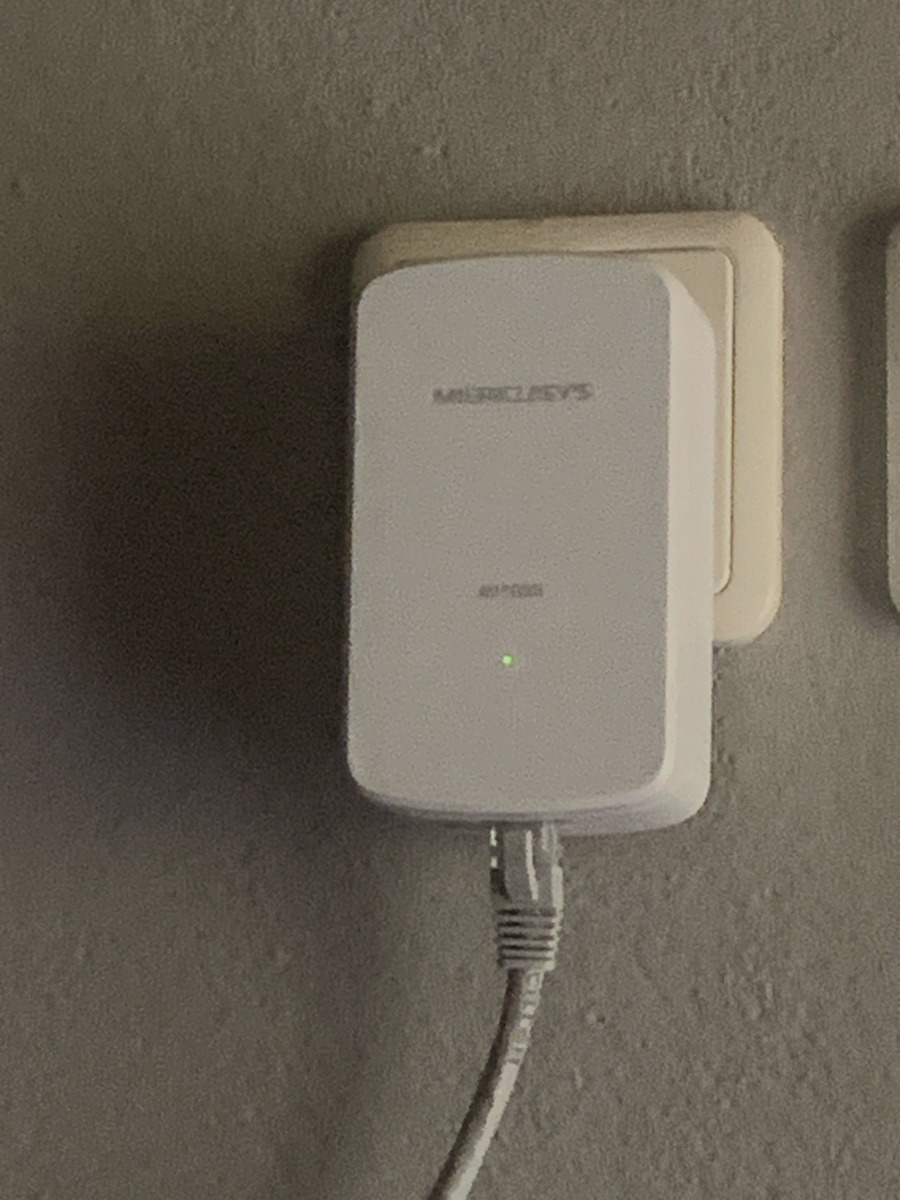
Initially, we have Cosmote VDSL 50mbps Down / 5mbps Up, a single-phase old installation from 1992, and a kitchen socket with a 16A fuse (router location) and a socket with a 10A fuse in the PC room. The sockets are relatively close to the panel if we measure distances on the wall and towards the electrical network boxes; regardless of whether it’s a different circuit, it’s the same phase.
It was purchased for a new desktop gaming computer which, unfortunately, is not very far from the router but is located between drywall, a hallway, and a door, with a closet. For convenience, I temporarily used a simple USB WiFi card which worked very well, reaching 44~46 mbps, but for video calls, LIVE, and gaming situations (CS2, Call of Duty DMZ, etc.), the problem with very high ping caused significant delays to the point of frustration...
I am a network and computer technician as well as a programmer.
--- The Powerline literally saved the situation (instant response compared to WiFi, low stable ping in games, a pleasure, everything works instantly, pure speed as if I had run ethernet, it worked immediately without pressing the pairing button, through the 230Vac electrical network reaching up to 300 meters of existing internal electrical wiring where electrical devices operate).
--- It promises over 1000 Mbps maximum speed OverLine and LAN, while more expensive options are limited to 300 and 600 mbps, but I don’t have 1Gbps Internet to test it, unless I connect two computers with fast NVME drives via ethernet cables, one crossover and the other straight, set static IPs, and transfer files to see the max speed.
---- VFM at this price (35€) with the new HomePlug AV2 MiMO standard with rectangular OFDM modulation and AES 128bit network encryption.
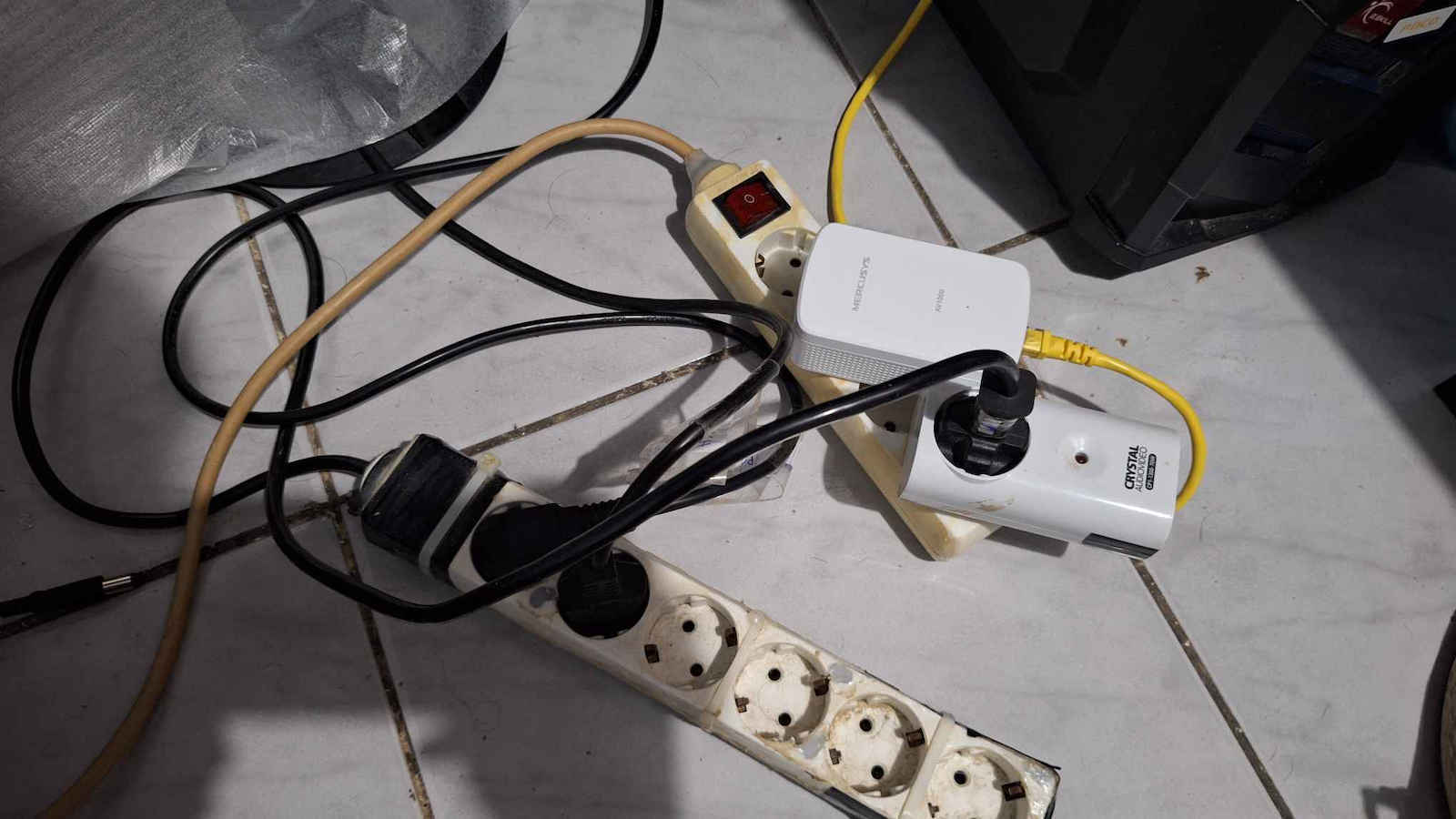
--- The limitations and negatives are as follows: it works with a power strip (ONLY if the power strip is simple, not one that protects against surges, and if you place the Powerline in the first socket of the power strip and in the last socket you put a single socket surge protector if you want for surges, and into this you plug another power strip to protect the connected devices (PC, monitor, speakers, printer, phone charger, etc.), that’s how I have it in both parts of the Powerline, in simple power strips in the first socket, and it worked instantly without any disconnection or trace of lag after intense gaming, it gets warm when connected but not burning hot.
---- Now in three-phase installations there will be a problem if each part is connected to a socket with a different phase, you will need to buy a more expensive one, or test in your house which sockets are on the same phase for it to work.
---- Mercusys is a subsidiary of the renowned TP-Link and I believe it will be reliable in the long run since Powerlines, due to their technology, cannot be protected with UPS or surge protector power strips, as these devices block all these frequencies because they consider them interference.
--- It is a very useful network device that should be in every home, especially now in the Fiber era. WiFi from the router to the devices significantly wastes the speed and response of the network and internet you pay for. (Powerline can be negatively affected if inductive loads operate on the electrical network (such as motors, fluorescent lamps, switching power supplies, UPS, microwaves, etc.)
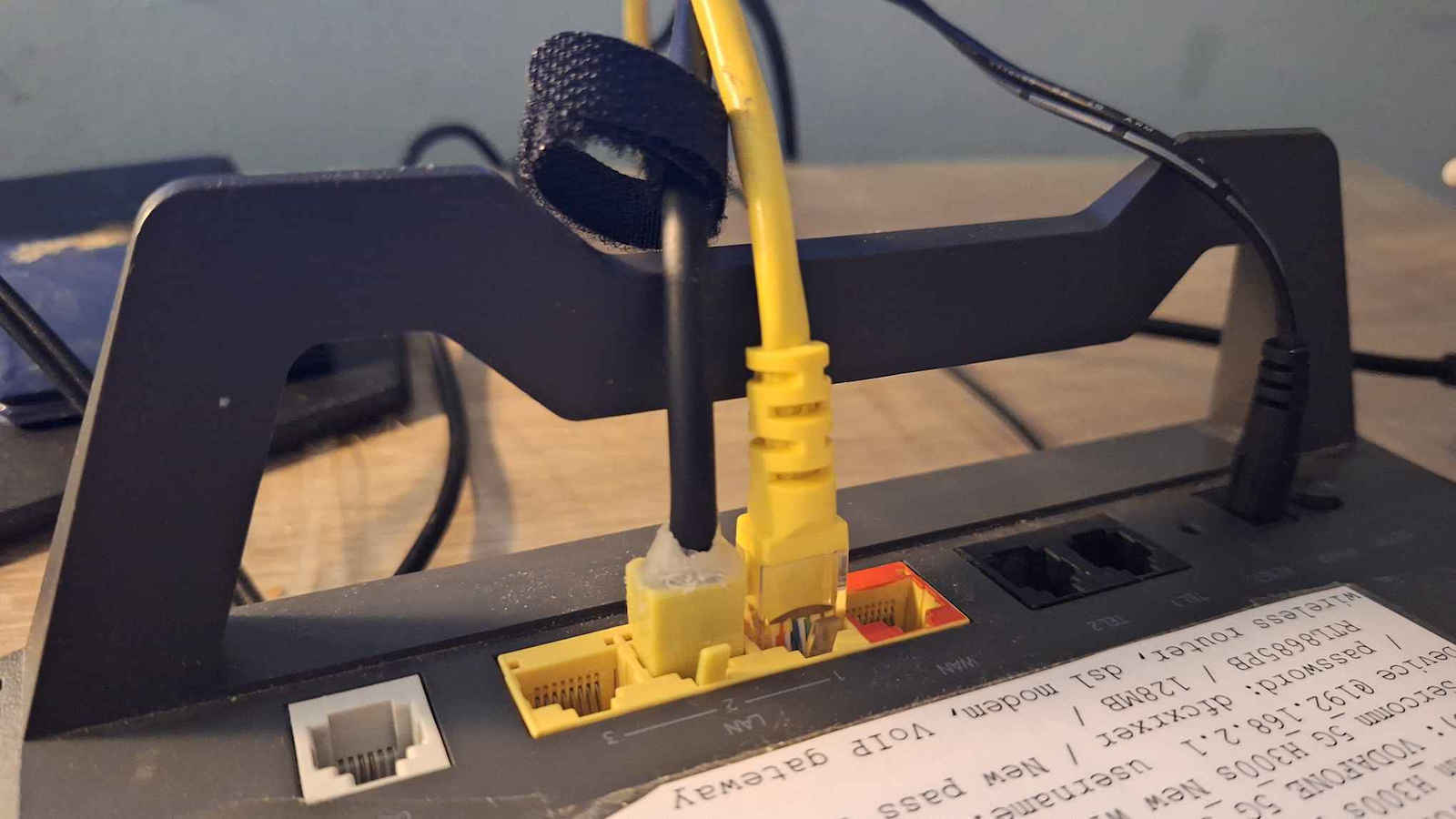
--- I also tried connecting the Powerline receiver to an old Vodafone router as a small switch and extra WiFi Access Point antenna (of course I disabled DHCP so it gets IP from the main active Cosmote router where I have the Powerline transmitter connected, connected the PC to the old Vodafone router and that to the Powerline, and the other Powerline to the main Cosmote router, and guess what, it worked perfectly without problems and with zero lag even in gaming situations.
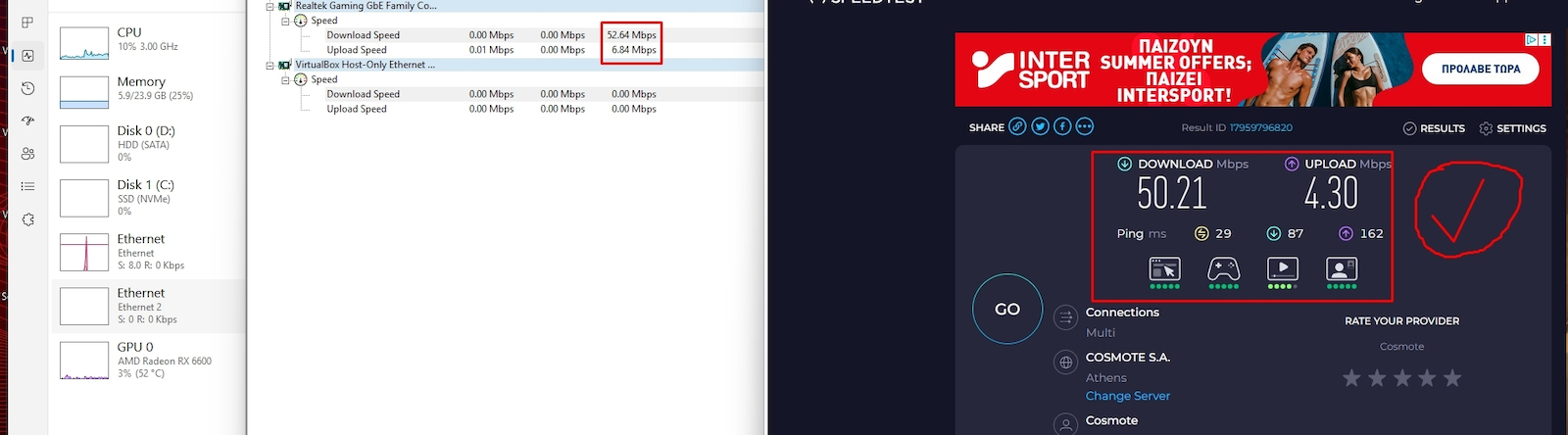
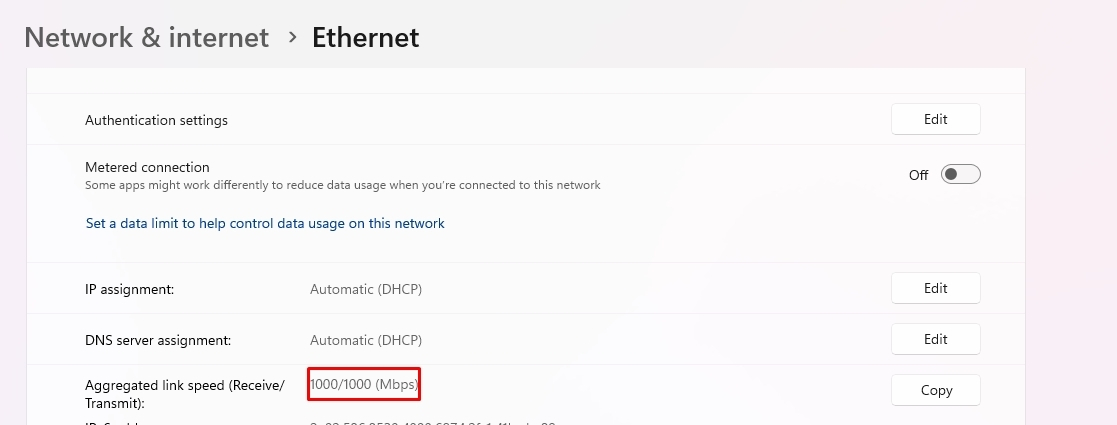
In the photos below, there is a speedtest measurement as well as the highest recorded by the monitoring program reached during gaming, and that it locked at 1000 Mbps.
Timelessly, it is true that ethernet cable (for me CAT 6A) if you can run it in your space and arrange it without being in the way, ugly, inconvenient, or at risk of being hit, is by far the most stable, reliable, economical, and fastest pure connection, even if you have Fiber, from the router to your PC it covers you, and home networks are still far from speeds above 10Gbps, the copper ethernet cable is king. But if you don’t want to drill holes and run channels, with Powerline you just plug it in and it works. If you have modern devices with new WiFi standards (like mobiles, cameras, tablets, etc. that don’t take Ethernet), a good solution is WiFi Mesh or a good Access Point, because the classic all-in-one provider router will have issues)
Αρχικά έχουμε Cosmote VDSL 50mbps Down / 5mbps Up, μονοφασική παλιά εγκατάσταση του 1992 και μια πρίζα κουζίνας με 16Α ασφάλεια (θέση του ρουτερ) και μια πρίζα με 10A ασφάλεια στο δωμάτιο του Η/Υ οι πρίζες είναι σχετικά κοντά στον πίνακα αν μετρήσουμε με το μέτρο αποστάσεις στο τοίχο και προς τα box του ηλεκτρικού δικτύου ασχέτως αν είναι άλλο κύκλωμα είναι ίδια φάση.
Αγοράστηκε για έναν νεο σταθερό gaming υπολογιστή που δυστυχώς βρίσκεται όχι πολύ μακριά από το router αλλά ανάμεσα σε γυψοσανίδα, διάδρομο και πόρτα, ντουλάπα για ευκολία έβαλα προσωρινά μια απλή κάρτα USB WiFi η οποία ναι μεν λειτουργούσε πολύ καλά έφτανε στα 44~46 mbps αλλά για βίντεοκλήσεις, LIVE και gaming καταστάσεις (CS2, Call of Duty DMZ κ.α) το πρόβλημα με το πολύ υψηλό ping δημιουργούσε μεγάλη καθυστέρηση σε σημείο αγανάκτησης...
Είμαι τεχνικός δικτύων και υπολογιστών καθώς και προγραμματιστής.
--- Το Powerline στην κυριολεξία έσωσε την κατάσταση (ακαριαια ανταπόκριση σε σχέση με το WiFi χαμηλό σταθερό ping στα παιχνίδια απόλαυση, όλα δουλεύουν μπαμ, ατόφια ταχύτητα λες και έχω περάσει ethernet, έπαιξε αμέσως χωρίς να πατήσω το κουμπάκι για το pairing, μέσω του ηλεκρολογικού δικτύου των 230Vac ενω φτάνει μέχρι 300 μέτρα της υπάρχουσας ηλεκτρικής εσωτερικής καλωδίωσης που λειτουργούν ηλεκτρικές συσκευές.
--- Υπερ τα 1000 Mbps μέγιστη ταχύτητα OverLine και LAN υπόσχεται ενώ ακριβότερες προτάσεις περιορίζονται στα 300 και στα 600 mbps αλλά δεν έχω 1Gbps Ιντερνετ για να το δοκιμάσω, εκτός αν σε δυο υπολογιστές με ταχύτατους NVME δίσκους το συνδέσω με καλωδια ethernet το ένα crossover και το άλλο με straight σετάρω και τις στατικές IP και μεταφέρω αρχεία από να δω πόσο φτάνει max.
---- VFM σε αυτά τα χρήματα ( 35Ε ) το νεο πρότυπο HomePlug AV2 MiMO με ορθογωνική διαμόρφωση OFDM και η κρυπτογράφηση του δικτύου AES 128bit.
--- Οι περιορισμοί και τα αρνητικά είναι τα εξής: λειτουργεί και σε πολύπριζο (ΜΟΝΟ αν το πολύπριζο είναι απλό όχι αυτό που προστατευεί από τις υπερτάσεις, και αν τοποθετήσετε το Powerline στην πρώτη πρίζα του πολύπριζου και στην τελευταία πρίζα του πολύπριζου βάλετε ένα μονόπριζο ασφαλείας αν θέλετε για τις υπερτάσεις και σε αυτό κομπώσετε ένα άλλο πολύπριζο που θα προστατεύει τις συνδεμένες συσκευές (Η/Υ, οθόνη, ηχεία, εκτυπωτή, φορτιστή κινητού κ.α) , εγώ έτσι το έχω και στα δυο μέρη του Powerline τα έχω σε απλά πολύπριζα στην πρώτη πρίζα όμως και δούλεψε ακαριαιά χωρίς καμία αποσύνδεση ή ίχνος lag μετά από έντονο gaming, ζεσταίνεται όταν είναι συνδεμένο αλλά δεν ζεματάει κιόλας.
----Τώρα στις 3φασικές εγκαταστάσεις θα υπάρχει πρόβλημα αν το κάθε κομμάτι συνδεθεί σε πρίζα με διαφορετική φάση, θα πρέπει να αγοράσετε ακριβότερο, ή να κάνετε δοκιμές στο σπίτι σας σε ποιές πρίζες έχουν την ίδια φάση για να παίξει.
---- Η Mercusys είναι θυγατρική της ξακουστής TP-Link και πιστεύω ότι θα είναι αξιόπιστη σε βάθος χρόνου μιας και τα Powerline λόγω της τεχνολογίας τους δεν μπορείς να τα προστατέψεις με UPS ή με πολύπριζα ασφαλείας, καθώς αυτές οι διατάξεις κόβουν όλες αυτές τις συχνότητες γιατί τις θεωρούν παρεβολές.
--- Είναι μια πολύ χρήσιμη δικτυακη συσκευή, που πρέπει να υπάρχει σε κάθε σπίτι ειδικά τώρα στην εποχή του Fiber το Wifi από το ρούτερ προς τις συσκευές χαραμίζει σημαντικά την ταχύτητα και την ανταπόκριση του δικτύου και του ιντερνετ που πληρώνετε. (Το Powerline μπορεί να επηρεαστεί αρνητικά αν λειτουργούν επαγωγικά φορτία στο ηλεκτρικό δίκτυο (όπως μοτέρ, λάμπες φθορισμού, παλμοτροφοδοτικά, UPS, φούρνοι μικροκυμάτων κ.α)
--- Εγώ δοκίμασα επίσης να συνδέσω το δέκτη του Powerline με ένα παλιό ρουτερ της Vodafone ως Switchάκι και έξτρα WiFi Access Point κεραία (εννοέιται έκλεισα το DHCP για να πάρει IP από το κύριο ενεργό ρούτερ της Cosmote που έχω συνδεμένο τον πομπό του Powerline, τον υπολογιστή τον σύνδεσα με το παλιό ρουτερ της Vodafone και αυτό με το Powerline στο άλλο Powerline στο κύριο της Cosmote ρουτερ και μαντέψτε δούλεψε κανονικά χωρίς προβλήμα και σε gaming καταστάσεις με μηδενικό lag.
Στις παρακάτω photo έχει μέτρηση ταχύτητας στο speedtest καθώς και την μέγιστη κατεγραμένη από το monitoring πρόγραμμα που έφτασε στο gaming αλλά και ότι κλείδωσε στα 1000 Mbps.
Διαχρινικά ισχύει ότι το καλώδιο ethernet ( για μένα CAT 6A ) αν μπορείτε να το περάσετε στον χώρο σας και να το τακτοποιήσετε χωρίς να είναι στην μέση άσχημο, άβολο και να χτυπηθεί είναι μακράν η πιο σταθερή, αξιόπιστη, οικονομική , ταχύτατη ατόφια σύνδεση ακόμα και Fiber να έχετε από το ρουτερ στον Η/Υ σας καλύπτει και αργούν ακόμα για τα οικιακά δίκτυα ταχύτητες άνω των 10GBps, το Ethernet χάλκινο καλωδιάκι είναι βασιλιάς, αλλά άμα ανοίγω τρύπες, περνάω κανάλια, με το Powerline απλά το συνδέεις και παίζει, αν έχετε σύγχρονες συσκευές με νέα πρότυπα WiFi (όπως κινητά, κάμερες, ταμπλετ κ.α που δεν παίρνουν Ethernet μια καλή λύση είναι το WIFi Mesh ή ένα καλό Access Point γαιτί το κλασικό όλα σε ένα ρουτερ του παρόχου θα έχει κολλήματα)