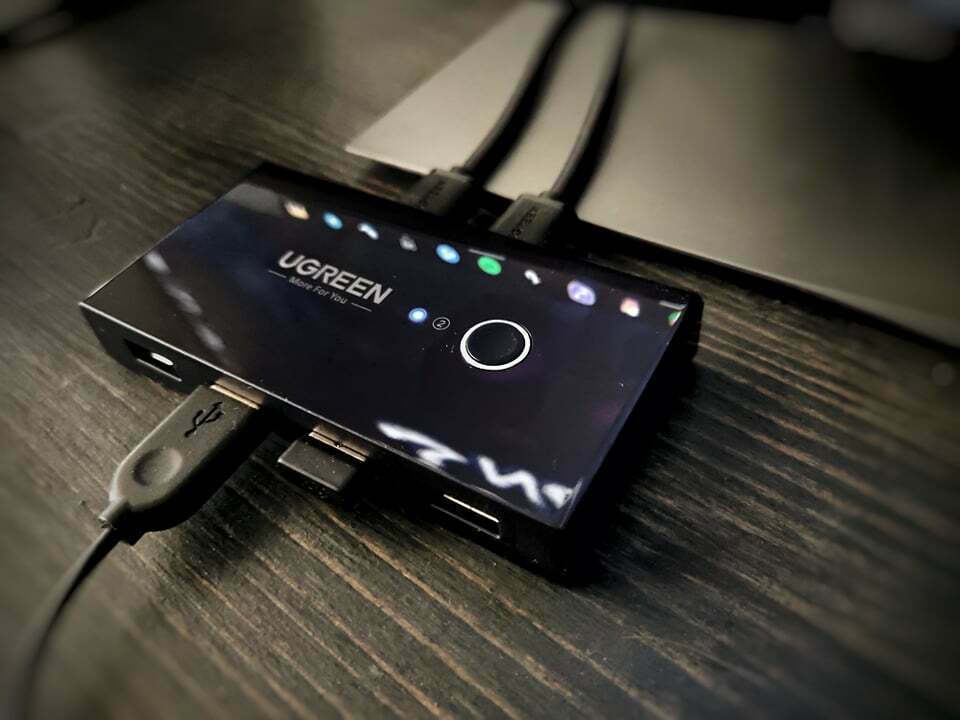
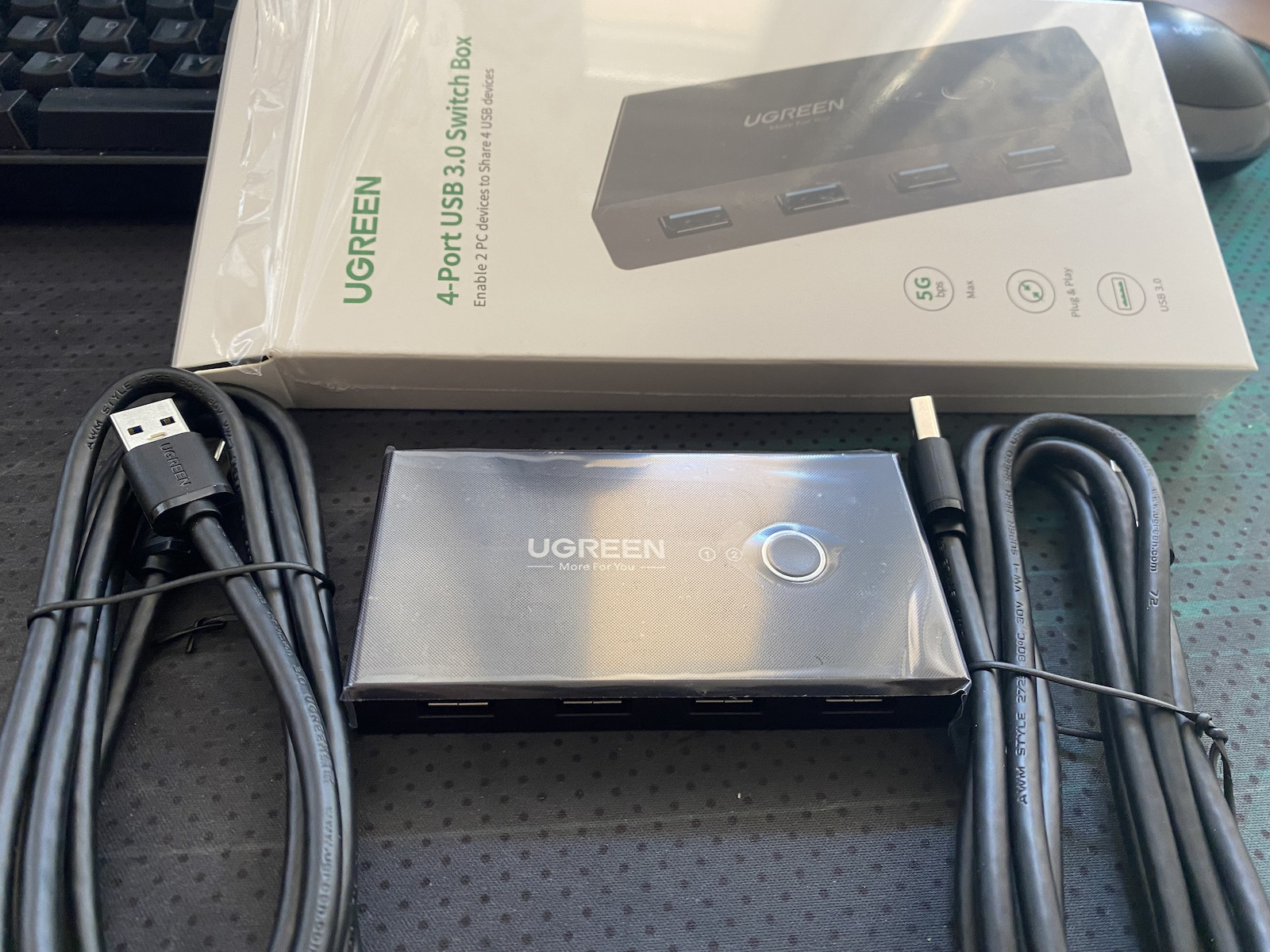
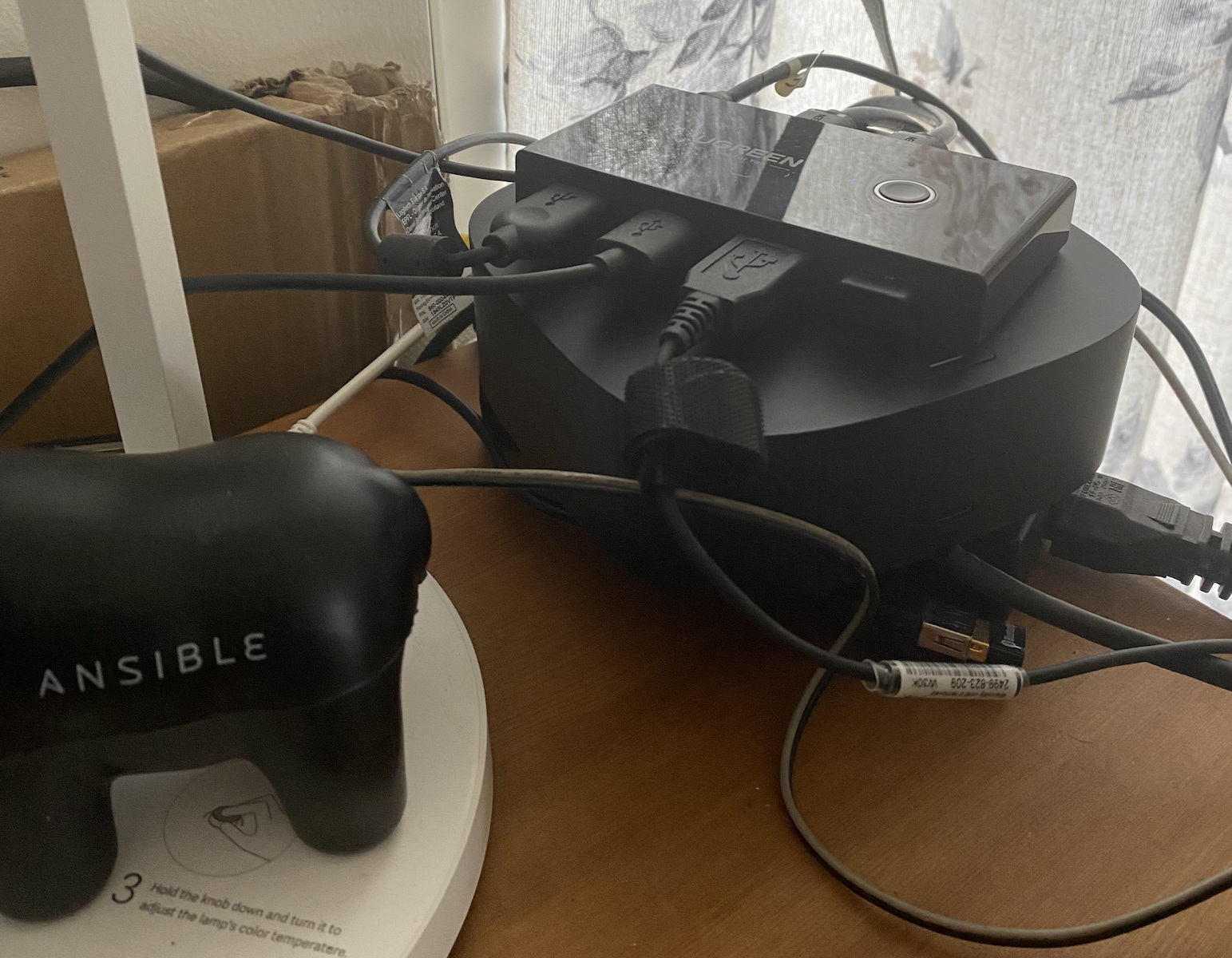
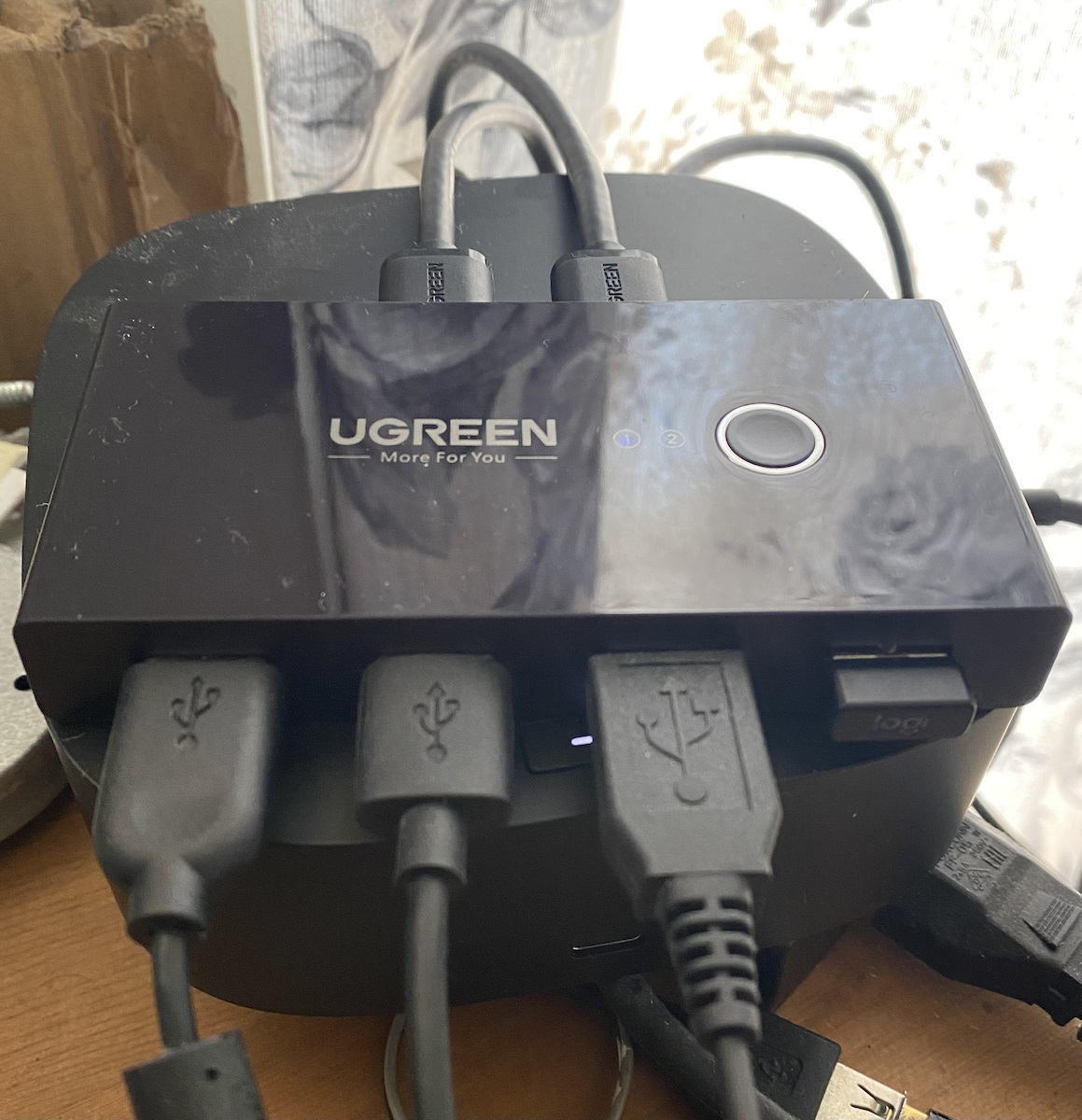
Recent purchase with the purpose of sharing the use of keyboard and mouse on a PC with Windows 10 and PS5. It works flawlessly and reliably without delays in commands (this comment mainly concerns gaming users). The length of the cables is sufficient and under normal conditions it will not create a problem in cable management on the desk. Pay attention to the following... in case of receiving Windows updates, it may cause a blue screen during the first boot after the required restart. Don't worry... just unplug the hub from the PC and directly connect the keyboard and mouse until the Windows boot. Immediately after, reconnect the hub and everything will be okay.
Πρόσφατη αγορά με σκοπό να μοιραστεί η χρήση keyboard και mouse σε pc με win 10 και ps5. Λειτουργεί απροβλημάτιστα και αξιόπιστα χωρίς καθυστερήσεις στις εντολές (αυτό το σχόλιο αφορά κυρίως gaming users). Το μήκος των καλωδίων είναι επαρκές και υπό κανονικές συνθήκες δεν θα δημιουργήσει πρόβλημα στο cable management του γραφείου. Προσοχή στο εξής...σε περίπτωση λήψης windows updates ενδέχεται να σας βγάλει blue screen κατά το πρώτο μπουτάρισμα από το απαιτούμενο restart. Μην αγχωθείτε...απλά ξεκουμπώστε το hub από το pc και βάλτε επάνω του απευθείας το keyboard και το mouse μέχρι να bootάρουν τα windows. Αμέσως μετά συνδέστε πάλι το hub και όλα οκ.
Translated from Greek ·
Construction quality
Durability
Cable length
Does it work satisfactorily when connecting multiple devices simultaneously?
It does what it promises in terms of functionality, but unfortunately the speeds it offers are not USB 3.0. I have connected a card reader (USB 3.0) and a USB to Ethernet dongle (USB 3.0, 1Gbit) in addition to a mouse and keyboard, and the maximum speed it provides is 37 MB/s plugged in.
The downside is that I initially bought the USB 2.0 version and I was forced to also get the USB 3.0 version because I thought I made a mistake, but I didn't see any difference in speeds between the two.
Κάνει οτι υπόσχεται στο λειτουργικό κομμάτι αλλά δυστυχως οι ταχύτητες που προσφέρει δεν ειναι USB 3.0. Εχω συνδέσει επάνω, εκτός απο mouse και keyboard, ενα card reader (USB 3.0) και ένα dongle USB to Ethernet (USB 3.0, 1Gbit) και η μέγιστη ταχύτητα που δίνει ειναι 37 MB/s καρφωμένο.
Το κακό ειναι οτι είχα πάρει αρχικά την USB 2.0 έκδοση του και αναγκάστηκα να πάρω ΚΑΙ την USB 3.0 γιατί πίστεψα οτι έκανα βλακεία αλλά δεν είδα καμία διαφορά στις ταχύτητες μεταξύ των δύο.
I bought it to use the same keyboard, mouse, and headphones on two laptops, but unfortunately it often causes me serious problems.
After a few hours of use, many times during the day, the connected peripherals completely freeze and the computer stops recognizing them. Switching from one laptop to the other and back does not solve the problem, nor does changing the USB port or cable. I have also tried different ports on the switch without success.
The worst part is that, when it happens, I usually need to put the laptop to sleep or restart it for the keyboard and mouse to work again. For a device bought precisely to make daily switching between two computers easier, this unfortunately makes it unreliable for professional and everyday use.
Το αγόρασα για να χρησιμοποιώ το ίδιο πληκτρολόγιο, ποντίκι και ακουστικά σε δύο laptop, όμως δυστυχώς μου δημιουργεί συχνά σοβαρό πρόβλημα.
Μετά από κάποιες ώρες χρήσης, πολλές φορές μέσα στην ημέρα, τα συνδεδεμένα περιφερειακά παγώνουν τελείως και ο υπολογιστής σταματά να τα αναγνωρίζει. Η αλλαγή από το ένα laptop στο άλλο και πίσω δεν λύνει το πρόβλημα, ούτε η αλλαγή USB θύρας ή καλωδίου. Έχω δοκιμάσει επίσης διαφορετικές θύρες του switch χωρίς αποτέλεσμα.
Το χειρότερο είναι ότι, όταν συμβεί, συνήθως χρειάζεται να βάλω το laptop σε sleep ή να κάνω επανεκκίνηση για να επανέλθουν πληκτρολόγιο και ποντίκι. Για μια συσκευή που αγοράστηκε ακριβώς για να κάνει την καθημερινή εναλλαγή μεταξύ δύο υπολογιστών πιο εύκολη, αυτό την καθιστά δυστυχώς αναξιόπιστη για επαγγελματική και καθημερινή χρήση.
Functionally flawless, but the cables need a better solution
From a functional perspective, this Ugreen Sharing Box works flawlessly. Switching USB devices between two computers is smooth and reliable, with no disconnections or strange behavior.
For anyone using two systems at the same desk who wants to share a keyboard, mouse, or other USB peripherals without constantly plugging and unplugging cables, it’s a really practical solution.
USB 3.0 connectivity is also important when using devices that require greater bandwidth, and overall, from a technical standpoint, I haven’t encountered any operational problems.
The main drawback for me is cable management. To make a USB sharing setup like this work properly, you need quite a few connections, and you end up with lots of cables gathered around the device. In an organized desktop setup, this becomes quite annoying, both practically and aesthetically.
I’d prefer a design that makes cable routing easier, or at least allows the cables to be hidden behind the desk more easily.
Pros:
• Completely stable operation
• Easy switching of USB devices between computers
• 4 USB 3.0 ports
• Very practical for a two-PC setup
• I haven’t experienced any disconnections or recognition issues
Cons:
• Lots of cables for a clean desktop setup
• Cable management becomes difficult
• I’d like a better-thought-out connection layout
Conclusion:
Technically, it does exactly what it should, and so far it has worked flawlessly. My only real complaint is the number of cables and managing them. If cable management doesn’t bother you, it’s an extremely practical solution. For me, 4/5, solely because of the design and the number of cables.
Λειτουργικά άψογο, αλλά θέλει καλύτερη λύση στα καλώδια
Από λειτουργικής πλευράς το συγκεκριμένο Ugreen Sharing Box δουλεύει άψογα. Η εναλλαγή των USB συσκευών μεταξύ δύο υπολογιστών γίνεται σωστά και σταθερά, χωρίς αποσυνδέσεις ή περίεργη συμπεριφορά.
Για κάποιον που χρησιμοποιεί δύο συστήματα στο ίδιο γραφείο και θέλει να μοιράζεται πληκτρολόγιο, ποντίκι ή άλλα USB peripherals χωρίς να συνδέει και να αποσυνδέει συνεχώς καλώδια, είναι πραγματικά πολύ πρακτική λύση.
Η USB 3.0 συνδεσιμότητα είναι επίσης σημαντική όταν χρησιμοποιούνται συσκευές που χρειάζονται μεγαλύτερο bandwidth και συνολικά, από τεχνικής πλευράς, δεν έχω αντιμετωπίσει κάποιο πρόβλημα στη λειτουργία του.
Το βασικό μειονέκτημα για μένα είναι το cable management. Για να λειτουργήσει σωστά ένα τέτοιο USB sharing setup χρειάζονται αρκετές συνδέσεις και τελικά καταλήγεις με πολλά καλώδια συγκεντρωμένα γύρω από τη συσκευή. Σε ένα οργανωμένο desktop setup αυτό γίνεται αρκετά ενοχλητικό, τόσο πρακτικά όσο και αισθητικά.
Θα προτιμούσα έναν σχεδιασμό που να διευκολύνει περισσότερο τη δρομολόγηση των καλωδίων ή τουλάχιστον να επιτρέπει να κρύβονται ευκολότερα πίσω από το γραφείο.
Θετικά:
• Απόλυτα σταθερή λειτουργία
• Εύκολη εναλλαγή USB συσκευών μεταξύ υπολογιστών
• 4 θύρες USB 3.0
• Πολύ πρακτικό για setup με δύο PCs
• Δεν έχω αντιμετωπίσει αποσυνδέσεις ή προβλήματα αναγνώρισης
Αρνητικά:
• Πολλά καλώδια για ένα καθαρό desktop setup
• Το cable management γίνεται δύσκολο
• Θα ήθελα καλύτερα μελετημένη διάταξη συνδέσεων
Συμπέρασμα:
Τεχνικά κάνει ακριβώς αυτό που πρέπει και μέχρι στιγμής λειτουργεί άψογα. Το μόνο πραγματικό παράπονό μου είναι η ποσότητα και η διαχείριση των καλωδίων. Αν δεν σας ενοχλεί το cable management, είναι εξαιρετικά πρακτική λύση. Για μένα 4/5, αποκλειστικά λόγω του σχεδιασμού και των πολλών καλωδίων.
Many times during the day it simply stops working and I have to press the button twice for it to work again. Also, this results in my camera turning off during video calls
Πολλές φορές εντός της μέρας απλώς νεκρώνει και πρέπει να πατήσω το κουμπί 2 φορές για να παιξει ξανά. Επίσης αυτό έχει ως αποτέλεσμα σε video calls να κλείνει η κάμερά μου
Very good product, it does what it is supposed to do reliably and economically. It has never caused me any problems, with the button on top you can switch very easily, the change happens instantly. I use it to switch between keyboard and mouse on xbox one x and pc, there is no noticeable delay in response.
Πάρα πολύ σωστό προϊόν, κάνει αυτό που πρέπει να κάνει αξιόπιστα και οικονομικά. Δεν μου δημιούργησε ποτέ πρόβλημα, με το κουμπάκι πάνω το εναλλάσσεις πανεύκολα, η αλλαγή γίνεται ακαριαία. Το χρησιμοποιώ για εναλλαγή μεταξύ πληκτρολογίου και ποντικιού σε xbox one x και pc, δεν υπάρχει κάποιο διακριτό delay στην απόκριση.
The box is plastic, light enough, and of cheap quality, but for its job (and its price), it is sufficient.
In terms of functionality, I haven't encountered any issues with connecting peripheral devices to it and switching between the 2 computers. There is a slight delay when switching from one computer to another, but personally, it doesn't bother me.
It's also a plus that it has a USB-C input, which allows you to power it with an external source if the devices you connect draw enough power.
Το κουτί είναι πλαστικό, ελαφρύ αρκετά και φθηνή ποιότητας αλλά για την δουλειά του (και τα λεφτά του) είναι αρκετό.
Από άποψη λειτουργίας, δεν έχω εντοπίσει προβλήματα στην σύνδεση περιφερειακων στοιχείων σε αυτό και την μετάβαση μεταξύ των 2 υπολογιστών. Έχει μικρή καθυστέρηση όταν αλλάζεις από υπολογιστή σε υπολογιστή αλλά προσωπικά δεν με ενοχλεί αυτό.
Θετικό είναι επίσης ότι έχει είσοδο για usb c, το οποίο επιτρέπει να το τροφοδοτήσεις με εξωτερική πηγή αν αυτά που θα βάλεις τραβάνε αρκετό ρεύμα.
Translated from Greek ·
Cable length
Does it work satisfactorily when connecting multiple devices simultaneously?
Sometimes, when pressing the button, the switch does not occur and the devices need to be disconnected and reconnected in order to be read by the computer
Εχει τύχει, καποιες φορές, πατώντας το κουμπί να μην γίνεται η εναλλαγή και πρέπει να αποσυνδεθούν και να επανασυνδεθούν οι συσκευές ωστε να διαβαστούν απο τον υπολογιστή
Purchased for daily use and so far as I write this review (9/24) there are no problems. It's extremely useful that it can connect to 2 computers and switch between which one you want to use, when obviously you have them both open at the same time (e.g. desktop and laptop). If you need to connect devices that draw more power than a simple USB (e.g. external hard drive or device charging) it would be good to give it a little extra power with a USB mini A cable, which is not included in the package, that's why the 4 stars.. Very good for the money!
Αγορά 7/24 καθημερινή χρήση και μέχρι στιγμής που γράφω την αξιολόγηση (9/24) δεν υπάρχουν προβλήματα. Εξαιρετικά χρήσιμο το ότι μπορεί να συνδεθεί σε 2 υπολογιστές και να εναλλάσσεις σε ποιον από τους 2 θέλεις να το χρησιμοποιείς, όταν προφανώς του έχεις ανοιχτούς ταυτόχρονα (πχ desktop και laptop). Αν χρειάζεται να συνδέσετε συσκευές που τραβάνε παραπάνω ρεύμα από ένα απλό usb (πχ. Σκληρό εξωτερικό ή φόρτιση συσκευής) καλό θα ήταν να του δώσετε λίγο έξτρα ρεύμα με καλώδιο USB mini A, το οποίο δεν συμπεριλαμβάνεται στη συσκευασία, για αυτό και τα 4 αστέρια..
Πολύ καλό για τα λεφτά του!
It does the job it needs to do. I don't know how it behaves if you connect it to power-hungry devices, but I don't care for the use I want it for.
Κάνει τη δουλεια που πρέπει να κανει. Δεν ξερω πως συμπεριφέρεται αν το συνδέσεις με ενεργοβόρες συσκευές, αλλα δεν με νοιαζει για τη χρήση που το θελω.
Ideal solution for those who have 2 computers in their office, and want to use the same peripherals for both systems.
It has saved me with my equipment for my work from home. I literally press only 1 button, every time I need to switch from one to the other.
Ιδανική λύση για όσους έχουν 2 υπολογιστές στο γραφείο τους, και θέλουν να χρησιμοποιούν τα ίδια περιφερειακά και για τα δύο συστήματα.
Με έχει σώσει με τον εξοπλισμό μου για την εργασία μου από το σπίτι. Πατάω κυριολεκτικά μόνο 1 κουμπί, κάθε φορά που χρειάζεται να πάω από το ένα στο άλλο.
Sometimes at the beginning, the mouse was not recognized by the application (Logitech G102), but the problem fixed itself after about a week and it has been working perfectly since then. I don't know if there was an update from Logitech's side or the drivers.
καποιες φορες στην αρχη το mouse δεν αναγνωριζοταν απο την εφαρμογη του (logitech G102), φτιαχτηκε μονο του το προβλημα μετα απο μια βδομαδα περιπου και δουλευει αψογα απο τοτε. Δεν ξερω αν εγινε καποιο update απο την μερια της logitech ή στους drivers.
I'll be the first to review this, since I took a risk buying an item without any reviews.
I needed a 'simple' KVM switch to work for my work Chromebox and my main home PC, with enough ports for my mouse (Logitech G502) and gaming keyboard (Corsair K70 LUX, which has two USB cables on its own). I didn't want any monitor outputs, or a KVM with just a single USB port for a memory stick.
The box is quite small and comes with two fairly 'heavy-duty' USB A - USB A cables to connect the KVM to your two machines, quite thick and sturdy. I haven't tested using a USB stick to confirm the speeds provided, but I might do so at a later date.
There was no driver installation required. Once all the cables and peripherals were connected, it worked instantly. My work computer didn't see anything different and acted like they were connected directly, and my PC (which has more power to spare when compared to the tiny Chromebox) powered the RGB lighting on the keyboard.
When you press the small button on the top, it takes approximately 3-4 seconds to move from PC to Chromebox, and only 1 second from Chromebox to PC, so it's negligible. It's fast and painless. The blue LED on the switch is blue, but not horrendously bright like with other tech, so it won't keep you up at night. It does stay on even when both machines are off, however, it could be due to my PC always maintaining some power on for the RGB on the motherboard.
On Windows, you can hear the USB connect/disconnect sound when switching to and from when pressing the button, the moment you hear the sound is when it can be used on the PC, or the other machine.
Rarely, a device won't be recognised when you switch, like the keyboard or mouse. To fix it, just switch to the other machine, wait a few seconds, and switch back.
One time, there was a fairly big issue, in that the switch wouldn't work on my PC. I figured out the issue on my own. I believe I was switching between both machines so fast, that it couldn't keep up, and the switch became an unknown USB device in Device Manager (so anything connected to it wouldn't be detected). The solution was to uninstall that unknown device, then switch to the other machine, wait a second or two, and switch back. Windows found the drivers needed and it worked again.
TLDR, don't do rapid switches between machines, just give it at least 5 seconds before pressing the button again.
Highly recommended for daily use.
I'll be the first to review this, since I took a risk buying an item without any reviews.
I needed a 'simple' KVM switch to work for my work Chromebox and my main home PC, with enough ports for my mouse (Logitech G502) and gaming keyboard (Corsair K70 LUX, which has two USB cables on its own). I didn't want any monitor outputs, or a KVM with just a single USB port for a memory stick.
The box is quite small and comes with two fairly 'heavy-duty' USB A - USB A cables to connect the KVM to your two machines, quite thick and sturdy. I haven't tested using a USB stick to confirm the speeds provided, but I might do so at a later date.
There was no driver installation required. Once all the cables and peripherals were connected, it worked instantly. My work computer didn't see anything different and acted like they were connected directly, and my PC (which has more power to spare when compared to the tiny Chromebox) powered the RGB lighting on the keyboard.
When you press the small button on the top, it takes approximately 3-4 seconds to move from PC to Chromebox, and only 1 second from Chromebox to PC, so it's negligible. It's fast and painless. The blue LED on the switch is blue, but not horrendously bright like with other tech, so it won't keep you up at night. It does stay on even when both machines are off, however, it could be due to my PC always maintaining some power on for the RGB on the motherboard.
On Windows, you can hear the USB connect/disconnect sound when switching to and from when pressing the button, the moment you hear the sound is when it can be used on the PC, or the other machine.
Rarely, a device won't be recognised when you switch, like the keyboard or mouse. To fix it, just switch to the other machine, wait a few seconds, and switch back.
One time, there was a fairly big issue, in that the switch wouldn't work on my PC. I figured out the issue on my own. I believe I was switching between both machines so fast, that it couldn't keep up, and the switch became an unknown USB device in Device Manager (so anything connected to it wouldn't be detected). The solution was to uninstall that unknown device, then switch to the other machine, wait a second or two, and switch back. Windows found the drivers needed and it worked again.
TLDR, don't do rapid switches between machines, just give it at least 5 seconds before pressing the button again.
So far so good, the only thing i would change is to place all the usb entrances in the back of the box for better cable management, and probably only 1 in the front for a quick access usb.
It does feel a bit cheap, I use it to connect my mouse and mechanical keyboard to both my personal computer and my work computer, someone said in one review that it would need and extra power cable, and that is not true, as long as you plug both cables in a usb 3.0 or above port, since is more capable of transmitting energy.
Honestly, I been using it for almost 1 month and I love it, if you are unsure give it a go, just don't expect wonders. there is like a 0.5 second delay when you press the button to switch before you can use it between computers.
So far so good, the only thing i would change is to place all the usb entrances in the back of the box for better cable management, and probably only 1 in the front for a quick access usb.
It does feel a bit cheap, I use it to connect my mouse and mechanical keyboard to both my personal computer and my work computer, someone said in one review that it would need and extra power cable, and that is not true, as long as you plug both cables in a usb 3.0 or above port, since is more capable of transmitting energy.
Honestly, I been using it for almost 1 month and I love it, if you are unsure give it a go, just don't expect wonders. there is like a 0.5 second delay when you press the button to switch before you can use it between computers.
Translated from Greek ·
Construction quality
Cable length
Does it work satisfactorily when connecting multiple devices simultaneously?
I can't understand why there are so many positive reviews.
If you intend to connect very simple devices just to power them up, or use it for file transfer from other devices, understandable.
But if you now want to connect devices like a ps4 controller (sometimes the signal that I pressed something was not given on time, and other times it wasn't given at all), midi controllers (they don't send any signal to the computer at all), mobile devices for tethering (the charging cable says it's damaged, and it doesn't even give me the option to use USB tethering unlike what would happen if I connected the cable directly to my computer), and other devices that you wouldn't want to have delay, or to transfer data on time, I do not recommend it at all.
The speed is so slow that I dare not connect peripheral devices to it, as if I make a certain move, no one guarantees me that it will be done on time (IF it is done).
As for file transfer now, as mentioned by another user, the speeds are NOT of USB 3.0 type. The hype is unjustified, I regret spending my money. I will not choose Ugreen again.
Δεν μπορώ να καταλάβω προς τι οι τόσες θετικές αξιολογήσεις.
Εάν σκοπεύετε να συνδέσετε πολύ απλές συσκευές απλά και μόνο για να τις τροφοδοτήσετε με λίγο ρεύμα, ή το χρησιμοποιείται για μεταφορά αρχείων από άλλες συσκευές, κατανοητό.
Εάν όμως τώρα θέλετε να συνδέσετε πάνω του συσκευές όπως τηλεχειριστήριο ps4 (άλλες φορές δεν δινόταν έγκαιρα το σήμα ότι πάτησα κάτι, και άλλες δεν δινόταν καν), midi controllers (δεν στέλνουν καθόλου σήμα στον υπολογιστή), κινητές συσκευές για tethering (το καλώδιο φόρτισης λέει ότι έχει υποστεί ζημιά, και δεν μου δίνει καν τη δυνατότητα να χρησιμοποιήσω USB tethering σε αντίθεση με το τι θα συνέβαινε αν έβαζα απευθείας το καλώδιο στον υπολογιστή μου), και άλλες συσκευές που θα θέλατε να μην έχουν delay, ή να μεταφέρουν έγκαιρα δεδομένα, δεν το συνιστώ καθόλου.
Η ταχύτητα είναι τόσο αργή, που δεν τολμάω να συνδέσω περιφερειακές συσκευές σε αυτό, μιας και αν κάνω μία x κίνηση, δεν μου εγγυάται κανένας ότι θα πραγματοποιηθεί έγκαιρα (ΑΝ πραγματοποιηθεί).
Στα της μεταφοράς αρχείων τώρα, όπως αναφέρθηκε και άπο κάποιον άλλο χρήστη, οι ταχύτητες ΔΕΝ είναι τύπου USB 3.0. Αδικαιολόγητο το hype, κλαίω τα λεφτά μου. Δεν θα ξαναπροτιμήσω Ugreen.
Translated from Greek ·
Cable length
Construction quality
Durability
It does not work satisfactorily when connecting multiple devices simultaneously
It does a very good job and has saved my hands, the only negative thing I consider and I give it 9/10 is that in order to connect a printer or a mechanical keyboard you have to connect a micro USB cable that is not included (and it is also micro USB instead of USB-C). It should include the cable if not the whole adapter. Otherwise, it is fantastic and does exactly what it says it does c:
πολυ καλο κανει την δουλεια του και μου εχει λυσει τα χερια, το μονο που θεωρω αρνητικο και του βαζω 9/10 ειναι οτι για να συνδεσεις εκτυπωτη ή μηχανικο πληκτρολογιο πρεπει να συνδεσεις micro usb καλωδιου που δεν εμπεριεχεται (και ειναι και micro usb αντι για usb-c). θα επρεπε να περιεχει το καλωδιο εαν οχι ολο τον ανταπτορα. κατα τα αλλα ειναι φανταστικο και κανει ακριβως οτι λεει οτι κανει c:
Translated from Greek ·
Durability
Cable length
Does it work satisfactorily when connecting multiple devices simultaneously?
Purchased for sharing between 2 PCs and a Mac Pro. It works perfectly. The resolution, as it claims, is in 4K and it has excellent response. It's a bit inconvenient that it's filled with cables everywhere and it doesn't look nice on the desk, but no one complains since it's very convenient. I would prefer all the cables to be at the back and for it to be larger in size. It's worth every penny and more.
Αγοραστηκε για διαμοιρασμο 2 PC και ενα Mac Pro. Δουλευει αψογα. Η αναλυση οπως λεει ειναι στα 4Κ και εχει φοβερη αποκριση. Ειναι λιγο αβολο που γεμιζει απο παντου καλωδια και δεν ειναι ωραιο πανω στο γραφειο αλλα κανεις τα στραβα ματια, μιασ και ειναι πολυ βολικο. Θα προτιμουσα ολα τα καλωδια να ειναι απο την πισω πλευρα και ασ ηταν μεγαλυτερο σε μεγεθος. Αξιζει τα χρηματα του με το παραπανω.
Translated from Greek ·
Construction quality
Durability
Cable length
Does it work satisfactorily when connecting multiple devices simultaneously?
Very good, it does its job perfectly, so far I haven't encountered any problem, I have connected 4 devices (mouse, keyboard, wireless headphones, Bluetooth receiver) on top of it. As for durability, it will show as I have been using it for 1.5 months.
Πολύ καλό , την κάνει την δουλειά του άψογα, μέχρι στιγμής δεν έχω αντιμετωπίσει κάποιο πρόβλημα , έχω συνδέσει επάνω 4 συσκευές (ποντίκι, πληκτρολόγιο, ασύρματα ακουστικά,Bluetooth receiver) .για την αντοχή θα δείξει καθώς το χρησιμοποιώ 1.5 μήνα.
Translated from Greek ·
Construction quality
Durability
Cable length
Does it work satisfactorily when connecting multiple devices simultaneously?
Well, I have it along with an HDMI splitter from the same company (work laptop and personal PC) and for the past 3 months, it has been doing its job perfectly fine. And as for data transfer, it is also satisfactory as a USB 3
Λοιπόν το έχω μαζι με ενα HDMI splitter της ιδιας εταιρειας(λαπτοπ δουλειας και προσωπικο PC) και εδω και 3 μηνες κανει τη δουλεια του μια χαρα. Και οσον αφορα τη μεταφορα δεδομενων επισης ειναι ικανοποιητικο σαν USB 3
Translated from Greek ·
Construction quality
Durability
Cable length
Does it work satisfactorily when connecting multiple devices simultaneously?
I got this USB Hub to connect my work laptop and personal tower and have them share the same keyboard and mouse. Previously, I had a keyboard/mouse for each. I plugged in the hub and it cleared up my desk. With the press of a button, control is transferred from one machine to the other. I connected it to Windows 10 and Ubuntu 20.04 and there are no compatibility issues. It is very small and doesn't take up space on the desk. I've had it for almost 2 months and it has been a lifesaver. I highly recommend it!
Πήρα αυτό το USB Hub για να συνδέσω το λάπτοπ της δουλειάς και το προσωπικό μου tower και να μοιράζονται το ίδιο πληκτρολόγιο και ποντίκι. Προηγουμένως είχα ένα πληκτρολόγιο/ποντίκι για το καθένα. Έβαλα το hub και άδειασε το γραφείο μου. Με το πάτημα ενός κουμπιού μεταφέρεται ο έλεγχος από το ένα μηχάνημα στο άλλο. Το συνέδεσα σε Windows 10 και Ubuntu 20.04 και δεν έχει κανένα πρόβλημα συμβατότητας. Είναι πολύ μικρό και δεν πιάνει χώρο στο γραφείο. Το έχω σχεδόν 2 μήνες και σώθηκα. Το συστήνω ανεπιφύλακτα!!!
Translated from Greek ·
Construction quality
Durability
Cable length
Does it work satisfactorily when connecting multiple devices simultaneously?
Everything I needed to share USB headset, WebCam, KB/Mouse Combo, and external hard drive between two laptops that I need for my work. It really solved my problem, compatibility with Win11 is guaranteed, and the response/change is lightning-fast.
Ότι χρειαζόμουν για να μοιραστώ USB headset, WebCam, KB/Mouse Combo και εξωτερικό σκληρό μεταξύ δύο λάπτοπ που θέλω για τη δουλειά μου. Πραγματικά μου έλυσε τα χέρια, η συμβατότητα με Win11 είναι δεδομένη, και η ανταπόκριση/αλλαγή αστραπιαία.
Translated from Greek ·
Construction quality
Durability
Cable length
Does it work satisfactorily when connecting multiple devices simultaneously?
Excellent, in 3 seconds it switches from personal computer to professional so that I have the same USB devices (keyboard, mouse, webcam, etc.)
Εξαιρετικό σε 3 δευτερόλεπτα κάνει εναλλαγή από τον προσωπικό Υπολογιστή στον Επαγγελματικό ώστε να έχω τις ίδιες usb συσκευές ( πληκτρολόγιο, ποντίκι,webcam κλπ)
Translated from Greek ·
Construction quality
Durability
Does it work satisfactorily when connecting multiple devices simultaneously?
I bought this product to solve a basic problem. To be able to have the same keyboard, mouse, and headphones on my personal gaming PC and work laptop when I have a home office. After several months of use, I can say that it works flawlessly and the switch is always instantaneous when I press the input change button. I highly recommend it. I have connected it with the extra power supply and it is connected to Razer Deathadder v2, Razer Kraken 7.1 USB v2, and motospped ck104. The communication with Razer Synapse is also great.
Αγόρασα το συγκεκριμένο προϊόν για να λύσω ένα βασικό πρόβλημα. Να μπορώ να έχω το ίδιο πληκτρολόγιο, ποντίκι και ακουστικά στο προσωπικό-gaming pc και στο loptop της δουλειάς όταν έχω home office. Μετά από αρκετούς μήνες λειτουργίας μπορώ να πω ότι δουλεύει απροβλημάτιστα και η αλλαγή είναι πάντα αστραπιαία όταν πατάω το κουμπί για αλλαγή εισόδου. Το συστήνω ανεπιφύλακτα. Το έχω συνδέσει με την έξτρα τροφοδοσία και είναι πάνω συνδεδεμένα Razer Deathadder v2, Razer Kraken 7.1 USB v2 και motospped ck104. Η επικοινωνία με το razer synapse είναι επίσης μια χαρά.
Translated from Greek ·
Construction quality
Durability
Cable length
Does it work satisfactorily when connecting multiple devices simultaneously?
Everything is good, except for the fact that it couldn't read the 2.5" external hard drive that I plugged in (even when I powered the HUB with an external power supply).
Όλα καλά, εκτός του γεγονότος ότι δεν μπορούσε να διαβάσει εξωτερικό δίσκο 2.5" που κούμπωσα πάνω (ακόμα και όταν τροφοδότησα το HUB με εξωτερική παροχή ρεύματος).
Translated from Greek ·
Construction quality
Durability
Cable length
Value for money
It does not work satisfactorily when connecting multiple devices simultaneously
I don't know if I would buy it again, maybe I would go for something else! Its construction is mediocre, but I have an issue, when I connect my mouse (Razer Deathadder Essential), it loses connection every 1 minute, the same thing happens with the external hard drive I have, a WD Passport. I don't know if I am doing something wrong, so I have the mouse directly connected to the laptop and in this Hub I only have the keyboard and headphones!
Edit: 7/12/2022
It's not worth buying if you want to have a keyboard/mouse as it has interruptions in its connections. It's better to look for something better and spend a little more.
Δε ξέρω αν θα το ξανά αγόραζα, ίσως πήγαινε σε κάτι άλλο! Μέτρια η κατασκευή του, αλλά έχω ένα θέμα, όταν συνδέσω το ποντίκι μου (Razer Deathadder Essential), ανά 1 λεπτό χάνει την επαφή του, το ίδιο συμβαίνει με τον εξωτερικό δίσκο που έχω έναν WD Passport, δε ξερω αν κάνω εγώ κάποιο λάθος, οπότε αναγκαστικά το ποντίκι το έχω απευθείας στο λαπτοπ και σε αυτό το Hub έχω μόνο το πληκτρολόγιο και τα ακουστικά!
Edit: 7/12/2022
Δεν αξίζει η αγορά του αν θέλετε να έχετε πληκτρολόγιο/ποντίκι καθώς κάνει διακοπές στις συνδέσεις του. Καλύτερα κοιτάξτε για κάτι πιο καλό και ας δώσετε λίγα παραπάνω.
Translated from Greek ·
Cable length
Construction quality
Durability
Does it work satisfactorily when connecting multiple devices simultaneously?
It does what it says. I have connected a mechanical RGB keyboard, mouse, and printer without an external power supply and it works perfectly. If you connect more devices, logically it will require an external power supply. It is small and convenient with two large USB3 cable extensions.
Κανει αυτο που λεει. Εχω συνδέσει μηχανικό rgb πληκτρολογιο ποντικι και εκτυπωτή χωρις εξωτερική τροφοδοσία και δουλευει αψογα.Αμα συνδεσεις περισσότερες καταναλώσεις λογικα θελει και την εξωτερική τροφοδοσία.Ειναι μικρο και βολικό με δυο μεγάλες προεκτάσεις καλωδίων usb3 .
Translated from Greek ·
Construction quality
Durability
Cable length
Does it work satisfactorily when connecting multiple devices simultaneously?
I SAVEDDDDD!!!!
I have a PC (win10) and next to it an Xbox series X. I struggled for soooo long constantly changing the cables (keyboard, mouse, and headphones with USB) depending on which one I wanted to use, because I was too lazy to open one of the two and had to plug and unplug the cables.
The tool is simply perfect, with just one button you can switch to whichever one you want to work/play with.
In my case, I use 4 USBs and it doesn't require the extra power it has.
I haven't felt this happy in a long time :)
ΣΩΘΗΚΑΑΑΑΑΑΑ!!!!
Εχω pc (win10) και δίπλα Xbox series X πάλευα τοσοοοοο καιρό αλλάζοντας συνέχεια τα καλώδια (πληκτρολόγιο ποντίκι και ακουστικά με usb) ανάλογα ποίο ήθελα να χρησιμοποιήσω σε φάση που βαριόμουν να ανοίξω κάποιο απο τα 2 επειδή έπρεπε να βγάζω βάζω τα καλώδια.
Το εργαλείο είναι απλά τέλειο με ενα κουμπί απλά αλλάζεις σε ποίο απο τα 2 θες να δουλέψεις/παίξεις.
Στην περίπτωση μου 4 usb χρησιμοποιώ και δεν απαιτεί το έξτρα ρεύμα που εχει.
Τέτοια χαρά ειχα καιρό να νιώσω :)
Translated from Greek ·
Construction quality
Durability
Cable length
Does it work satisfactorily when connecting multiple devices simultaneously?
Extremely slow, even slower than USB 2.0. I don't know if it's problematic, but I won't risk buying something like this again. In simple words, it's useless
υπερβολικά αργό πιο αργό απο usb 2.0 δεν ξέρω αν είναι προβληματικό αλλά δεν ρισκάρω να πάρω ξανα κάτι τέτοιο με απλα λόγια είναι άχρηστο
Translated from Greek ·
Cable length
Construction quality
Durability
It does not work satisfactorily when connecting multiple devices simultaneously
I bought it to use the same keyboard, mouse, and headphones on two laptops, but unfortunately it often causes me serious problems.
After a few hours of use, many times during the day, the connected peripherals completely freeze and the computer stops recognizing them. Switching from one laptop to the other and back does not solve the problem, nor does changing the USB port or cable. I have also tried different ports on the switch without success.
The worst part is that, when it happens, I usually need to put the laptop to sleep or restart it for the keyboard and mouse to work again. For a device bought precisely to make daily switching between two computers easier, this unfortunately makes it unreliable for professional and everyday use.
Το αγόρασα για να χρησιμοποιώ το ίδιο πληκτρολόγιο, ποντίκι και ακουστικά σε δύο laptop, όμως δυστυχώς μου δημιουργεί συχνά σοβαρό πρόβλημα.
Μετά από κάποιες ώρες χρήσης, πολλές φορές μέσα στην ημέρα, τα συνδεδεμένα περιφερειακά παγώνουν τελείως και ο υπολογιστής σταματά να τα αναγνωρίζει. Η αλλαγή από το ένα laptop στο άλλο και πίσω δεν λύνει το πρόβλημα, ούτε η αλλαγή USB θύρας ή καλωδίου. Έχω δοκιμάσει επίσης διαφορετικές θύρες του switch χωρίς αποτέλεσμα.
Το χειρότερο είναι ότι, όταν συμβεί, συνήθως χρειάζεται να βάλω το laptop σε sleep ή να κάνω επανεκκίνηση για να επανέλθουν πληκτρολόγιο και ποντίκι. Για μια συσκευή που αγοράστηκε ακριβώς για να κάνει την καθημερινή εναλλαγή μεταξύ δύο υπολογιστών πιο εύκολη, αυτό την καθιστά δυστυχώς αναξιόπιστη για επαγγελματική και καθημερινή χρήση.
Functionally flawless, but the cables need a better solution
From a functional perspective, this Ugreen Sharing Box works flawlessly. Switching USB devices between two computers is smooth and reliable, with no disconnections or strange behavior.
For anyone using two systems at the same desk who wants to share a keyboard, mouse, or other USB peripherals without constantly plugging and unplugging cables, it’s a really practical solution.
USB 3.0 connectivity is also important when using devices that require greater bandwidth, and overall, from a technical standpoint, I haven’t encountered any operational problems.
The main drawback for me is cable management. To make a USB sharing setup like this work properly, you need quite a few connections, and you end up with lots of cables gathered around the device. In an organized desktop setup, this becomes quite annoying, both practically and aesthetically.
I’d prefer a design that makes cable routing easier, or at least allows the cables to be hidden behind the desk more easily.
Pros:
• Completely stable operation
• Easy switching of USB devices between computers
• 4 USB 3.0 ports
• Very practical for a two-PC setup
• I haven’t experienced any disconnections or recognition issues
Cons:
• Lots of cables for a clean desktop setup
• Cable management becomes difficult
• I’d like a better-thought-out connection layout
Conclusion:
Technically, it does exactly what it should, and so far it has worked flawlessly. My only real complaint is the number of cables and managing them. If cable management doesn’t bother you, it’s an extremely practical solution. For me, 4/5, solely because of the design and the number of cables.
Λειτουργικά άψογο, αλλά θέλει καλύτερη λύση στα καλώδια
Από λειτουργικής πλευράς το συγκεκριμένο Ugreen Sharing Box δουλεύει άψογα. Η εναλλαγή των USB συσκευών μεταξύ δύο υπολογιστών γίνεται σωστά και σταθερά, χωρίς αποσυνδέσεις ή περίεργη συμπεριφορά.
Για κάποιον που χρησιμοποιεί δύο συστήματα στο ίδιο γραφείο και θέλει να μοιράζεται πληκτρολόγιο, ποντίκι ή άλλα USB peripherals χωρίς να συνδέει και να αποσυνδέει συνεχώς καλώδια, είναι πραγματικά πολύ πρακτική λύση.
Η USB 3.0 συνδεσιμότητα είναι επίσης σημαντική όταν χρησιμοποιούνται συσκευές που χρειάζονται μεγαλύτερο bandwidth και συνολικά, από τεχνικής πλευράς, δεν έχω αντιμετωπίσει κάποιο πρόβλημα στη λειτουργία του.
Το βασικό μειονέκτημα για μένα είναι το cable management. Για να λειτουργήσει σωστά ένα τέτοιο USB sharing setup χρειάζονται αρκετές συνδέσεις και τελικά καταλήγεις με πολλά καλώδια συγκεντρωμένα γύρω από τη συσκευή. Σε ένα οργανωμένο desktop setup αυτό γίνεται αρκετά ενοχλητικό, τόσο πρακτικά όσο και αισθητικά.
Θα προτιμούσα έναν σχεδιασμό που να διευκολύνει περισσότερο τη δρομολόγηση των καλωδίων ή τουλάχιστον να επιτρέπει να κρύβονται ευκολότερα πίσω από το γραφείο.
Θετικά:
• Απόλυτα σταθερή λειτουργία
• Εύκολη εναλλαγή USB συσκευών μεταξύ υπολογιστών
• 4 θύρες USB 3.0
• Πολύ πρακτικό για setup με δύο PCs
• Δεν έχω αντιμετωπίσει αποσυνδέσεις ή προβλήματα αναγνώρισης
Αρνητικά:
• Πολλά καλώδια για ένα καθαρό desktop setup
• Το cable management γίνεται δύσκολο
• Θα ήθελα καλύτερα μελετημένη διάταξη συνδέσεων
Συμπέρασμα:
Τεχνικά κάνει ακριβώς αυτό που πρέπει και μέχρι στιγμής λειτουργεί άψογα. Το μόνο πραγματικό παράπονό μου είναι η ποσότητα και η διαχείριση των καλωδίων. Αν δεν σας ενοχλεί το cable management, είναι εξαιρετικά πρακτική λύση. Για μένα 4/5, αποκλειστικά λόγω του σχεδιασμού και των πολλών καλωδίων.
Many times during the day it simply stops working and I have to press the button twice for it to work again. Also, this results in my camera turning off during video calls
Πολλές φορές εντός της μέρας απλώς νεκρώνει και πρέπει να πατήσω το κουμπί 2 φορές για να παιξει ξανά. Επίσης αυτό έχει ως αποτέλεσμα σε video calls να κλείνει η κάμερά μου
Very good product, it does what it is supposed to do reliably and economically. It has never caused me any problems, with the button on top you can switch very easily, the change happens instantly. I use it to switch between keyboard and mouse on xbox one x and pc, there is no noticeable delay in response.
Πάρα πολύ σωστό προϊόν, κάνει αυτό που πρέπει να κάνει αξιόπιστα και οικονομικά. Δεν μου δημιούργησε ποτέ πρόβλημα, με το κουμπάκι πάνω το εναλλάσσεις πανεύκολα, η αλλαγή γίνεται ακαριαία. Το χρησιμοποιώ για εναλλαγή μεταξύ πληκτρολογίου και ποντικιού σε xbox one x και pc, δεν υπάρχει κάποιο διακριτό delay στην απόκριση.
The Sharing Switch Box Ugreen 30768 is a USB Hub USB 3.0 with 2 inputs and 4 outputs that provides an effective solution for sharing USB devices between multiple computers or devices.
Main features:
Data transfer speed: Supports speeds up to 5 Gbps, which is up to 10 times faster than USB 2.0 (480 Mbps).
Micro USB 5V port: For power supply in case of high requirements.
Includes two 1.5m USB cables.
Easy to use and quick switching between devices.
Compatible with Windows, Mac OS, and Linux.
Ideal for home and office, it facilitates the management of multiple USB devices.
Efficient control and multifunctionality
With the ability to manage files from two computers simultaneously, you can control them easily and quickly between devices. The adapter allows you to connect all devices and storage media that have a USB interface.
Specifications are collected from official manufacturer websites. Please verify the specifications before proceeding with your final purchase. If you notice any problem you can report it here.
Recent purchase with the purpose of sharing the use of keyboard and mouse on a PC with Windows 10 and PS5. It works flawlessly and reliably without delays in commands (this comment mainly concerns gaming users). The length of the cables is sufficient and under normal conditions it will not create a problem in cable management on the desk. Pay attention to the following... in case of receiving Windows updates, it may cause a blue screen during the first boot after the required restart. Don't worry... just unplug the hub from the PC and directly connect the keyboard and mouse until the Windows boot. Immediately after, reconnect the hub and everything will be okay.
Πρόσφατη αγορά με σκοπό να μοιραστεί η χρήση keyboard και mouse σε pc με win 10 και ps5. Λειτουργεί απροβλημάτιστα και αξιόπιστα χωρίς καθυστερήσεις στις εντολές (αυτό το σχόλιο αφορά κυρίως gaming users). Το μήκος των καλωδίων είναι επαρκές και υπό κανονικές συνθήκες δεν θα δημιουργήσει πρόβλημα στο cable management του γραφείου. Προσοχή στο εξής...σε περίπτωση λήψης windows updates ενδέχεται να σας βγάλει blue screen κατά το πρώτο μπουτάρισμα από το απαιτούμενο restart. Μην αγχωθείτε...απλά ξεκουμπώστε το hub από το pc και βάλτε επάνω του απευθείας το keyboard και το mouse μέχρι να bootάρουν τα windows. Αμέσως μετά συνδέστε πάλι το hub και όλα οκ.
Translated from Greek ·
Construction quality
Durability
Cable length
Does it work satisfactorily when connecting multiple devices simultaneously?
It does what it promises in terms of functionality, but unfortunately the speeds it offers are not USB 3.0. I have connected a card reader (USB 3.0) and a USB to Ethernet dongle (USB 3.0, 1Gbit) in addition to a mouse and keyboard, and the maximum speed it provides is 37 MB/s plugged in.
The downside is that I initially bought the USB 2.0 version and I was forced to also get the USB 3.0 version because I thought I made a mistake, but I didn't see any difference in speeds between the two.
Κάνει οτι υπόσχεται στο λειτουργικό κομμάτι αλλά δυστυχως οι ταχύτητες που προσφέρει δεν ειναι USB 3.0. Εχω συνδέσει επάνω, εκτός απο mouse και keyboard, ενα card reader (USB 3.0) και ένα dongle USB to Ethernet (USB 3.0, 1Gbit) και η μέγιστη ταχύτητα που δίνει ειναι 37 MB/s καρφωμένο.
Το κακό ειναι οτι είχα πάρει αρχικά την USB 2.0 έκδοση του και αναγκάστηκα να πάρω ΚΑΙ την USB 3.0 γιατί πίστεψα οτι έκανα βλακεία αλλά δεν είδα καμία διαφορά στις ταχύτητες μεταξύ των δύο.
I bought it to use the same keyboard, mouse, and headphones on two laptops, but unfortunately it often causes me serious problems.
After a few hours of use, many times during the day, the connected peripherals completely freeze and the computer stops recognizing them. Switching from one laptop to the other and back does not solve the problem, nor does changing the USB port or cable. I have also tried different ports on the switch without success.
The worst part is that, when it happens, I usually need to put the laptop to sleep or restart it for the keyboard and mouse to work again. For a device bought precisely to make daily switching between two computers easier, this unfortunately makes it unreliable for professional and everyday use.
Το αγόρασα για να χρησιμοποιώ το ίδιο πληκτρολόγιο, ποντίκι και ακουστικά σε δύο laptop, όμως δυστυχώς μου δημιουργεί συχνά σοβαρό πρόβλημα.
Μετά από κάποιες ώρες χρήσης, πολλές φορές μέσα στην ημέρα, τα συνδεδεμένα περιφερειακά παγώνουν τελείως και ο υπολογιστής σταματά να τα αναγνωρίζει. Η αλλαγή από το ένα laptop στο άλλο και πίσω δεν λύνει το πρόβλημα, ούτε η αλλαγή USB θύρας ή καλωδίου. Έχω δοκιμάσει επίσης διαφορετικές θύρες του switch χωρίς αποτέλεσμα.
Το χειρότερο είναι ότι, όταν συμβεί, συνήθως χρειάζεται να βάλω το laptop σε sleep ή να κάνω επανεκκίνηση για να επανέλθουν πληκτρολόγιο και ποντίκι. Για μια συσκευή που αγοράστηκε ακριβώς για να κάνει την καθημερινή εναλλαγή μεταξύ δύο υπολογιστών πιο εύκολη, αυτό την καθιστά δυστυχώς αναξιόπιστη για επαγγελματική και καθημερινή χρήση.
Functionally flawless, but the cables need a better solution
From a functional perspective, this Ugreen Sharing Box works flawlessly. Switching USB devices between two computers is smooth and reliable, with no disconnections or strange behavior.
For anyone using two systems at the same desk who wants to share a keyboard, mouse, or other USB peripherals without constantly plugging and unplugging cables, it’s a really practical solution.
USB 3.0 connectivity is also important when using devices that require greater bandwidth, and overall, from a technical standpoint, I haven’t encountered any operational problems.
The main drawback for me is cable management. To make a USB sharing setup like this work properly, you need quite a few connections, and you end up with lots of cables gathered around the device. In an organized desktop setup, this becomes quite annoying, both practically and aesthetically.
I’d prefer a design that makes cable routing easier, or at least allows the cables to be hidden behind the desk more easily.
Pros:
• Completely stable operation
• Easy switching of USB devices between computers
• 4 USB 3.0 ports
• Very practical for a two-PC setup
• I haven’t experienced any disconnections or recognition issues
Cons:
• Lots of cables for a clean desktop setup
• Cable management becomes difficult
• I’d like a better-thought-out connection layout
Conclusion:
Technically, it does exactly what it should, and so far it has worked flawlessly. My only real complaint is the number of cables and managing them. If cable management doesn’t bother you, it’s an extremely practical solution. For me, 4/5, solely because of the design and the number of cables.
Λειτουργικά άψογο, αλλά θέλει καλύτερη λύση στα καλώδια
Από λειτουργικής πλευράς το συγκεκριμένο Ugreen Sharing Box δουλεύει άψογα. Η εναλλαγή των USB συσκευών μεταξύ δύο υπολογιστών γίνεται σωστά και σταθερά, χωρίς αποσυνδέσεις ή περίεργη συμπεριφορά.
Για κάποιον που χρησιμοποιεί δύο συστήματα στο ίδιο γραφείο και θέλει να μοιράζεται πληκτρολόγιο, ποντίκι ή άλλα USB peripherals χωρίς να συνδέει και να αποσυνδέει συνεχώς καλώδια, είναι πραγματικά πολύ πρακτική λύση.
Η USB 3.0 συνδεσιμότητα είναι επίσης σημαντική όταν χρησιμοποιούνται συσκευές που χρειάζονται μεγαλύτερο bandwidth και συνολικά, από τεχνικής πλευράς, δεν έχω αντιμετωπίσει κάποιο πρόβλημα στη λειτουργία του.
Το βασικό μειονέκτημα για μένα είναι το cable management. Για να λειτουργήσει σωστά ένα τέτοιο USB sharing setup χρειάζονται αρκετές συνδέσεις και τελικά καταλήγεις με πολλά καλώδια συγκεντρωμένα γύρω από τη συσκευή. Σε ένα οργανωμένο desktop setup αυτό γίνεται αρκετά ενοχλητικό, τόσο πρακτικά όσο και αισθητικά.
Θα προτιμούσα έναν σχεδιασμό που να διευκολύνει περισσότερο τη δρομολόγηση των καλωδίων ή τουλάχιστον να επιτρέπει να κρύβονται ευκολότερα πίσω από το γραφείο.
Θετικά:
• Απόλυτα σταθερή λειτουργία
• Εύκολη εναλλαγή USB συσκευών μεταξύ υπολογιστών
• 4 θύρες USB 3.0
• Πολύ πρακτικό για setup με δύο PCs
• Δεν έχω αντιμετωπίσει αποσυνδέσεις ή προβλήματα αναγνώρισης
Αρνητικά:
• Πολλά καλώδια για ένα καθαρό desktop setup
• Το cable management γίνεται δύσκολο
• Θα ήθελα καλύτερα μελετημένη διάταξη συνδέσεων
Συμπέρασμα:
Τεχνικά κάνει ακριβώς αυτό που πρέπει και μέχρι στιγμής λειτουργεί άψογα. Το μόνο πραγματικό παράπονό μου είναι η ποσότητα και η διαχείριση των καλωδίων. Αν δεν σας ενοχλεί το cable management, είναι εξαιρετικά πρακτική λύση. Για μένα 4/5, αποκλειστικά λόγω του σχεδιασμού και των πολλών καλωδίων.
Many times during the day it simply stops working and I have to press the button twice for it to work again. Also, this results in my camera turning off during video calls
Πολλές φορές εντός της μέρας απλώς νεκρώνει και πρέπει να πατήσω το κουμπί 2 φορές για να παιξει ξανά. Επίσης αυτό έχει ως αποτέλεσμα σε video calls να κλείνει η κάμερά μου
Very good product, it does what it is supposed to do reliably and economically. It has never caused me any problems, with the button on top you can switch very easily, the change happens instantly. I use it to switch between keyboard and mouse on xbox one x and pc, there is no noticeable delay in response.
Πάρα πολύ σωστό προϊόν, κάνει αυτό που πρέπει να κάνει αξιόπιστα και οικονομικά. Δεν μου δημιούργησε ποτέ πρόβλημα, με το κουμπάκι πάνω το εναλλάσσεις πανεύκολα, η αλλαγή γίνεται ακαριαία. Το χρησιμοποιώ για εναλλαγή μεταξύ πληκτρολογίου και ποντικιού σε xbox one x και pc, δεν υπάρχει κάποιο διακριτό delay στην απόκριση.
The box is plastic, light enough, and of cheap quality, but for its job (and its price), it is sufficient.
In terms of functionality, I haven't encountered any issues with connecting peripheral devices to it and switching between the 2 computers. There is a slight delay when switching from one computer to another, but personally, it doesn't bother me.
It's also a plus that it has a USB-C input, which allows you to power it with an external source if the devices you connect draw enough power.
Το κουτί είναι πλαστικό, ελαφρύ αρκετά και φθηνή ποιότητας αλλά για την δουλειά του (και τα λεφτά του) είναι αρκετό.
Από άποψη λειτουργίας, δεν έχω εντοπίσει προβλήματα στην σύνδεση περιφερειακων στοιχείων σε αυτό και την μετάβαση μεταξύ των 2 υπολογιστών. Έχει μικρή καθυστέρηση όταν αλλάζεις από υπολογιστή σε υπολογιστή αλλά προσωπικά δεν με ενοχλεί αυτό.
Θετικό είναι επίσης ότι έχει είσοδο για usb c, το οποίο επιτρέπει να το τροφοδοτήσεις με εξωτερική πηγή αν αυτά που θα βάλεις τραβάνε αρκετό ρεύμα.
Translated from Greek ·
Cable length
Does it work satisfactorily when connecting multiple devices simultaneously?
Sometimes, when pressing the button, the switch does not occur and the devices need to be disconnected and reconnected in order to be read by the computer
Εχει τύχει, καποιες φορές, πατώντας το κουμπί να μην γίνεται η εναλλαγή και πρέπει να αποσυνδεθούν και να επανασυνδεθούν οι συσκευές ωστε να διαβαστούν απο τον υπολογιστή
Purchased for daily use and so far as I write this review (9/24) there are no problems. It's extremely useful that it can connect to 2 computers and switch between which one you want to use, when obviously you have them both open at the same time (e.g. desktop and laptop). If you need to connect devices that draw more power than a simple USB (e.g. external hard drive or device charging) it would be good to give it a little extra power with a USB mini A cable, which is not included in the package, that's why the 4 stars.. Very good for the money!
Αγορά 7/24 καθημερινή χρήση και μέχρι στιγμής που γράφω την αξιολόγηση (9/24) δεν υπάρχουν προβλήματα. Εξαιρετικά χρήσιμο το ότι μπορεί να συνδεθεί σε 2 υπολογιστές και να εναλλάσσεις σε ποιον από τους 2 θέλεις να το χρησιμοποιείς, όταν προφανώς του έχεις ανοιχτούς ταυτόχρονα (πχ desktop και laptop). Αν χρειάζεται να συνδέσετε συσκευές που τραβάνε παραπάνω ρεύμα από ένα απλό usb (πχ. Σκληρό εξωτερικό ή φόρτιση συσκευής) καλό θα ήταν να του δώσετε λίγο έξτρα ρεύμα με καλώδιο USB mini A, το οποίο δεν συμπεριλαμβάνεται στη συσκευασία, για αυτό και τα 4 αστέρια..
Πολύ καλό για τα λεφτά του!
It does the job it needs to do. I don't know how it behaves if you connect it to power-hungry devices, but I don't care for the use I want it for.
Κάνει τη δουλεια που πρέπει να κανει. Δεν ξερω πως συμπεριφέρεται αν το συνδέσεις με ενεργοβόρες συσκευές, αλλα δεν με νοιαζει για τη χρήση που το θελω.
Ideal solution for those who have 2 computers in their office, and want to use the same peripherals for both systems.
It has saved me with my equipment for my work from home. I literally press only 1 button, every time I need to switch from one to the other.
Ιδανική λύση για όσους έχουν 2 υπολογιστές στο γραφείο τους, και θέλουν να χρησιμοποιούν τα ίδια περιφερειακά και για τα δύο συστήματα.
Με έχει σώσει με τον εξοπλισμό μου για την εργασία μου από το σπίτι. Πατάω κυριολεκτικά μόνο 1 κουμπί, κάθε φορά που χρειάζεται να πάω από το ένα στο άλλο.
Sometimes at the beginning, the mouse was not recognized by the application (Logitech G102), but the problem fixed itself after about a week and it has been working perfectly since then. I don't know if there was an update from Logitech's side or the drivers.
καποιες φορες στην αρχη το mouse δεν αναγνωριζοταν απο την εφαρμογη του (logitech G102), φτιαχτηκε μονο του το προβλημα μετα απο μια βδομαδα περιπου και δουλευει αψογα απο τοτε. Δεν ξερω αν εγινε καποιο update απο την μερια της logitech ή στους drivers.
I'll be the first to review this, since I took a risk buying an item without any reviews.
I needed a 'simple' KVM switch to work for my work Chromebox and my main home PC, with enough ports for my mouse (Logitech G502) and gaming keyboard (Corsair K70 LUX, which has two USB cables on its own). I didn't want any monitor outputs, or a KVM with just a single USB port for a memory stick.
The box is quite small and comes with two fairly 'heavy-duty' USB A - USB A cables to connect the KVM to your two machines, quite thick and sturdy. I haven't tested using a USB stick to confirm the speeds provided, but I might do so at a later date.
There was no driver installation required. Once all the cables and peripherals were connected, it worked instantly. My work computer didn't see anything different and acted like they were connected directly, and my PC (which has more power to spare when compared to the tiny Chromebox) powered the RGB lighting on the keyboard.
When you press the small button on the top, it takes approximately 3-4 seconds to move from PC to Chromebox, and only 1 second from Chromebox to PC, so it's negligible. It's fast and painless. The blue LED on the switch is blue, but not horrendously bright like with other tech, so it won't keep you up at night. It does stay on even when both machines are off, however, it could be due to my PC always maintaining some power on for the RGB on the motherboard.
On Windows, you can hear the USB connect/disconnect sound when switching to and from when pressing the button, the moment you hear the sound is when it can be used on the PC, or the other machine.
Rarely, a device won't be recognised when you switch, like the keyboard or mouse. To fix it, just switch to the other machine, wait a few seconds, and switch back.
One time, there was a fairly big issue, in that the switch wouldn't work on my PC. I figured out the issue on my own. I believe I was switching between both machines so fast, that it couldn't keep up, and the switch became an unknown USB device in Device Manager (so anything connected to it wouldn't be detected). The solution was to uninstall that unknown device, then switch to the other machine, wait a second or two, and switch back. Windows found the drivers needed and it worked again.
TLDR, don't do rapid switches between machines, just give it at least 5 seconds before pressing the button again.
Highly recommended for daily use.
I'll be the first to review this, since I took a risk buying an item without any reviews.
I needed a 'simple' KVM switch to work for my work Chromebox and my main home PC, with enough ports for my mouse (Logitech G502) and gaming keyboard (Corsair K70 LUX, which has two USB cables on its own). I didn't want any monitor outputs, or a KVM with just a single USB port for a memory stick.
The box is quite small and comes with two fairly 'heavy-duty' USB A - USB A cables to connect the KVM to your two machines, quite thick and sturdy. I haven't tested using a USB stick to confirm the speeds provided, but I might do so at a later date.
There was no driver installation required. Once all the cables and peripherals were connected, it worked instantly. My work computer didn't see anything different and acted like they were connected directly, and my PC (which has more power to spare when compared to the tiny Chromebox) powered the RGB lighting on the keyboard.
When you press the small button on the top, it takes approximately 3-4 seconds to move from PC to Chromebox, and only 1 second from Chromebox to PC, so it's negligible. It's fast and painless. The blue LED on the switch is blue, but not horrendously bright like with other tech, so it won't keep you up at night. It does stay on even when both machines are off, however, it could be due to my PC always maintaining some power on for the RGB on the motherboard.
On Windows, you can hear the USB connect/disconnect sound when switching to and from when pressing the button, the moment you hear the sound is when it can be used on the PC, or the other machine.
Rarely, a device won't be recognised when you switch, like the keyboard or mouse. To fix it, just switch to the other machine, wait a few seconds, and switch back.
One time, there was a fairly big issue, in that the switch wouldn't work on my PC. I figured out the issue on my own. I believe I was switching between both machines so fast, that it couldn't keep up, and the switch became an unknown USB device in Device Manager (so anything connected to it wouldn't be detected). The solution was to uninstall that unknown device, then switch to the other machine, wait a second or two, and switch back. Windows found the drivers needed and it worked again.
TLDR, don't do rapid switches between machines, just give it at least 5 seconds before pressing the button again.
So far so good, the only thing i would change is to place all the usb entrances in the back of the box for better cable management, and probably only 1 in the front for a quick access usb.
It does feel a bit cheap, I use it to connect my mouse and mechanical keyboard to both my personal computer and my work computer, someone said in one review that it would need and extra power cable, and that is not true, as long as you plug both cables in a usb 3.0 or above port, since is more capable of transmitting energy.
Honestly, I been using it for almost 1 month and I love it, if you are unsure give it a go, just don't expect wonders. there is like a 0.5 second delay when you press the button to switch before you can use it between computers.
So far so good, the only thing i would change is to place all the usb entrances in the back of the box for better cable management, and probably only 1 in the front for a quick access usb.
It does feel a bit cheap, I use it to connect my mouse and mechanical keyboard to both my personal computer and my work computer, someone said in one review that it would need and extra power cable, and that is not true, as long as you plug both cables in a usb 3.0 or above port, since is more capable of transmitting energy.
Honestly, I been using it for almost 1 month and I love it, if you are unsure give it a go, just don't expect wonders. there is like a 0.5 second delay when you press the button to switch before you can use it between computers.
Translated from Greek ·
Construction quality
Cable length
Does it work satisfactorily when connecting multiple devices simultaneously?
I can't understand why there are so many positive reviews.
If you intend to connect very simple devices just to power them up, or use it for file transfer from other devices, understandable.
But if you now want to connect devices like a ps4 controller (sometimes the signal that I pressed something was not given on time, and other times it wasn't given at all), midi controllers (they don't send any signal to the computer at all), mobile devices for tethering (the charging cable says it's damaged, and it doesn't even give me the option to use USB tethering unlike what would happen if I connected the cable directly to my computer), and other devices that you wouldn't want to have delay, or to transfer data on time, I do not recommend it at all.
The speed is so slow that I dare not connect peripheral devices to it, as if I make a certain move, no one guarantees me that it will be done on time (IF it is done).
As for file transfer now, as mentioned by another user, the speeds are NOT of USB 3.0 type. The hype is unjustified, I regret spending my money. I will not choose Ugreen again.
Δεν μπορώ να καταλάβω προς τι οι τόσες θετικές αξιολογήσεις.
Εάν σκοπεύετε να συνδέσετε πολύ απλές συσκευές απλά και μόνο για να τις τροφοδοτήσετε με λίγο ρεύμα, ή το χρησιμοποιείται για μεταφορά αρχείων από άλλες συσκευές, κατανοητό.
Εάν όμως τώρα θέλετε να συνδέσετε πάνω του συσκευές όπως τηλεχειριστήριο ps4 (άλλες φορές δεν δινόταν έγκαιρα το σήμα ότι πάτησα κάτι, και άλλες δεν δινόταν καν), midi controllers (δεν στέλνουν καθόλου σήμα στον υπολογιστή), κινητές συσκευές για tethering (το καλώδιο φόρτισης λέει ότι έχει υποστεί ζημιά, και δεν μου δίνει καν τη δυνατότητα να χρησιμοποιήσω USB tethering σε αντίθεση με το τι θα συνέβαινε αν έβαζα απευθείας το καλώδιο στον υπολογιστή μου), και άλλες συσκευές που θα θέλατε να μην έχουν delay, ή να μεταφέρουν έγκαιρα δεδομένα, δεν το συνιστώ καθόλου.
Η ταχύτητα είναι τόσο αργή, που δεν τολμάω να συνδέσω περιφερειακές συσκευές σε αυτό, μιας και αν κάνω μία x κίνηση, δεν μου εγγυάται κανένας ότι θα πραγματοποιηθεί έγκαιρα (ΑΝ πραγματοποιηθεί).
Στα της μεταφοράς αρχείων τώρα, όπως αναφέρθηκε και άπο κάποιον άλλο χρήστη, οι ταχύτητες ΔΕΝ είναι τύπου USB 3.0. Αδικαιολόγητο το hype, κλαίω τα λεφτά μου. Δεν θα ξαναπροτιμήσω Ugreen.
Translated from Greek ·
Cable length
Construction quality
Durability
It does not work satisfactorily when connecting multiple devices simultaneously
It does a very good job and has saved my hands, the only negative thing I consider and I give it 9/10 is that in order to connect a printer or a mechanical keyboard you have to connect a micro USB cable that is not included (and it is also micro USB instead of USB-C). It should include the cable if not the whole adapter. Otherwise, it is fantastic and does exactly what it says it does c:
πολυ καλο κανει την δουλεια του και μου εχει λυσει τα χερια, το μονο που θεωρω αρνητικο και του βαζω 9/10 ειναι οτι για να συνδεσεις εκτυπωτη ή μηχανικο πληκτρολογιο πρεπει να συνδεσεις micro usb καλωδιου που δεν εμπεριεχεται (και ειναι και micro usb αντι για usb-c). θα επρεπε να περιεχει το καλωδιο εαν οχι ολο τον ανταπτορα. κατα τα αλλα ειναι φανταστικο και κανει ακριβως οτι λεει οτι κανει c:
Translated from Greek ·
Durability
Cable length
Does it work satisfactorily when connecting multiple devices simultaneously?
Purchased for sharing between 2 PCs and a Mac Pro. It works perfectly. The resolution, as it claims, is in 4K and it has excellent response. It's a bit inconvenient that it's filled with cables everywhere and it doesn't look nice on the desk, but no one complains since it's very convenient. I would prefer all the cables to be at the back and for it to be larger in size. It's worth every penny and more.
Αγοραστηκε για διαμοιρασμο 2 PC και ενα Mac Pro. Δουλευει αψογα. Η αναλυση οπως λεει ειναι στα 4Κ και εχει φοβερη αποκριση. Ειναι λιγο αβολο που γεμιζει απο παντου καλωδια και δεν ειναι ωραιο πανω στο γραφειο αλλα κανεις τα στραβα ματια, μιασ και ειναι πολυ βολικο. Θα προτιμουσα ολα τα καλωδια να ειναι απο την πισω πλευρα και ασ ηταν μεγαλυτερο σε μεγεθος. Αξιζει τα χρηματα του με το παραπανω.
Translated from Greek ·
Construction quality
Durability
Cable length
Does it work satisfactorily when connecting multiple devices simultaneously?
Very good, it does its job perfectly, so far I haven't encountered any problem, I have connected 4 devices (mouse, keyboard, wireless headphones, Bluetooth receiver) on top of it. As for durability, it will show as I have been using it for 1.5 months.
Πολύ καλό , την κάνει την δουλειά του άψογα, μέχρι στιγμής δεν έχω αντιμετωπίσει κάποιο πρόβλημα , έχω συνδέσει επάνω 4 συσκευές (ποντίκι, πληκτρολόγιο, ασύρματα ακουστικά,Bluetooth receiver) .για την αντοχή θα δείξει καθώς το χρησιμοποιώ 1.5 μήνα.
Translated from Greek ·
Construction quality
Durability
Cable length
Does it work satisfactorily when connecting multiple devices simultaneously?
Well, I have it along with an HDMI splitter from the same company (work laptop and personal PC) and for the past 3 months, it has been doing its job perfectly fine. And as for data transfer, it is also satisfactory as a USB 3
Λοιπόν το έχω μαζι με ενα HDMI splitter της ιδιας εταιρειας(λαπτοπ δουλειας και προσωπικο PC) και εδω και 3 μηνες κανει τη δουλεια του μια χαρα. Και οσον αφορα τη μεταφορα δεδομενων επισης ειναι ικανοποιητικο σαν USB 3
Translated from Greek ·
Construction quality
Durability
Cable length
Does it work satisfactorily when connecting multiple devices simultaneously?
I got this USB Hub to connect my work laptop and personal tower and have them share the same keyboard and mouse. Previously, I had a keyboard/mouse for each. I plugged in the hub and it cleared up my desk. With the press of a button, control is transferred from one machine to the other. I connected it to Windows 10 and Ubuntu 20.04 and there are no compatibility issues. It is very small and doesn't take up space on the desk. I've had it for almost 2 months and it has been a lifesaver. I highly recommend it!
Πήρα αυτό το USB Hub για να συνδέσω το λάπτοπ της δουλειάς και το προσωπικό μου tower και να μοιράζονται το ίδιο πληκτρολόγιο και ποντίκι. Προηγουμένως είχα ένα πληκτρολόγιο/ποντίκι για το καθένα. Έβαλα το hub και άδειασε το γραφείο μου. Με το πάτημα ενός κουμπιού μεταφέρεται ο έλεγχος από το ένα μηχάνημα στο άλλο. Το συνέδεσα σε Windows 10 και Ubuntu 20.04 και δεν έχει κανένα πρόβλημα συμβατότητας. Είναι πολύ μικρό και δεν πιάνει χώρο στο γραφείο. Το έχω σχεδόν 2 μήνες και σώθηκα. Το συστήνω ανεπιφύλακτα!!!
Translated from Greek ·
Construction quality
Durability
Cable length
Does it work satisfactorily when connecting multiple devices simultaneously?
Everything I needed to share USB headset, WebCam, KB/Mouse Combo, and external hard drive between two laptops that I need for my work. It really solved my problem, compatibility with Win11 is guaranteed, and the response/change is lightning-fast.
Ότι χρειαζόμουν για να μοιραστώ USB headset, WebCam, KB/Mouse Combo και εξωτερικό σκληρό μεταξύ δύο λάπτοπ που θέλω για τη δουλειά μου. Πραγματικά μου έλυσε τα χέρια, η συμβατότητα με Win11 είναι δεδομένη, και η ανταπόκριση/αλλαγή αστραπιαία.
Translated from Greek ·
Construction quality
Durability
Cable length
Does it work satisfactorily when connecting multiple devices simultaneously?
Excellent, in 3 seconds it switches from personal computer to professional so that I have the same USB devices (keyboard, mouse, webcam, etc.)
Εξαιρετικό σε 3 δευτερόλεπτα κάνει εναλλαγή από τον προσωπικό Υπολογιστή στον Επαγγελματικό ώστε να έχω τις ίδιες usb συσκευές ( πληκτρολόγιο, ποντίκι,webcam κλπ)
Translated from Greek ·
Construction quality
Durability
Does it work satisfactorily when connecting multiple devices simultaneously?
I bought this product to solve a basic problem. To be able to have the same keyboard, mouse, and headphones on my personal gaming PC and work laptop when I have a home office. After several months of use, I can say that it works flawlessly and the switch is always instantaneous when I press the input change button. I highly recommend it. I have connected it with the extra power supply and it is connected to Razer Deathadder v2, Razer Kraken 7.1 USB v2, and motospped ck104. The communication with Razer Synapse is also great.
Αγόρασα το συγκεκριμένο προϊόν για να λύσω ένα βασικό πρόβλημα. Να μπορώ να έχω το ίδιο πληκτρολόγιο, ποντίκι και ακουστικά στο προσωπικό-gaming pc και στο loptop της δουλειάς όταν έχω home office. Μετά από αρκετούς μήνες λειτουργίας μπορώ να πω ότι δουλεύει απροβλημάτιστα και η αλλαγή είναι πάντα αστραπιαία όταν πατάω το κουμπί για αλλαγή εισόδου. Το συστήνω ανεπιφύλακτα. Το έχω συνδέσει με την έξτρα τροφοδοσία και είναι πάνω συνδεδεμένα Razer Deathadder v2, Razer Kraken 7.1 USB v2 και motospped ck104. Η επικοινωνία με το razer synapse είναι επίσης μια χαρά.
Translated from Greek ·
Construction quality
Durability
Cable length
Does it work satisfactorily when connecting multiple devices simultaneously?
Everything is good, except for the fact that it couldn't read the 2.5" external hard drive that I plugged in (even when I powered the HUB with an external power supply).
Όλα καλά, εκτός του γεγονότος ότι δεν μπορούσε να διαβάσει εξωτερικό δίσκο 2.5" που κούμπωσα πάνω (ακόμα και όταν τροφοδότησα το HUB με εξωτερική παροχή ρεύματος).
Translated from Greek ·
Construction quality
Durability
Cable length
Value for money
It does not work satisfactorily when connecting multiple devices simultaneously
I don't know if I would buy it again, maybe I would go for something else! Its construction is mediocre, but I have an issue, when I connect my mouse (Razer Deathadder Essential), it loses connection every 1 minute, the same thing happens with the external hard drive I have, a WD Passport. I don't know if I am doing something wrong, so I have the mouse directly connected to the laptop and in this Hub I only have the keyboard and headphones!
Edit: 7/12/2022
It's not worth buying if you want to have a keyboard/mouse as it has interruptions in its connections. It's better to look for something better and spend a little more.
Δε ξέρω αν θα το ξανά αγόραζα, ίσως πήγαινε σε κάτι άλλο! Μέτρια η κατασκευή του, αλλά έχω ένα θέμα, όταν συνδέσω το ποντίκι μου (Razer Deathadder Essential), ανά 1 λεπτό χάνει την επαφή του, το ίδιο συμβαίνει με τον εξωτερικό δίσκο που έχω έναν WD Passport, δε ξερω αν κάνω εγώ κάποιο λάθος, οπότε αναγκαστικά το ποντίκι το έχω απευθείας στο λαπτοπ και σε αυτό το Hub έχω μόνο το πληκτρολόγιο και τα ακουστικά!
Edit: 7/12/2022
Δεν αξίζει η αγορά του αν θέλετε να έχετε πληκτρολόγιο/ποντίκι καθώς κάνει διακοπές στις συνδέσεις του. Καλύτερα κοιτάξτε για κάτι πιο καλό και ας δώσετε λίγα παραπάνω.
Translated from Greek ·
Cable length
Construction quality
Durability
Does it work satisfactorily when connecting multiple devices simultaneously?
It does what it says. I have connected a mechanical RGB keyboard, mouse, and printer without an external power supply and it works perfectly. If you connect more devices, logically it will require an external power supply. It is small and convenient with two large USB3 cable extensions.
Κανει αυτο που λεει. Εχω συνδέσει μηχανικό rgb πληκτρολογιο ποντικι και εκτυπωτή χωρις εξωτερική τροφοδοσία και δουλευει αψογα.Αμα συνδεσεις περισσότερες καταναλώσεις λογικα θελει και την εξωτερική τροφοδοσία.Ειναι μικρο και βολικό με δυο μεγάλες προεκτάσεις καλωδίων usb3 .
Translated from Greek ·
Construction quality
Durability
Cable length
Does it work satisfactorily when connecting multiple devices simultaneously?
I SAVEDDDDD!!!!
I have a PC (win10) and next to it an Xbox series X. I struggled for soooo long constantly changing the cables (keyboard, mouse, and headphones with USB) depending on which one I wanted to use, because I was too lazy to open one of the two and had to plug and unplug the cables.
The tool is simply perfect, with just one button you can switch to whichever one you want to work/play with.
In my case, I use 4 USBs and it doesn't require the extra power it has.
I haven't felt this happy in a long time :)
ΣΩΘΗΚΑΑΑΑΑΑΑ!!!!
Εχω pc (win10) και δίπλα Xbox series X πάλευα τοσοοοοο καιρό αλλάζοντας συνέχεια τα καλώδια (πληκτρολόγιο ποντίκι και ακουστικά με usb) ανάλογα ποίο ήθελα να χρησιμοποιήσω σε φάση που βαριόμουν να ανοίξω κάποιο απο τα 2 επειδή έπρεπε να βγάζω βάζω τα καλώδια.
Το εργαλείο είναι απλά τέλειο με ενα κουμπί απλά αλλάζεις σε ποίο απο τα 2 θες να δουλέψεις/παίξεις.
Στην περίπτωση μου 4 usb χρησιμοποιώ και δεν απαιτεί το έξτρα ρεύμα που εχει.
Τέτοια χαρά ειχα καιρό να νιώσω :)
Translated from Greek ·
Construction quality
Durability
Cable length
Does it work satisfactorily when connecting multiple devices simultaneously?
Extremely slow, even slower than USB 2.0. I don't know if it's problematic, but I won't risk buying something like this again. In simple words, it's useless
υπερβολικά αργό πιο αργό απο usb 2.0 δεν ξέρω αν είναι προβληματικό αλλά δεν ρισκάρω να πάρω ξανα κάτι τέτοιο με απλα λόγια είναι άχρηστο
Translated from Greek ·
Cable length
Construction quality
Durability
It does not work satisfactorily when connecting multiple devices simultaneously
I bought it to use the same keyboard, mouse, and headphones on two laptops, but unfortunately it often causes me serious problems.
After a few hours of use, many times during the day, the connected peripherals completely freeze and the computer stops recognizing them. Switching from one laptop to the other and back does not solve the problem, nor does changing the USB port or cable. I have also tried different ports on the switch without success.
The worst part is that, when it happens, I usually need to put the laptop to sleep or restart it for the keyboard and mouse to work again. For a device bought precisely to make daily switching between two computers easier, this unfortunately makes it unreliable for professional and everyday use.
Το αγόρασα για να χρησιμοποιώ το ίδιο πληκτρολόγιο, ποντίκι και ακουστικά σε δύο laptop, όμως δυστυχώς μου δημιουργεί συχνά σοβαρό πρόβλημα.
Μετά από κάποιες ώρες χρήσης, πολλές φορές μέσα στην ημέρα, τα συνδεδεμένα περιφερειακά παγώνουν τελείως και ο υπολογιστής σταματά να τα αναγνωρίζει. Η αλλαγή από το ένα laptop στο άλλο και πίσω δεν λύνει το πρόβλημα, ούτε η αλλαγή USB θύρας ή καλωδίου. Έχω δοκιμάσει επίσης διαφορετικές θύρες του switch χωρίς αποτέλεσμα.
Το χειρότερο είναι ότι, όταν συμβεί, συνήθως χρειάζεται να βάλω το laptop σε sleep ή να κάνω επανεκκίνηση για να επανέλθουν πληκτρολόγιο και ποντίκι. Για μια συσκευή που αγοράστηκε ακριβώς για να κάνει την καθημερινή εναλλαγή μεταξύ δύο υπολογιστών πιο εύκολη, αυτό την καθιστά δυστυχώς αναξιόπιστη για επαγγελματική και καθημερινή χρήση.
Functionally flawless, but the cables need a better solution
From a functional perspective, this Ugreen Sharing Box works flawlessly. Switching USB devices between two computers is smooth and reliable, with no disconnections or strange behavior.
For anyone using two systems at the same desk who wants to share a keyboard, mouse, or other USB peripherals without constantly plugging and unplugging cables, it’s a really practical solution.
USB 3.0 connectivity is also important when using devices that require greater bandwidth, and overall, from a technical standpoint, I haven’t encountered any operational problems.
The main drawback for me is cable management. To make a USB sharing setup like this work properly, you need quite a few connections, and you end up with lots of cables gathered around the device. In an organized desktop setup, this becomes quite annoying, both practically and aesthetically.
I’d prefer a design that makes cable routing easier, or at least allows the cables to be hidden behind the desk more easily.
Pros:
• Completely stable operation
• Easy switching of USB devices between computers
• 4 USB 3.0 ports
• Very practical for a two-PC setup
• I haven’t experienced any disconnections or recognition issues
Cons:
• Lots of cables for a clean desktop setup
• Cable management becomes difficult
• I’d like a better-thought-out connection layout
Conclusion:
Technically, it does exactly what it should, and so far it has worked flawlessly. My only real complaint is the number of cables and managing them. If cable management doesn’t bother you, it’s an extremely practical solution. For me, 4/5, solely because of the design and the number of cables.
Λειτουργικά άψογο, αλλά θέλει καλύτερη λύση στα καλώδια
Από λειτουργικής πλευράς το συγκεκριμένο Ugreen Sharing Box δουλεύει άψογα. Η εναλλαγή των USB συσκευών μεταξύ δύο υπολογιστών γίνεται σωστά και σταθερά, χωρίς αποσυνδέσεις ή περίεργη συμπεριφορά.
Για κάποιον που χρησιμοποιεί δύο συστήματα στο ίδιο γραφείο και θέλει να μοιράζεται πληκτρολόγιο, ποντίκι ή άλλα USB peripherals χωρίς να συνδέει και να αποσυνδέει συνεχώς καλώδια, είναι πραγματικά πολύ πρακτική λύση.
Η USB 3.0 συνδεσιμότητα είναι επίσης σημαντική όταν χρησιμοποιούνται συσκευές που χρειάζονται μεγαλύτερο bandwidth και συνολικά, από τεχνικής πλευράς, δεν έχω αντιμετωπίσει κάποιο πρόβλημα στη λειτουργία του.
Το βασικό μειονέκτημα για μένα είναι το cable management. Για να λειτουργήσει σωστά ένα τέτοιο USB sharing setup χρειάζονται αρκετές συνδέσεις και τελικά καταλήγεις με πολλά καλώδια συγκεντρωμένα γύρω από τη συσκευή. Σε ένα οργανωμένο desktop setup αυτό γίνεται αρκετά ενοχλητικό, τόσο πρακτικά όσο και αισθητικά.
Θα προτιμούσα έναν σχεδιασμό που να διευκολύνει περισσότερο τη δρομολόγηση των καλωδίων ή τουλάχιστον να επιτρέπει να κρύβονται ευκολότερα πίσω από το γραφείο.
Θετικά:
• Απόλυτα σταθερή λειτουργία
• Εύκολη εναλλαγή USB συσκευών μεταξύ υπολογιστών
• 4 θύρες USB 3.0
• Πολύ πρακτικό για setup με δύο PCs
• Δεν έχω αντιμετωπίσει αποσυνδέσεις ή προβλήματα αναγνώρισης
Αρνητικά:
• Πολλά καλώδια για ένα καθαρό desktop setup
• Το cable management γίνεται δύσκολο
• Θα ήθελα καλύτερα μελετημένη διάταξη συνδέσεων
Συμπέρασμα:
Τεχνικά κάνει ακριβώς αυτό που πρέπει και μέχρι στιγμής λειτουργεί άψογα. Το μόνο πραγματικό παράπονό μου είναι η ποσότητα και η διαχείριση των καλωδίων. Αν δεν σας ενοχλεί το cable management, είναι εξαιρετικά πρακτική λύση. Για μένα 4/5, αποκλειστικά λόγω του σχεδιασμού και των πολλών καλωδίων.
Many times during the day it simply stops working and I have to press the button twice for it to work again. Also, this results in my camera turning off during video calls
Πολλές φορές εντός της μέρας απλώς νεκρώνει και πρέπει να πατήσω το κουμπί 2 φορές για να παιξει ξανά. Επίσης αυτό έχει ως αποτέλεσμα σε video calls να κλείνει η κάμερά μου
Very good product, it does what it is supposed to do reliably and economically. It has never caused me any problems, with the button on top you can switch very easily, the change happens instantly. I use it to switch between keyboard and mouse on xbox one x and pc, there is no noticeable delay in response.
Πάρα πολύ σωστό προϊόν, κάνει αυτό που πρέπει να κάνει αξιόπιστα και οικονομικά. Δεν μου δημιούργησε ποτέ πρόβλημα, με το κουμπάκι πάνω το εναλλάσσεις πανεύκολα, η αλλαγή γίνεται ακαριαία. Το χρησιμοποιώ για εναλλαγή μεταξύ πληκτρολογίου και ποντικιού σε xbox one x και pc, δεν υπάρχει κάποιο διακριτό delay στην απόκριση.