USB Network Adapters

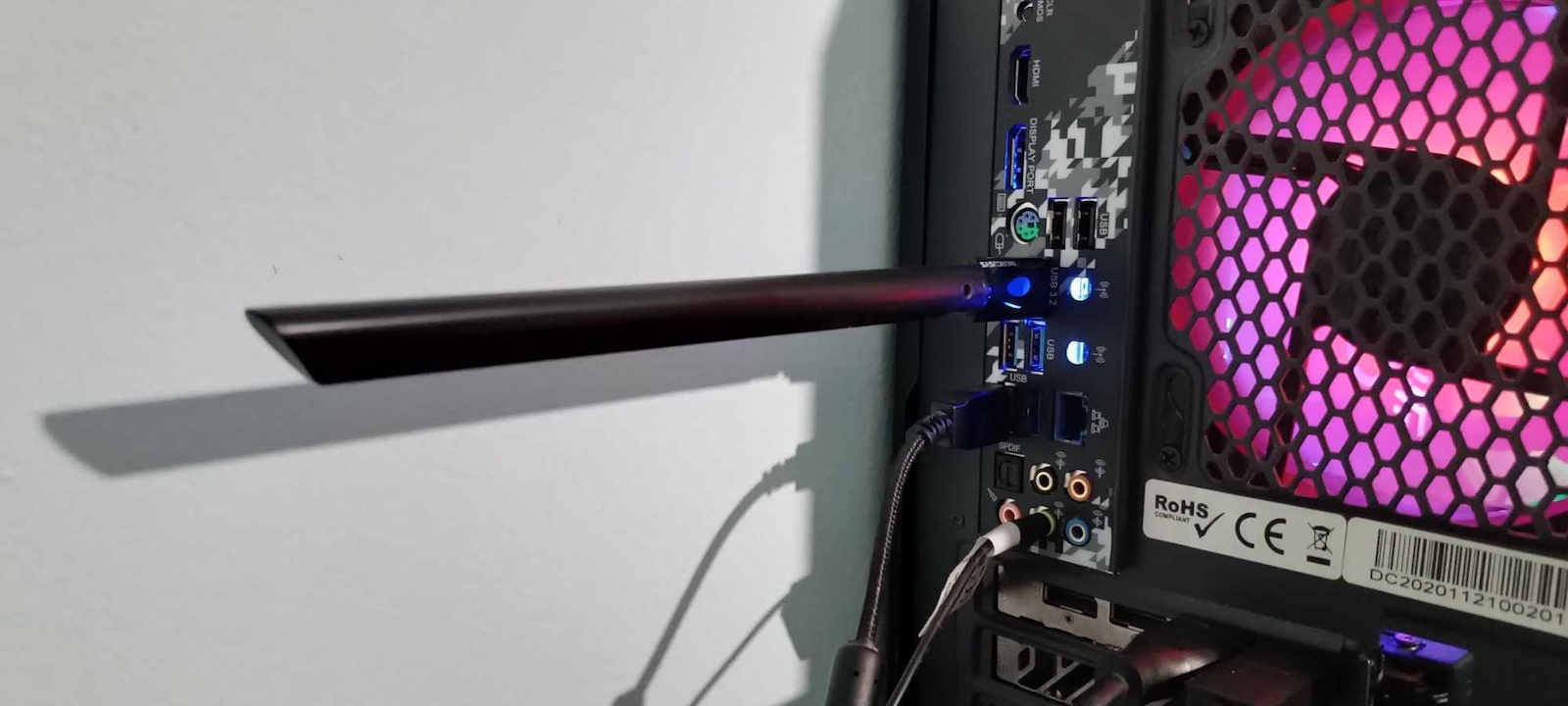
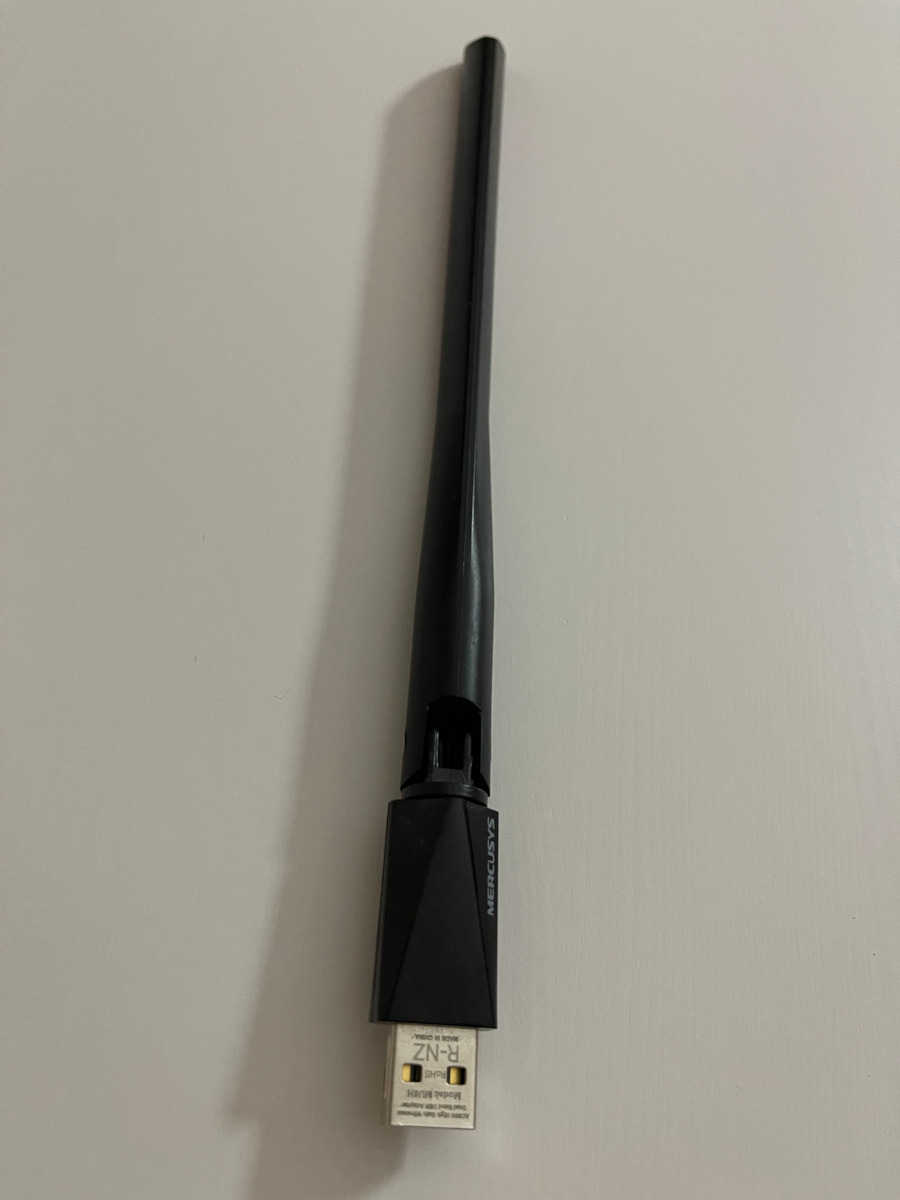
Mercusys MU6H USB Network Adapter with Wireless Wi-Fi Connection 650Mbps (Standard v1)

Key features:

  • Transmission Rate: 200Mbps

Provides your computer with access to Wi-Fi through the USB port.

See full description

Description

Description

Upgrade your computer's wireless connection with the Mercusys MU6H v1. This Dual Band USB adapter offers speeds of up to 650 Mbps, combining the flexibility of two frequency bands with a powerful high-gain antenna. Designed to provide a stable signal and extended range, it is the ideal solution for HD streaming and fast internet browsing. With the built-in Auto Install feature, installation is a breeze, allowing you to connect in no time without complicated procedures.

High Speeds Dual Band AC650

The Mercusys MU6H receives Wi-Fi signals on two separate bands, offering a total speed of up to 650 Mbps. The 5 GHz band reaches 433 Mbps, making it ideal for demanding tasks such as online gaming and HD streaming without interruptions. At the same time, the 2.4 GHz band with a speed of 200 Mbps is perfect for everyday use, such as browsing and social media, ensuring that your computer always has the best possible connection.

High Gain 5dBi Antenna for Extended Range

Equipped with a high-gain external 5dBi antenna, the MU6H ensures stronger signal transmission and reception. Unlike common adapters with internal antennas, this particular design allows your computer to connect to the router even from greater distances or through obstacles such as walls. Enjoy a stable Wi-Fi experience throughout your home, without annoying dead zones or sudden drops in speed.

Smart Setup and Omnidirectional Antenna

The antenna of the MU6H is not only powerful, but also fully adjustable. You can rotate and direct it at multiple angles to find the ideal reception spot for your environment. Whether your computer is under the desk or in a corner, the ability to adjust the antenna allows you to maximize connection performance, significantly improving your desktop or laptop experience.

Auto Install: Setup in Seconds

Mercusys has simplified the installation process with Auto Install technology. As soon as you connect the MU6H to the USB port, its internal driver is automatically recognized by the system, allowing you to complete the setup in just a few clicks. There is no longer any need to search for CDs or download files from the internet, making it the most user-friendly solution for every user, regardless of technical knowledge.

Advanced Security and Compatibility

The security of your data is a priority, which is why the adapter supports the latest encryption standards WPA/WPA2. This ensures that your wireless connection is protected from unauthorized access. In addition, it is fully compatible with Windows 10/11 operating systems, offering stable performance and reliability for any modern computer, ensuring that your digital life remains safe and fast.

Small Size, Big Performance

Despite its powerful external antenna, the MU6H v1 maintains a compact USB body that does not block your computer’s neighboring ports. The combination of minimalist design with high gain performance makes it an excellent upgrade for older systems that lack Wi-Fi or for laptops that need a signal boost. With the signature of Mercusys, you are investing in an accessory that offers the best value for performance and price.

Manufacturer

See full description

Specifications

Specifications

Dimensions

Network Standards
IEEE 802.11 b/g/n, IEEE 802.11a, IEEE 802.11ac
Data Transfer Rate
650 Mbps

Connectivity

Connection
Wireless
USB-C
No

Important information

Specifications are collected from official manufacturer websites. Please verify the specifications before proceeding with your final purchase. If you notice any problem you can report it here.

See all specifications

Reviews (207)

Reviews

  1. 136
  2. 29
  3. 16
  4. 12
  5. 14
Review this product
  • Ease of installation
  • Range
  • Value for money
  • Does it disconnect/freeze?
  • Speed

Reviews photos

Reviews photos
Reviews photos
Reviews photos
Reviews photos
Reviews photos
Reviews photos

Reviews by our members

John_Andronis
4
9 out of 11 members found this review helpful

Verified purchase

Without an extension, directly plugged into the motherboard at the back of the PC, 12 meters from the router without a wall in between, it easily gives me the full speed of a 200 VDSL connection. It has connected to the 5G network of the router without me making any special settings in Windows 11, as I read in another review. It found both the 2.4G and 5G networks (I have them open and separated on the router) and I simply chose the faster 5G. It will fully cover up to a 300 VDSL connection as long as it is placed a little higher than the computer case with an extension. In the properties of Windows, just as it was plugged in, the connection speed ranges from 325 to 433 Mbps depending on how crowded the house is. Very fast reconnection to the network with every restart or wake-up from sleep! If you have an old WiFi dongle or powerline with disconnections and you are not getting the full speed of VDSL, this is an economical, reliable, and easy solution. Negatives: The fact that it required driver installation. We are in 2025... It should have been plug and play.

Translated from Greek ·
Did you find this review helpful?

bepitropidis
2
4 out of 4 members found this review helpful

Verified purchase

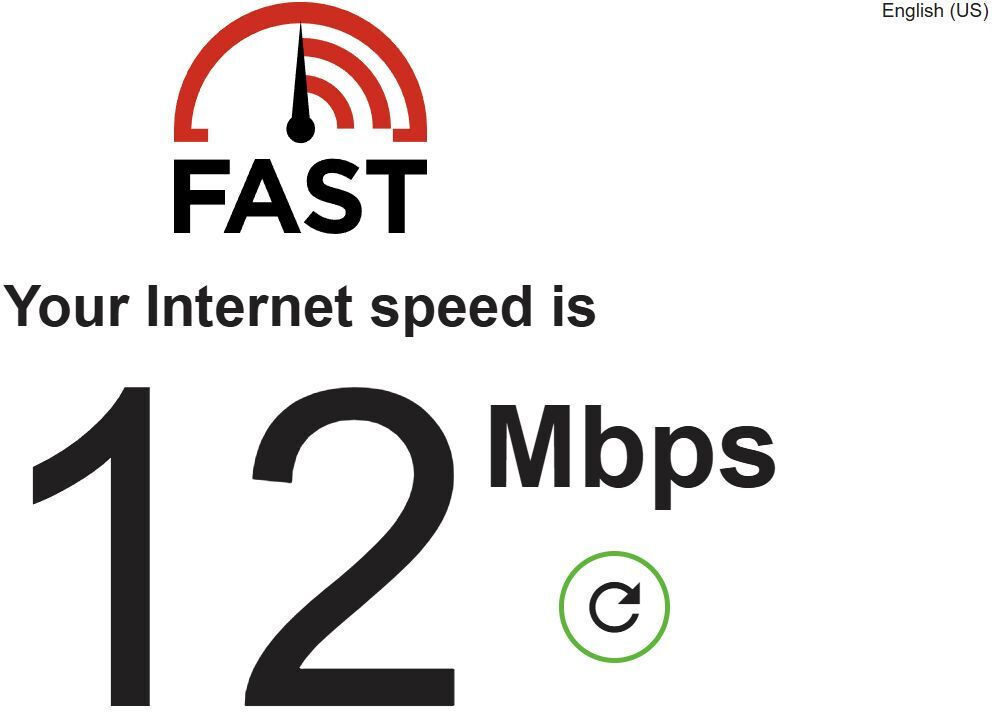
Speeds of 30 Mbps.

I bought it to upgrade now that we got a 300 Mbps line but this was a downgrade.

Translated from Greek ·
Did you find this review helpful?
  • Yannis_Papaisidorou
    1
    1 out of 1 members found this review helpful

    Verified purchase

    It worked fine for a week. After a week it broke down and now it doesn't see many of the available networks and doesn't connect to any of them

    Translated from Greek ·
    Did you find this review helpful?
  • fanis197471
    1
    2 out of 3 members found this review helpful

    Verified purchase

    Stay away, it never worked... wasted money... I've been trying for two days, there's no way to make it work... with the correct drivers, sometimes it detects it, other times it loses it!! And when the PC detects it, it doesn't see the Cosmote router!!! Also, if it does detect it and I shut down and restart the PC, it's as if it doesn't exist!!! I wonder why there are so many good reviews!!! Failure, what a shame...

    Translated from Greek ·
    Did you find this review helpful?
  • deadnotfen
    1
    2 out of 3 members found this review helpful

    Verified purchase

    the worst, all the negative comments are right, it worked for 5 minutes after 1 week, from a 300 line it read 150 and after 5 minutes it dropped to 0 mbps read/upload with 800+ ping, I switched to tp link and then to ethernet and everything worked perfectly with normal ping and upload/download

    Translated from Greek ·
    Did you find this review helpful?
  • Gimmy_Gimmy5640
    2
    2 out of 3 members found this review helpful

    Verified purchase

    Mediocre to bad because it disconnects very often and does not reach high speeds even though I have 500 Mbps

    Not recommended

    Translated from Greek ·
    Did you find this review helpful?
  • Good while it lasted. For about a year, it had no problems except for some not so frequent disconnections. Then they started becoming more frequent until it stopped working altogether.

    Translated from Greek ·
    Did you find this review helpful?
  • Rundas
    1
    3 out of 4 members found this review helpful

    Verified purchase

    After a year of use, it stopped working.
    At first, it started to overheat and caused the PC to freeze…
    I wouldn't recommend it since it barely lasted a year.

    Translated from Greek ·
    • Ease of installation
    • Speed
    • Does it disconnect/freeze often?
    • Value for money
    Did you find this review helpful?
  • Makaroni109
    5
    0 out of 1 members found this review helpful

    Verified purchase

    It only needs one setting that a kid mentions here in the network options and it's the best

    Translated from Greek ·
    • Ease of installation
    • Range
    • Speed
    • Does it disconnect/freeze?
    • Value for money
    Did you find this review helpful?
  • leonidasgr2003
    4
    2 out of 6 members found this review helpful

    It is not plug and play, you need to go to my computer, to the USB ports and install its software. Then you go to WiFi (next to the clock) and select the WiFi and now there are two WiFi networks.
    The speed is the same as the laptop's. I installed the antenna because the network card had a problem and kept disconnecting constantly

    Translated from Greek ·
    • Range
    • Speed
    • Does it disconnect/freeze?
    • Value for money
    • Ease of installation
    Did you find this review helpful?
  • It was used successfully on a computer to create a wifi Hotspot through a Windows 11 Virtual Machine. The WiFi network was set up exclusively for use with proxy IP or VPN. So, if someone wants to use only WiFi with VPN or IP proxy, it is a good economical solution. It is quite stable in its connection. Stability tested from other Mercusys Wi-Fi Extenders. Not such a simple solution, but definitely more compact and economical than, for example, a Travel Router IP. My settings are a bit more complex, so I can't speak about disadvantages or anything I didn't like. Temperature, of course, is an issue with all these components.

    Translated from Greek ·
    Did you find this review helpful?
  • Νικήτας Κ.
    5
    5 out of 6 members found this review helpful

    Verified purchase

    very good adapter for its price, I got it because in the room where the pc is there is no phone socket for the router. the router is in the next room at a distance of about 5-7 meters. Whatever exactly the router receives, that's what the adapter gives as well.

    P.S. connect it directly to the motherboard ports for better results.

    Translated from Greek ·
    • Ease of installation
    • Speed
    • Does it disconnect/freeze?
    • Value for money
    Did you find this review helpful?
  • pogolas
    3
    4 out of 4 members found this review helpful

    Verified purchase

    Better signal than another wi-fi adapter I had before. But... when the PC starts, it takes more than half a minute to connect to the network. Very annoying.

    Translated from Greek ·
    Did you find this review helpful?
  • tkorovesis
    3
    1 out of 1 members found this review helpful

    Verified purchase

    Average with satisfactory speeds and reception. In no case is it sufficient out of the box, it connects to 2.4GHz and not to 5GHz. Updates with Windows are needed and forced use of AC networks as other users have written in order for it to work decently

    Translated from Greek ·
    • Ease of installation
    • Value for money
    • Range
    • Speed
    • Does it disconnect/freeze sometimes?
    Did you find this review helpful?
  • Kostas_Panagiotopoulos61
    4
    1 out of 1 members found this review helpful

    Verified purchase

    On Windows 11, sometimes when I turn on the computer I don't have internet and I have to run diagnose network problems and restart the wifi network adapter to connect. Once I am connected, the connection is stable and fast.

    Translated from Greek ·
    • Ease of installation
    • Range
    • Speed
    • Value for money
    • Does it disconnect/freeze sometimes?
    Did you find this review helpful?
  • mywww
    5
    3 out of 4 members found this review helpful

    It managed to find the router (it didn't struggle much!) 4 floors down... I was impressed, and the speed was understandably reduced.

    Translated from Greek ·
    Did you find this review helpful?
  • kristoferlado
    4
    1 out of 1 members found this review helpful

    Verified purchase

    4 stars for the somewhat silly way you install it, as others have written. Other than that, it detects networks even from farther away in the apartment building and the router which is two rooms away. It needs the setting mentioned for 5GHz but it gets around 100 out of 300 Mbps, all in all satisfied.

    Translated from Greek ·
    Did you find this review helpful?
  • Demonick_Kritikos
    5
    1 out of 2 members found this review helpful

    Verified purchase

    I ran 3 speed tests and the speed ranges from 190 to 203, it seems to be going well, of course even though I am very close to the router at first it only had one bar in connectivity, a little here a little there now it shows me 2 bars.

    Translated from Greek ·
    • Ease of installation
    • Speed
    • Does it disconnect/freeze?
    • Value for money
    • Range
    Did you find this review helpful?
  • vasilios_pantazis16
    4
    1 out of 1 members found this review helpful

    Easy installation, easy placement but on a desktop behind a desk at 3 meters it doesn't get more than 60 download. The paradox is that the upload is 120+. The mobile in the same spot gets 300. It eliminates the cable but as for speed, good luck.

    After three days it gets 200 download and 150 upload on a 300 line.
    What I changed is that from device management I set it to connect only to 5g and not auto. The downside is that if it doesn't get 5g you won't have a connection. In the three days I didn't notice anything like that.

    Translated from Greek ·
    Did you find this review helpful?
  • nick_Ultraex
    5
    1 out of 2 members found this review helpful

    Verified purchase

    On nova 500 fiber, it consistently plays at 165 download and 250 upload. Recommended for purchase and at a very good price.

    Update 1: After upgrading the driver on Win 11, it changed to Realtek 8811 and the download increased .......... no bad !!!

    Translated from Greek ·
    Did you find this review helpful?
  • R_pilotkost
    1
    4 out of 6 members found this review helpful

    Incredibly bad for anything other than simple web browsing. Not even for YouTube. It disconnects all the time, not stable at all in ms. Overall a bad purchase. This is what we get, of course, when we go for the cheap solutions.

    Translated from Greek ·
    Did you find this review helpful?
  • Kostantinos_Kalominidis
    1
    2 out of 3 members found this review helpful

    Verified purchase

    Out of the 5 pieces I bought, only 2 worked. The rest came defective .... Good luck to those who buy it

    Translated from Greek ·
    Did you find this review helpful?
  • Λευτέρης κοκ
    1
    1 out of 1 members found this review helpful

    Verified purchase

    It is the worst, after 8 months of use it started disconnecting on its own and then it broke completely and wouldn't connect at all.

    Translated from Greek ·
    Did you find this review helpful?
  • psywaltz
    5
    3 out of 3 members found this review helpful

    Verified purchase

    very good. I got three for three old PCs. For the installation, you place it in the computer and open it like a usb stick to find the installation files

    Translated from Greek ·
    • Ease of installation
    • Range
    • Speed
    • Does it disconnect/freeze?
    • Value for money
    Did you find this review helpful?
  • Basilhs_Mpavelas
    4
    0 out of 4 members found this review helpful

    Verified purchase

    I believe that for its price it is very good but my issue is that my computer does not support 5g so I don't have the best connection

    Translated from Greek ·
    • Ease of installation
    • Range
    • Does it disconnect/freeze?
    • Value for money
    • Speed
    Did you find this review helpful?
  • giannis_sarelas
    5
    2 out of 2 members found this review helpful

    Verified purchase

    The adapter works perfectly without disconnections. A small note: for proper operation, it is recommended to place it in a USB 2.0 port, as you may encounter issues with a USB 3.0 port and with a USB 3.0 extension cable, as happened to me.

    Translated from Greek ·
    Did you find this review helpful?
  • bgk
    5
    2 out of 2 members found this review helpful

    Verified purchase

    It worked on the first try. What I liked was that it has the guides and installation instructions included like a flash drive

    Translated from Greek ·
    Did you find this review helpful?
  • kiriakoslaz
    5
    2 out of 2 members found this review helpful

    Verified purchase

    Excellent adapter. The onboard wifi card in my Turbo-X laptop broke, and I got this one after reading the reviews, and it worked plug and play perfectly on a 50 Mbps line. I'm extremely satisfied that I revived the laptop for 10€.

    Translated from Greek ·
    Did you find this review helpful?
  • Iove
    4
    1 out of 5 members found this review helpful

    Verified purchase

    I simply got confused at first because I couldn't understand it since it's my first time dealing with something like this, but it was easy

    Translated from Greek ·
    • Ease of installation
    • Range
    • Value for money
    • Speed
    • Does it disconnect/freeze often?
    Did you find this review helpful?
  • Μανώλης Πανόριος
    5
    13 out of 13 members found this review helpful

    I installed it and it opened immediately to pass the driver and then it worked only on the 2.4ghz frequency. For the 5ghz frequency, you need to make some settings to enable it (I will put the setting I did below), in order to reach the maximum speeds. In my case, 200mbps, I had to try different setting options.

    For anyone interested, I mention the change I made. Keep in mind it will only work on 5ghz. Device management, find the adapter in the networks and in the settings for advanced users, in wireless mode select IEEE.802.11ac.

    I should note that in all other options, the measurement I did was below 80 mbps

    Translated from Greek ·
    • Ease of installation
    • Range
    • Speed
    • Does it disconnect/freeze?
    • Value for money
    Did you find this review helpful?
  • iosifkapa
    5
    4 out of 4 members found this review helpful

    Excellent. It played immediately with the first connection to an old computer - initially recognized as an 8MB flash drive with the driver inside, you run the install and it immediately works as an antenna. It immediately saw the Xiaomi repeater I wanted to connect it to, with full signal through a wall and closet. A TP-link antenna I had before had a smaller range, but, most importantly, it struggled to connect with various error messages. We are talking about 2.4GHz - I have no opinion on the 5GHz but I read on Amazon that it plays on specific channels and requires a mode change from the device properties in the device manager.

    Translated from Greek ·
    • Ease of installation
    • Range
    • Does it disconnect/freeze?
    • Value for money
    Did you find this review helpful?
  • dimitriskim
    5
    3 out of 3 members found this review helpful

    Verified purchase

    After almost 2 years of operation, I can say that it was the most reliable antenna out of the many I have purchased

    Translated from Greek ·
    • Ease of installation
    • Range
    • Speed
    • Value for money
    • Does it disconnect/freeze sometimes?
    Did you find this review helpful?
  • It worked fine for a week. After a week it broke down and now it doesn't see many of the available networks and doesn't connect to any of them

    Translated from Greek ·
    1
  • Stay away, it never worked... wasted money... I've been trying for two days, there's no way to make it work... with the correct drivers, sometimes it detects it, other times it loses it!! And when the PC detects it, it doesn't see the Cosmote router!!! Also, if it does detect it and I shut down and restart the PC, it's as if it doesn't exist!!! I wonder why there are so many good reviews!!! Failure, what a shame...

    Translated from Greek ·
    2
  • the worst, all the negative comments are right, it worked for 5 minutes after 1 week, from a 300 line it read 150 and after 5 minutes it dropped to 0 mbps read/upload with 800+ ping, I switched to tp link and then to ethernet and everything worked perfectly with normal ping and upload/download

    Translated from Greek ·
    2
  • Mediocre to bad because it disconnects very often and does not reach high speeds even though I have 500 Mbps

    Not recommended

    Translated from Greek ·
    2
  • Good while it lasted. For about a year, it had no problems except for some not so frequent disconnections. Then they started becoming more frequent until it stopped working altogether.

    Translated from Greek ·
    0
  • See all

Description & Specifications

Upgrade your computer's wireless connection with the Mercusys MU6H v1. This Dual Band USB adapter offers speeds of up to 650 Mbps, combining the flexibility of two frequency bands with a powerful high-gain antenna. Designed to provide a stable signal and extended range, it is the ideal solution for HD streaming and fast internet browsing. With the built-in Auto Install feature, installation is a breeze, allowing you to connect in no time without complicated procedures.

High Speeds Dual Band AC650

The Mercusys MU6H receives Wi-Fi signals on two separate bands, offering a total speed of up to 650 Mbps. The 5 GHz band reaches 433 Mbps, making it ideal for demanding tasks such as online gaming and HD streaming without interruptions. At the same time, the 2.4 GHz band with a speed of 200 Mbps is perfect for everyday use, such as browsing and social media, ensuring that your computer always has the best possible connection.

High Gain 5dBi Antenna for Extended Range

Equipped with a high-gain external 5dBi antenna, the MU6H ensures stronger signal transmission and reception. Unlike common adapters with internal antennas, this particular design allows your computer to connect to the router even from greater distances or through obstacles such as walls. Enjoy a stable Wi-Fi experience throughout your home, without annoying dead zones or sudden drops in speed.

Smart Setup and Omnidirectional Antenna

The antenna of the MU6H is not only powerful, but also fully adjustable. You can rotate and direct it at multiple angles to find the ideal reception spot for your environment. Whether your computer is under the desk or in a corner, the ability to adjust the antenna allows you to maximize connection performance, significantly improving your desktop or laptop experience.

Auto Install: Setup in Seconds

Mercusys has simplified the installation process with Auto Install technology. As soon as you connect the MU6H to the USB port, its internal driver is automatically recognized by the system, allowing you to complete the setup in just a few clicks. There is no longer any need to search for CDs or download files from the internet, making it the most user-friendly solution for every user, regardless of technical knowledge.

Advanced Security and Compatibility

The security of your data is a priority, which is why the adapter supports the latest encryption standards WPA/WPA2. This ensures that your wireless connection is protected from unauthorized access. In addition, it is fully compatible with Windows 10/11 operating systems, offering stable performance and reliability for any modern computer, ensuring that your digital life remains safe and fast.

Small Size, Big Performance

Despite its powerful external antenna, the MU6H v1 maintains a compact USB body that does not block your computer’s neighboring ports. The combination of minimalist design with high gain performance makes it an excellent upgrade for older systems that lack Wi-Fi or for laptops that need a signal boost. With the signature of Mercusys, you are investing in an accessory that offers the best value for performance and price.

Manufacturer

Dimensions

Network Standards
IEEE 802.11 b/g/n, IEEE 802.11a, IEEE 802.11ac
Data Transfer Rate
650 Mbps

Connectivity

Connection
Wireless
USB-C
No

Important information

Specifications are collected from official manufacturer websites. Please verify the specifications before proceeding with your final purchase. If you notice any problem you can report it here.

Reviews (207)

  1. 136
  2. 29
  3. 16
  4. 12
  5. 14
Review this product
  • Ease of installation
  • Range
  • Value for money
  • Does it disconnect/freeze?
  • Speed

Reviews photos

Reviews photos
Reviews photos
Reviews photos
Reviews photos
Reviews photos
Reviews photos

Reviews by our members

John_Andronis
4
9 out of 11 members found this review helpful

Verified purchase

Without an extension, directly plugged into the motherboard at the back of the PC, 12 meters from the router without a wall in between, it easily gives me the full speed of a 200 VDSL connection. It has connected to the 5G network of the router without me making any special settings in Windows 11, as I read in another review. It found both the 2.4G and 5G networks (I have them open and separated on the router) and I simply chose the faster 5G. It will fully cover up to a 300 VDSL connection as long as it is placed a little higher than the computer case with an extension. In the properties of Windows, just as it was plugged in, the connection speed ranges from 325 to 433 Mbps depending on how crowded the house is. Very fast reconnection to the network with every restart or wake-up from sleep! If you have an old WiFi dongle or powerline with disconnections and you are not getting the full speed of VDSL, this is an economical, reliable, and easy solution. Negatives: The fact that it required driver installation. We are in 2025... It should have been plug and play.

Translated from Greek ·
Did you find this review helpful?

bepitropidis
2
4 out of 4 members found this review helpful

Verified purchase

Speeds of 30 Mbps.

I bought it to upgrade now that we got a 300 Mbps line but this was a downgrade.

Translated from Greek ·
Did you find this review helpful?
  • Yannis_Papaisidorou
    1
    1 out of 1 members found this review helpful

    Verified purchase

    It worked fine for a week. After a week it broke down and now it doesn't see many of the available networks and doesn't connect to any of them

    Translated from Greek ·
    Did you find this review helpful?
  • fanis197471
    1
    2 out of 3 members found this review helpful

    Verified purchase

    Stay away, it never worked... wasted money... I've been trying for two days, there's no way to make it work... with the correct drivers, sometimes it detects it, other times it loses it!! And when the PC detects it, it doesn't see the Cosmote router!!! Also, if it does detect it and I shut down and restart the PC, it's as if it doesn't exist!!! I wonder why there are so many good reviews!!! Failure, what a shame...

    Translated from Greek ·
    Did you find this review helpful?
  • deadnotfen
    1
    2 out of 3 members found this review helpful

    Verified purchase

    the worst, all the negative comments are right, it worked for 5 minutes after 1 week, from a 300 line it read 150 and after 5 minutes it dropped to 0 mbps read/upload with 800+ ping, I switched to tp link and then to ethernet and everything worked perfectly with normal ping and upload/download

    Translated from Greek ·
    Did you find this review helpful?
  • Gimmy_Gimmy5640
    2
    2 out of 3 members found this review helpful

    Verified purchase

    Mediocre to bad because it disconnects very often and does not reach high speeds even though I have 500 Mbps

    Not recommended

    Translated from Greek ·
    Did you find this review helpful?
  • Good while it lasted. For about a year, it had no problems except for some not so frequent disconnections. Then they started becoming more frequent until it stopped working altogether.

    Translated from Greek ·
    Did you find this review helpful?
  • Rundas
    1
    3 out of 4 members found this review helpful

    Verified purchase

    After a year of use, it stopped working.
    At first, it started to overheat and caused the PC to freeze…
    I wouldn't recommend it since it barely lasted a year.

    Translated from Greek ·
    • Ease of installation
    • Speed
    • Does it disconnect/freeze often?
    • Value for money
    Did you find this review helpful?
  • Makaroni109
    5
    0 out of 1 members found this review helpful

    Verified purchase

    It only needs one setting that a kid mentions here in the network options and it's the best

    Translated from Greek ·
    • Ease of installation
    • Range
    • Speed
    • Does it disconnect/freeze?
    • Value for money
    Did you find this review helpful?
  • leonidasgr2003
    4
    2 out of 6 members found this review helpful

    It is not plug and play, you need to go to my computer, to the USB ports and install its software. Then you go to WiFi (next to the clock) and select the WiFi and now there are two WiFi networks.
    The speed is the same as the laptop's. I installed the antenna because the network card had a problem and kept disconnecting constantly

    Translated from Greek ·
    • Range
    • Speed
    • Does it disconnect/freeze?
    • Value for money
    • Ease of installation
    Did you find this review helpful?
  • It was used successfully on a computer to create a wifi Hotspot through a Windows 11 Virtual Machine. The WiFi network was set up exclusively for use with proxy IP or VPN. So, if someone wants to use only WiFi with VPN or IP proxy, it is a good economical solution. It is quite stable in its connection. Stability tested from other Mercusys Wi-Fi Extenders. Not such a simple solution, but definitely more compact and economical than, for example, a Travel Router IP. My settings are a bit more complex, so I can't speak about disadvantages or anything I didn't like. Temperature, of course, is an issue with all these components.

    Translated from Greek ·
    Did you find this review helpful?
  • Νικήτας Κ.
    5
    5 out of 6 members found this review helpful

    Verified purchase

    very good adapter for its price, I got it because in the room where the pc is there is no phone socket for the router. the router is in the next room at a distance of about 5-7 meters. Whatever exactly the router receives, that's what the adapter gives as well.

    P.S. connect it directly to the motherboard ports for better results.

    Translated from Greek ·
    • Ease of installation
    • Speed
    • Does it disconnect/freeze?
    • Value for money
    Did you find this review helpful?
  • pogolas
    3
    4 out of 4 members found this review helpful

    Verified purchase

    Better signal than another wi-fi adapter I had before. But... when the PC starts, it takes more than half a minute to connect to the network. Very annoying.

    Translated from Greek ·
    Did you find this review helpful?
  • tkorovesis
    3
    1 out of 1 members found this review helpful

    Verified purchase

    Average with satisfactory speeds and reception. In no case is it sufficient out of the box, it connects to 2.4GHz and not to 5GHz. Updates with Windows are needed and forced use of AC networks as other users have written in order for it to work decently

    Translated from Greek ·
    • Ease of installation
    • Value for money
    • Range
    • Speed
    • Does it disconnect/freeze sometimes?
    Did you find this review helpful?
  • Kostas_Panagiotopoulos61
    4
    1 out of 1 members found this review helpful

    Verified purchase

    On Windows 11, sometimes when I turn on the computer I don't have internet and I have to run diagnose network problems and restart the wifi network adapter to connect. Once I am connected, the connection is stable and fast.

    Translated from Greek ·
    • Ease of installation
    • Range
    • Speed
    • Value for money
    • Does it disconnect/freeze sometimes?
    Did you find this review helpful?
  • mywww
    5
    3 out of 4 members found this review helpful

    It managed to find the router (it didn't struggle much!) 4 floors down... I was impressed, and the speed was understandably reduced.

    Translated from Greek ·
    Did you find this review helpful?
  • kristoferlado
    4
    1 out of 1 members found this review helpful

    Verified purchase

    4 stars for the somewhat silly way you install it, as others have written. Other than that, it detects networks even from farther away in the apartment building and the router which is two rooms away. It needs the setting mentioned for 5GHz but it gets around 100 out of 300 Mbps, all in all satisfied.

    Translated from Greek ·
    Did you find this review helpful?
  • Demonick_Kritikos
    5
    1 out of 2 members found this review helpful

    Verified purchase

    I ran 3 speed tests and the speed ranges from 190 to 203, it seems to be going well, of course even though I am very close to the router at first it only had one bar in connectivity, a little here a little there now it shows me 2 bars.

    Translated from Greek ·
    • Ease of installation
    • Speed
    • Does it disconnect/freeze?
    • Value for money
    • Range
    Did you find this review helpful?
  • vasilios_pantazis16
    4
    1 out of 1 members found this review helpful

    Easy installation, easy placement but on a desktop behind a desk at 3 meters it doesn't get more than 60 download. The paradox is that the upload is 120+. The mobile in the same spot gets 300. It eliminates the cable but as for speed, good luck.

    After three days it gets 200 download and 150 upload on a 300 line.
    What I changed is that from device management I set it to connect only to 5g and not auto. The downside is that if it doesn't get 5g you won't have a connection. In the three days I didn't notice anything like that.

    Translated from Greek ·
    Did you find this review helpful?
  • nick_Ultraex
    5
    1 out of 2 members found this review helpful

    Verified purchase

    On nova 500 fiber, it consistently plays at 165 download and 250 upload. Recommended for purchase and at a very good price.

    Update 1: After upgrading the driver on Win 11, it changed to Realtek 8811 and the download increased .......... no bad !!!

    Translated from Greek ·
    Did you find this review helpful?
  • R_pilotkost
    1
    4 out of 6 members found this review helpful

    Incredibly bad for anything other than simple web browsing. Not even for YouTube. It disconnects all the time, not stable at all in ms. Overall a bad purchase. This is what we get, of course, when we go for the cheap solutions.

    Translated from Greek ·
    Did you find this review helpful?
  • Kostantinos_Kalominidis
    1
    2 out of 3 members found this review helpful

    Verified purchase

    Out of the 5 pieces I bought, only 2 worked. The rest came defective .... Good luck to those who buy it

    Translated from Greek ·
    Did you find this review helpful?
  • Λευτέρης κοκ
    1
    1 out of 1 members found this review helpful

    Verified purchase

    It is the worst, after 8 months of use it started disconnecting on its own and then it broke completely and wouldn't connect at all.

    Translated from Greek ·
    Did you find this review helpful?
  • psywaltz
    5
    3 out of 3 members found this review helpful

    Verified purchase

    very good. I got three for three old PCs. For the installation, you place it in the computer and open it like a usb stick to find the installation files

    Translated from Greek ·
    • Ease of installation
    • Range
    • Speed
    • Does it disconnect/freeze?
    • Value for money
    Did you find this review helpful?
  • Basilhs_Mpavelas
    4
    0 out of 4 members found this review helpful

    Verified purchase

    I believe that for its price it is very good but my issue is that my computer does not support 5g so I don't have the best connection

    Translated from Greek ·
    • Ease of installation
    • Range
    • Does it disconnect/freeze?
    • Value for money
    • Speed
    Did you find this review helpful?
  • giannis_sarelas
    5
    2 out of 2 members found this review helpful

    Verified purchase

    The adapter works perfectly without disconnections. A small note: for proper operation, it is recommended to place it in a USB 2.0 port, as you may encounter issues with a USB 3.0 port and with a USB 3.0 extension cable, as happened to me.

    Translated from Greek ·
    Did you find this review helpful?
  • bgk
    5
    2 out of 2 members found this review helpful

    Verified purchase

    It worked on the first try. What I liked was that it has the guides and installation instructions included like a flash drive

    Translated from Greek ·
    Did you find this review helpful?
  • kiriakoslaz
    5
    2 out of 2 members found this review helpful

    Verified purchase

    Excellent adapter. The onboard wifi card in my Turbo-X laptop broke, and I got this one after reading the reviews, and it worked plug and play perfectly on a 50 Mbps line. I'm extremely satisfied that I revived the laptop for 10€.

    Translated from Greek ·
    Did you find this review helpful?
  • Iove
    4
    1 out of 5 members found this review helpful

    Verified purchase

    I simply got confused at first because I couldn't understand it since it's my first time dealing with something like this, but it was easy

    Translated from Greek ·
    • Ease of installation
    • Range
    • Value for money
    • Speed
    • Does it disconnect/freeze often?
    Did you find this review helpful?
  • Μανώλης Πανόριος
    5
    13 out of 13 members found this review helpful

    I installed it and it opened immediately to pass the driver and then it worked only on the 2.4ghz frequency. For the 5ghz frequency, you need to make some settings to enable it (I will put the setting I did below), in order to reach the maximum speeds. In my case, 200mbps, I had to try different setting options.

    For anyone interested, I mention the change I made. Keep in mind it will only work on 5ghz. Device management, find the adapter in the networks and in the settings for advanced users, in wireless mode select IEEE.802.11ac.

    I should note that in all other options, the measurement I did was below 80 mbps

    Translated from Greek ·
    • Ease of installation
    • Range
    • Speed
    • Does it disconnect/freeze?
    • Value for money
    Did you find this review helpful?
  • iosifkapa
    5
    4 out of 4 members found this review helpful

    Excellent. It played immediately with the first connection to an old computer - initially recognized as an 8MB flash drive with the driver inside, you run the install and it immediately works as an antenna. It immediately saw the Xiaomi repeater I wanted to connect it to, with full signal through a wall and closet. A TP-link antenna I had before had a smaller range, but, most importantly, it struggled to connect with various error messages. We are talking about 2.4GHz - I have no opinion on the 5GHz but I read on Amazon that it plays on specific channels and requires a mode change from the device properties in the device manager.

    Translated from Greek ·
    • Ease of installation
    • Range
    • Does it disconnect/freeze?
    • Value for money
    Did you find this review helpful?
  • dimitriskim
    5
    3 out of 3 members found this review helpful

    Verified purchase

    After almost 2 years of operation, I can say that it was the most reliable antenna out of the many I have purchased

    Translated from Greek ·
    • Ease of installation
    • Range
    • Speed
    • Value for money
    • Does it disconnect/freeze sometimes?
    Did you find this review helpful?
  • It worked fine for a week. After a week it broke down and now it doesn't see many of the available networks and doesn't connect to any of them

    Translated from Greek ·
    1
  • Stay away, it never worked... wasted money... I've been trying for two days, there's no way to make it work... with the correct drivers, sometimes it detects it, other times it loses it!! And when the PC detects it, it doesn't see the Cosmote router!!! Also, if it does detect it and I shut down and restart the PC, it's as if it doesn't exist!!! I wonder why there are so many good reviews!!! Failure, what a shame...

    Translated from Greek ·
    2
  • the worst, all the negative comments are right, it worked for 5 minutes after 1 week, from a 300 line it read 150 and after 5 minutes it dropped to 0 mbps read/upload with 800+ ping, I switched to tp link and then to ethernet and everything worked perfectly with normal ping and upload/download

    Translated from Greek ·
    2
  • Mediocre to bad because it disconnects very often and does not reach high speeds even though I have 500 Mbps

    Not recommended

    Translated from Greek ·
    2
  • Good while it lasted. For about a year, it had no problems except for some not so frequent disconnections. Then they started becoming more frequent until it stopped working altogether.

    Translated from Greek ·
    0
  • See all
10,03 €
14,00 €   shipping cost