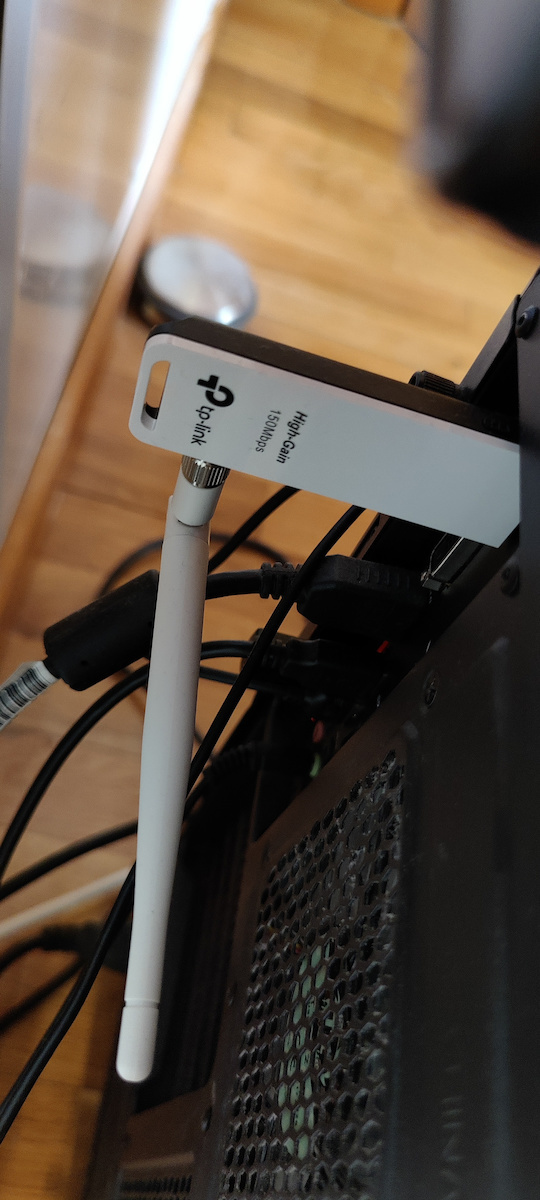
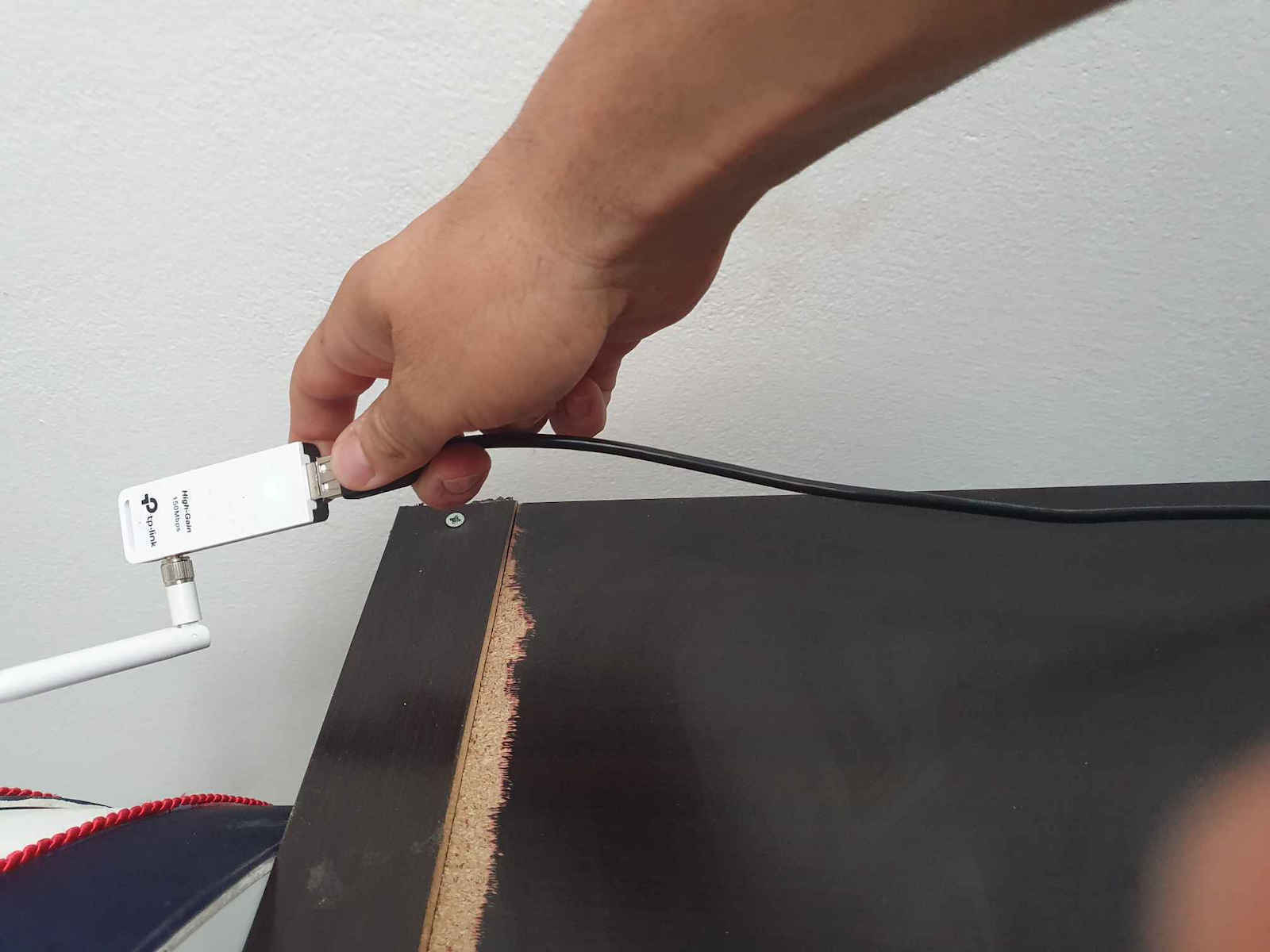
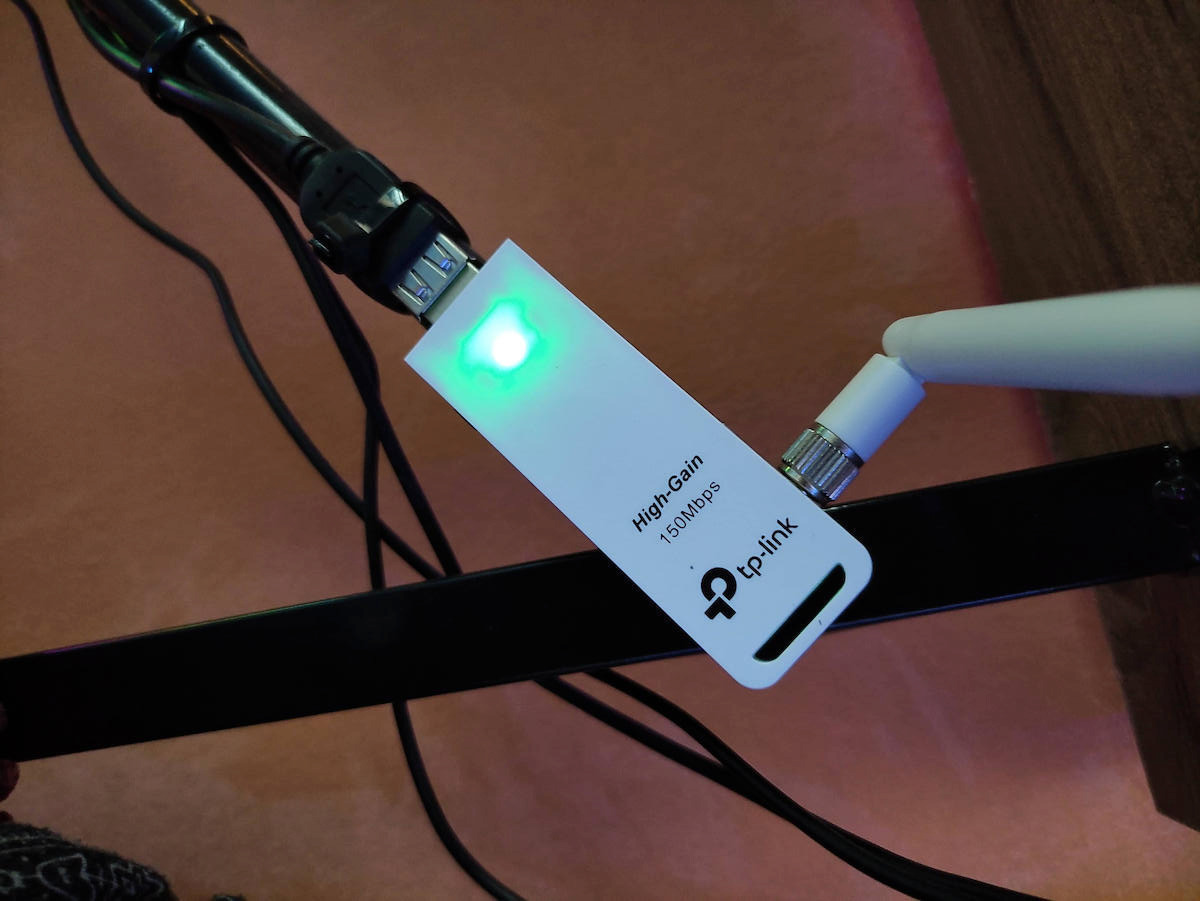
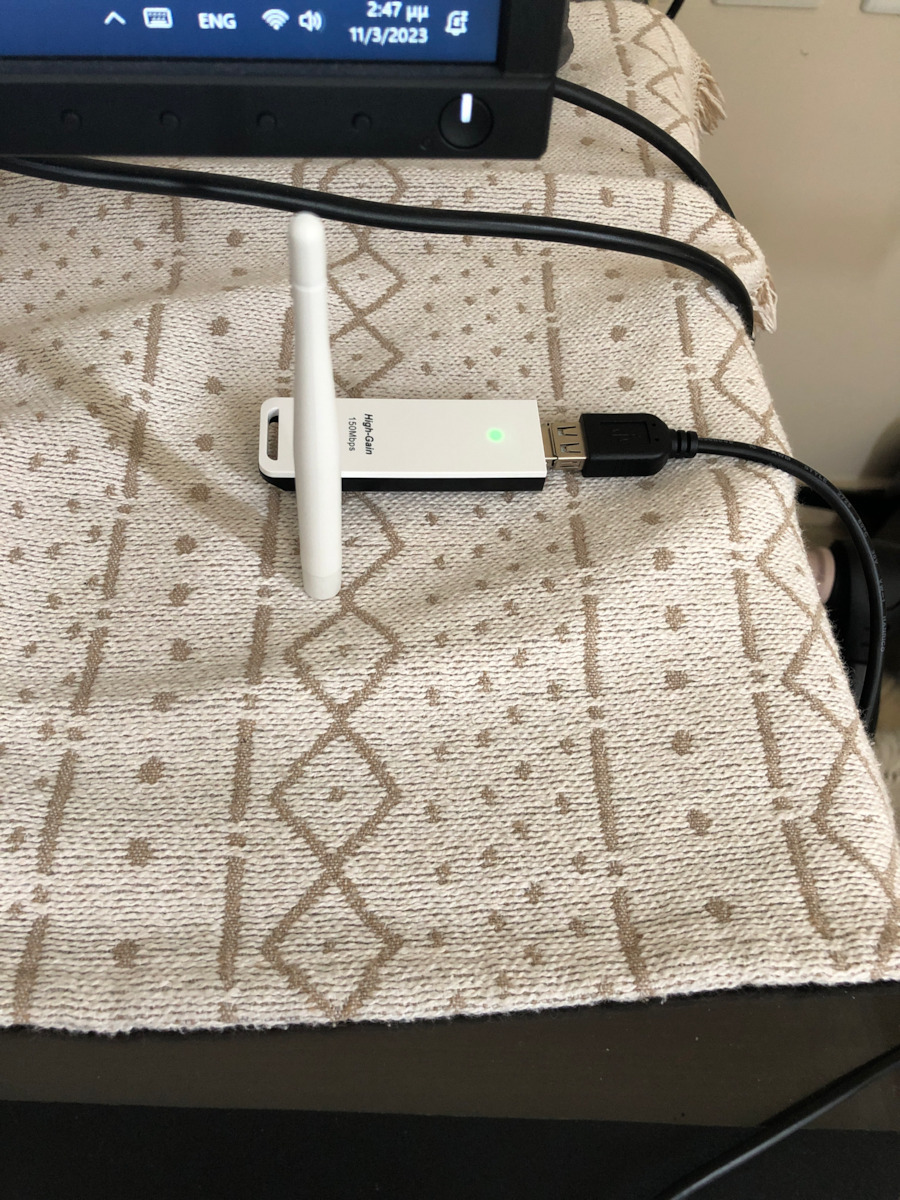
The TL-WN722N is a wireless USB Stick compatible with 802.11b/802.11g standards as well as the newer 11n. It offers high-performance transmission speeds up to 150Mbps, simple installation, and strong...
The TL-WN722N is a wireless USB Stick compatible with 802.11b/802.11g standards as well as the newer 11n. It offers high-performance transmission speeds up to 150Mbps, simple installation, and strong security.
The TL-WN722N is a wireless USB Stick compatible with 802.11b/802.11g standards as well as the newer 11n. It offers high-performance transmission speeds up to 150Mbps, simple installation, and strong security.
With a stable wireless connection ensures a smooth networking experience
The wireless USB adapter N TL-WN722N allows you to connect a desktop or laptop computer to a wireless network and access high-speed Internet connection. It provides wireless speeds of up to 150Mbps, which is beneficial for online gaming or even video streaming.
High-performance detachable antenna for maximized range
The TL-WN722N features an external high-gain antenna to ensure stronger signal transmission and reception. This helps you achieve a stable Wi-Fi connection throughout your home. Additionally, the detachable antenna can be rotated and adjusted as needed to suit various operating environments.
Specifications are collected from official manufacturer websites. Please verify the specifications before proceeding with your final purchase. If you notice any problem you can report it here.
Tested on Linux, simply plug it into a USB port, it asks for the WiFi password and it's ready to use. I don't see any crashes, although it's still a bit early. The range from upstairs to downstairs is okay. In terms of speed, it's also great, tested with a torrent and switching it with a wired connection. I give it 4 stars for now because I have it for a short time, with the potential for 5. Buy without fear.
Δοκιμασμένο σε Linux, απλά το καρφώνεις σε μια θύρα usb, σου ζητάει κωδικό WiFi και είναι έτοιμο για χρήση. Κολλήματα δεν βλεπω να έχει, βέβαια είναι λίγο νωρίς ακόμη. Εμβέλεια από τον πάνω όροφο στον κάτω είναι οκ. Από ταχύτητα είναι επίσης μια χαρά δοκιμασμένο με ένα torrent και εναλλάσσοντάς το με σύνδεση καλωδίου. Βάζω 4 αστέρια προς το παρόν επειδή το έχω στη κατοχή μου ελάχιστα, με προοπτική για 5. Αγοράστε άφοβα.
In a few words, adequate range but reliability and speed are quite disappointing respectively. It remains a choice (not necessarily a good one) for those looking for a cheap adapter. However, the completely false advertising of 150Mbps is unacceptable, which I can't imagine being feasible in 99% of use cases.
Με λίγα λόγια, επαρκής εμβέλεια αλλά η αξιοπιστία και η ταχύτητα είναι αρκετά και πολύ απογοητευτικές αντίστοιχα. Παραμένει μία επιλογή (όχι καλή απαραίτητα) για όποιους ψάχνουν έναν φθηνό αντάπτορα. Ωστόσο, είναι απαράδεκτη η εντελώς ψευδής διαφήμιση των 150Mbps, το οποίο δεν φαντάζομαι να είναι εφικτό στο 99% των περιπτώσεων χρήσης.
English Review Below:
Good for general use and economical. Also plug and play support on Windows 10.
However, quite disappointed that it reaches only 25-40mbps (mainly ~35) while I have a 200mbps connection and it advertises reaching 150mbps. It is expected that it doesn't reach 150 since it doesn't have a 5ghz connection, but capturing only 1/4 of the promised speed loses it 2 stars (and maybe even more).
As for the range on Windows, it shows maximum signal strength while the router is about 10m away with a door in between.
Edit: Updated to 2 stars from 3. After a few months of use, it's also become pretty annoying how easily the cable connector loses contact. Sometimes (albeit rarely) connection is lost completely even without the connector losing contact and it takes a few disconnects and reconnects to get it back up and running.
I probably got a dud, there’s no other explanation. I tried it on two desktop computers and on a total of 4 networks (2 routers, one from Vodafone, one from Cosmote, and 2 mobile phones) and on all of them, while it connects and has internet for 2-3 minutes, it suddenly loses the connection completely and shows that the computer has no internet connection (bottom right on the taskbar, the WiFi icon shows the globe with an X). As soon as I remove it and plug it back into the USB port, it works, and after 2-3 minutes, the same thing happens again. The same situation occurs no matter which network it connects to.
Also, it only supports 2.4GHz networks, so if your network doesn’t appear in the list, it means your router only broadcasts at 5GHz.
Μάλλον έπεσα σε φόλα, δεν εξηγείται αλλιώς. Το δοκίμασα σε δύο σταθερούς υπολογιστές και σε συνολικά 4 δίκτυα (2 ρούτερ, ένα της Vodafone, ένα της Cosmote και 2 κινητά) και σε όλα ενώ συνδέεται και έχει ίντερνετ για 2-3 λεπτά, ξαφνικά χάνει τελείως τη σύνδεση και βγάζει ότι ο υπολογιστής δεν έχει σύνδεση στο ίντερνετ (κάτω δεξιά στην taskbar από το εικονίδιο του WiFi βγάζει την υδρόγειο με το Χ). Μόλις το βγάλω και το ξαναβάλω από τη θύρα USB φτιάχνει και μετά από 2-3 λεπτά ξανά το ίδιο. Η ίδια κατάσταση σε όποιο δίκτυο κι αν συνδεθεί.
Επίσης, καλύπτει μόνο τα 2.4GHz δίκτυα, οπότε αν δεν σας εμφανίζεται το δίκτυό σας στη λίστα σημαίνει ότι το ρούτερ εκπέμπει μόνο σε 5GHz.
very good I have had it for three years, it is immediately recognized by the pc as soon as you plug it into the usb. The only problem it presented to me in the last year is that you have to plug it in after the pc starts working otherwise it doesn't reach high speed.
πολύ καλό το έχω τρία χρόνια, αναγνωρίζετε άμεσος από το pc μόλις το βάλεις στο usb. Το μόνο πρόβλημα που μου παρουσίασε τον τελευταίο χρόνο είναι πως πρέπει να το βάλεις αφού αρχίσει να δουλεύει το pc αλλιώς δεν πιάνει υψηλή ταχύτητα .
If you have Windows 11, do not get the v3, it does not work, get the v3.2. As soon as the PC shuts down and you turn it back on, it does not connect and you need to remove the device and then reinstall it. This will happen every time the PC shuts down and restarts
osi exete windows 11 mhn parete to v3 den leitoyrgei,parte to v3.2.molis to pc kleiswi molis to xanaenergopoihsete den syndeetai kai xreiazetai katarghsh syskeyhs kai meta xana egatastash.ayto ua ginetai kaue fora poy ua kleinei kai ua epanaleitoyrgei to pc
Very good, I used it to get internet from a neighbor until I had my own line, and even on different floors and with how many walls it brought me a satisfactory signal and speed.
Πολύ καλό το χρησιμοποίησα για να παίρνω internet από έναν γείτονα μέχρι να είχα δικιά μου γραμμή και ακόμα σε διάφορα ορόφου και με πόσους τοίχους μου έφερνε ένα ικανοποιητικό σήμα και ταχύτητα.
It doesn't work properly with Windows 11! There is some issue with its drivers and sometimes it becomes very slow with terrible lag (after a reboot)! It's a known issue with version v3! They say it gets fixed with v.3.2 but I don't know it personally!
Δεν δουλεύει σωστά με Windows 11! Υπάρχει κάποιο πρόβλημα με τους οδηγούς του και κάποιες φορές γίνεται πολύ αργό με τρομερή καθυστέρηση (μετά από επανεκκίνηση)! Είναι γνωστό θέμα με την έκδοση v3! Λένε ότι διορθώνεται με την v.3.2 αλλά δεν το γνωρίζω προσωπικά!
Good. I've had it for 4 years and it works perfectly, but now there are much smaller and more practical options. It's a bit awkward for laptops. It also worked better if you used the cable it came with. Directly connecting to the port without the cable doesn't make a very good connection.
καλό. το έχω 4 χρονια την δουλεία του την κάνει άψογα αλλα πλέον ύπάρχουν πολύ πιο μικρά και πρακτικά. είναι λίγο άβολο για λάπτοπ. επίσης έπιανε καλύτερα αν έβαζες και το καλώδιο που είχε. απευθείασ στην θύρα χωρίς το καλώδιο δεν κάνει πολύ καλή επαφή.
Hello! The main reason I'm writing this review is to draw attention to properly screwing in the antenna.
Although I am a technician who has assembled thousands of items, I got caught out by this one, and just when I was about to throw it away, a Divine Inspiration led me to check exactly that.
I screwed it in correctly and tightened it, and the stick works just fine!!!
Of course, it is mainly used for surfing and office work, the router is ten meters away, so I give it a four, with reservations in case it doesn't last long, since it's a cheap product!
Edit 09-01-2026
Unfortunately, the answer to whether you should buy this stick is NO... two more that we bought after this one, all problems.... Constant disconnections, long connection times, no connections, etc...
Γεια χαρά! Ο κύριος λόγος που γράφω αυτή την κριτική, είναι για να επιστήσω την προσοχή στο σωστό βιδωμα της κεραίας.
Αν και τεχνικός, που έχω μονταρει χιλιάδες αντικείμενα, σ αυτό την πάτησα, κι εκεί που το είχα έτοιμο για τα σκουπίδια, μια Θεία Φώτιση με οδήγησε να ελέγξω αυτό ακριβώς.
Βιδωσα σωστά και έσφιξε, και το στικάκι παίζει μια χαρά!!!
Βέβαια χρησιμοποιείται κυρίως για σερφαρισμα και εργασίες γραφείου, το ρούτερ είναι στα δέκα μέτρα, οποτε δίνω ένα τεσσαρι,.με επιφύλαξη μήπως και δεν κρατήσει για καιρό, μιας και πρόκειται για ένα φθηνό προϊόν!
Edit 09-01-2026
Δυστυχώς η απάντηση αν πρέπει να αγοράσετε αυτό το στικάκι, είναι ΟΧΙ... άλλα δυο που αγοράσαμε μετά από αυτό, όλο προβλήματα.... Συνεχείς αποσυνδέσεις, μεγαλος χρόνος σύνδεσης, μη συνδέσεις κλπ...
I have been using it for about a month for a desktop computer in a different room from where the router is, and I haven't encountered any problems so far. It connected immediately and has a stable connection.
Την χρησιμοποιώ περίπου έναν μήνα για σταθερό υπολογιστή σε άλλο δωμάτιο από εκεί που είναι το router και δεν αντιμετώπισα κανένα πρόβλημα ως τώρα. Συνδέθηκε αμέσως και έχει σταθερή σύνδεση.
You plug it in and it works right away. Perfect for a desktop computer. Now if you want to play games with this, I don't recommend it. This is a cheap and easy solution for light tasks. For gaming, get a PCI-E network card.
Το βάζεις και δουλευει κατευθειαν.Για υπολογιστή γραφείου τέλειο.Τώρα αν εσύ θες να παίξεις
παιχνίδια με αυτό δεν στο συνιστώ.Αυτό είναι μια φθηνή και εύκολη λύση για ψιλο δουλειές.Για παιχνίδια πάρε pci-e κάρτα δικτύου.
It is very good and reliable. The only issue I encountered was that it is not recognized in elementary OS 7. It is probably a kernel version issue. In elementary 6 and other classic Linux systems, it may work normally.
Είναι πολύ καλό και αξιόπιστο. Το μονο θέμα που συνάντησα ήταν ότι δεν αναγνωρίζεται στο elementary OS 7. Πιθανότατα είναι θέμα έκδοσης kernel. Στο elementary 6 και σε άλλα κλασικά Linux συστήματα μπορεί να λειτουργεί κανονικά.
For 50 mbps it does the job. I installed a 100mbps line and it couldn't go over 79mbps and the ping in games is 140+. If you have a laptop to do some work, it's okay. For gaming, stay away
Για 50 mbps κανεις δουλειά
Έβαλα 100αρα γραμμή δεν μπόρεσε να πάει πάνω απο 79mbps και το ping στα παιχνίδια είναι 140+
Αν έχεις κάνα λαπτοπ να κανεις καμία δουλειά είναι οκ
Για gaming μακρυά
Everything works well, it just feels a bit heavy and relatively bulky, so if you happen to have a desktop with an upright tower and vertically positioned USB ports instead of horizontal ones, it strains them a bit as it leans slightly due to its weight
Όλα καλά κάνει τη δουλειά του, απλά είναι λίγο βαρύ και σχετικα ογκωδες οποτε αν τυχον έχεις desktop με ορθιο tower και με θυρες usb κάθετα τοποθετημενες και όχι οριζοντιες, τις "κουράζει" κάπως καθώς γέρνει ελαφρά- λόγω του βάρους του
Plug and play. The antenna is necessary if you are not in the same room as the router. It reached close to 50 Mbps on Ookla, which is what I have.
The previous TP-Link USB stick lasted 4.5 years with daily use on my PC. It's not that it broke, it just didn't perform well sometimes after the 4.5 years. Don't expect it to last forever, they also need replacement, but they are worth it
Plug and play. απαραίτητη η κεραία αν δεν είσαι στο ίδιο χώρο με το ρουτερ. στο ookla επιασε υπερβολικά κοντά στο 50αρι που εχω.
το προηγούμενο tp link usb stick που είχα αντεξε 4.5 χρονια με καθημερινή χρήση σε pc. και δεν είναι ότι χάλασε απλά κάποιες φορές μετά τα 4.5 χρόνια δεν έπιανε καλά. μην περιμένετε να πάρετε ένα για πάντα, θέλουν και αυτά αντικατάσταση αλλά αξίζουν
Do not buy tp link, it is one of the worst products out there. So far, I have bought 3 adapters (2 usb, 1 pci) and all of them have had problems after a certain period of time. I haven't used tp-link for a while now (currently using an intel-gigabyte pci adapter, which is the best), but recently a friend of mine had a problem with a usb adapter (it is connected properly, although sometimes it doesn't even do that, but also the internet doesn't work at all). It frustrated me and reminded me of how much they had annoyed me when I used them, so I decided to write a review. Never again tp-link.
Μην παιρνεται tp link, ειναι απο τα χειροτερα προιοντα που υπαρχουν. Μεχρι στιγμης εχω παρει 3 ανταπτορες (2 usb, 1 pci) και ολοι μετα απο καποιο χρονικο διαστημα βγαζουν προβληματα. Εχω καιρο να χρησιμοποιησω tp-link (τωρα εχω intel-gigabyte pci adapter, που ειναι οτι καλυτερο), αλλα ετυχε τωρα σε εναν φιλο προβλημα με usb adapter (ειναι συνδεμενο κανονικα, βεβαια μερικες φορες ουτε αυτο κανει, αλλα επισης δεν δουλευει καθολου το ιντερνετ).
Με νευριασε και θυμηθηκα ποσο μου ειχαν σπασει το κεφαλι οταν τα χρησιμοποιουσα και ειπα να κανω μια αξιολογηση. Ποτε ξανα tp-link.
I had bought it for professional use, replacing an old TurboX antenna, and the change made a difference in terms of speed and better signal because the router was in the adjacent room. At first, everything was fine and the installation was easy, but after about 3 months, it started disconnecting and losing signal. After a while, it kept doing it constantly. I downloaded new drivers and reinstalled them from scratch.
Το είχα αγοράσει για επαγγελματική χρήση, αντικατέστησε μια παλιά κεραιουλα της turbox και η αλλαγή έκανε για την ταχύτητα και το καλύτερο σήμα διότι το ρούτερ ήταν στον δίπλα χώρο. Τον πρώτο καιρό όλα καλά και εύκολη η εγκατάσταση αλλά μετά από κάνα 3μηνο άρχισε να αποσυνδέεται και να χάνει το σήμα μετά από λίγο καιρό το έκανε συνέχεια, κατέβαζα driver καινούργια ξανά από την αρχή και εγκατάσταση.
Literally plug & play. I got this specifically for my PC to catch wifi since I don't have a receiver on the motherboard and it works perfectly! The only note I have for anyone interested is the following: use the extender cable to put it closer to the router, and if possible, not between walls or office furniture because it can interfere with the signal (I'm speaking from personal experience, specifically had issues with wireless connection between PC and TV for exactly the reason I mentioned). Other than that, it's great!
Στην κυριολεξία plug & play. Το συγκεκριμένο το πήρα για το PC ώστε να πιάνω wifi εφόσον δεν έχω πομποδέκτη στην μητρική και δουλεύει άψογα! Η μόνη σημείωση που έχω για όποιον ενδιαφέρεται είναι η εξής: χρησιμοποιήστε το extender καλώδιο για να το βάλετε πιο κοντά στο router, και αν γίνεται όχι ανάμεσα απο τοίχους ή ξύλα γραφείων γιατί μπορεί να χαλάει το σήμα (μιλάω απο προσωπική εμπειρία, συγκεκριμένα είχα θέματα με wireless connection μεταξύ PC και τηλεόρασης για ακριβώς τον λόγο που αναφέρω). Κατά τα άλλα σούπερ!
I have nothing negative to say about this particular product! I use it with Windows 11 and it works perfectly, it has never disconnected in the 2.5 years that I have had it, and it achieves very satisfactory speeds on a 100 Mbps line (specifically 75 Mbps at a distance of 5 meters from the router, which is in the living room, and the PC is in the bedroom). For those who are more "picky" about speed and stability, when no one is using the line, it reaches around 50-60 ping, while Ethernet reaches 40-45 ping. Let me clarify that it is not a replacement for Ethernet, but a convenient, economical, and functional solution to avoid running cables inside the living room! Buy it with your eyes closed!
δεν έχω να πω τίποτα αρνητικό για το συγκεκριμένο! το λειτουργώ με windows 11 και δουλεύει άψογα, δεν έχει αποσυνδεθεί ποτέ στα 2.5 χρόνια που το έχω και πιάνει πολύ ικανοποιητικές ταχύτητες σε 100άρα γραμμή (συγκεκριμένα 75mbps σε απόσταση 5 μέτρων από το ρούτερ που είναι στο σαλόνι και το pc στο υπνοδωμάτιο). για τους πιο ''περίεργους'' στο θέμα ταχύτητας και σταθερότητας, όταν δεν είναι κανένας στην γραμμή πιάνει γύρω στα 50-60ping ενώ αντίστοιχα το ethernet 40-45. να ξεκαθαρίσω πως δεν είναι αντικαταστάτης ethernet, αλλά μια βολική, οικονομική και λειτουργική λύση για να μην τρέχουν τα καλώδια μέσα στο σαλόνι! αγοράστε το με κλειστά μάτια!!!
You simply connect it to the computer with the USB cable that it has for extension or directly, and no installation is required. It captures perfectly and does not disconnect. It is worth its money 100%
Απλά το συνδέεις στον υπολογιστή με καλώδιο usb που έχει μέσα για προέκταση η απευθείας,και δεν χρειάζεται κάποια εγκατάσταση.πιάνει άψογα και δεν μου κάνει αποσύνδεσης.αξίζει τα λεφτά του 100%
We are talking about a plug n' play adapter at a satisfactory price. The only problem it has is that it disconnects from the router sometimes. However, I would buy it again, especially at the price it is. (Owner for 2 years)
Μιλάμε για ένα plug n' play αντάπτορα σε ικανοποιητική τιμή. Το μόνο πρόβλημα που έχει είναι ότι αποσυνδέεται κάποιες φορές από το router. Παρόλα αυτά θα το ξαναγόραζα ειδικά στην τιμή που είναι. (κάτοχος 2 χρόνια)
It reaches 30Mbps at 4 meters from the router (a wall is in between). The signal seems to be generally unstable (it constantly fluctuates from 0 to 5 bars) but it's okay so far for basic use because it doesn't disconnect.
Πιάνει 30Mbps στα 4 μέτρα από το router (παρεμβάλλεται τοίχος). Φαίνεται να έχει ασταθές σήμα γενικά (από 0 μέχρι 5 γραμμές αλλάζει συνέχεια) αλλά είναι οκ μέχρι στιγμής για βασική χρήση γιατί δεν κάνει αποσυνδέσεις.
Plug and play instant.
Does not support 5G.
At first, it had a completely satisfactory performance, but from a certain point onwards, it has constant disconnections and instability in signal reception.
It is worth it as a cheap option, but without absolute reliability in the long run.
.....finally, after a few months, the problem was fixed. It is possible that it was due to my mobile connection since I provide data through my mobile to the PC.
Satisfactory performance, but without 5G.
Plug n play αμεσο.
Δεν υποστηριζει 5G
Στην αρχη ειχε απολυτα ικανοποιητικη αποδοση,ενω απο ενα σημειο κ μετα εχει συνεχεις αποσυνδεσεις κ ασταθεια στο ληψη αηματος.
Αξιζει σαν φτηνη επιλογη αλλα χωρις απολυτη αξιοπιστια σε βαθος χρονου.
.....τελικα μετα απο καποιους μηνες διορθωθηκε το προβλημα.Ενδεχετσι να ηταν λογω της συνδεσης μου απο το κινητο μιας και δινω data μεσω κινητου στο pc.
Ικανοποιητικη αποδοση ,χωρις 5G ομως.
Plug & connect, very simple and does its job. It was plugged into a desktop on the ground floor and receives signal from the router on the 1st floor.
3 years warranty to keep you at ease...
The package also includes a USB male to female cable if you want to place the stick on your desk, for example.
Plug & connect, πολύ απλό και κάνει τη δουλειά του. Μπήκε σε desktop στο ισόγειο και παίρνει σήμα από το router στο 1ο όροφο.
3 χρόνια εγγύηση για να είστε ήσυχοι...
στο κουτί περιλαμβάνεται και καλώδιο usb male σε female αν θέλετε να τοποθετήσετε το stick πάνω πχ στο γραφείο σας.
Very good device! Personally, I didn't even need to do a setup. I simply connected it to the wifi and it worked perfectly. It has a strong signal without interruptions and it's perfect for the office or home.
Πάρα πολύ καλή συσκευή! Προσωπικά δεν χρειάστηκε καν να κάνω setup. Απλά το σύνδεσα με το wifi και δούλεψε κανονικά. Πιάνει πολύ καλά χωρίς διακοπές και είναι ότι πρέπει για το γραφείο ή το σπίτι.
You know what you're getting. It has a low nominal speed but performs correctly within its specifications. It is immediately recognized in Linux in all working environments with kernel >4.19.x.
Only the KDE network manager makes "chirping" because it wants to randomize the device's MAC address for security reasons, but some routers - including those accompanying cosmote connections - do not support this feature, resulting in an endless login loop.
Solution: we create a configuration file
sudo touch /etc/NetworkManager/conf.d/80-wifi.conf
we edit it with an editor, e.g.
sudo nano /etc/NetworkManager/conf.d/80-wifi.conf
we insert the following:
[device]
wifi.scan-rand-mac-address=no
we save, restart the system.
Ξέρεις τι παίρνεις. Έχει χαμηλή ονομαστική ταχύτητα αλλά αποδίδει σωστά μέσα στις προδιαγραφές του. Αναγνωρίζεται άμεσα σε Linux σ' όλα τα περιβάλλοντα εργασίας με πυρήνα >4.19.x.
Μόνο ο network manager του KDE κάνει "τσιριτζάντζουλες" γιατί θέλει και καλά να randomize τη mac address της συσκευής για λόγους ασφαλείας αλλά μερικά ρούτερ -ανάμεσά τους εκείνα που συνοδεύουν τις συνδέσεις της cosmote - δεν υποστηρίζουν το χαρακτηριστικό και το αποτέλεσμα είναι ένα ατέρμονο login loop.
Λύση: δημιουργούμε ένα αρχείο ρύθμισης
sudo touch /etc/NetworkManager/conf.d/80-wifi.conf
το επεξεργαζόμαστε με κάποιον editor, π.χ
sudo nano /etc/NetworkManager/conf.d/80-wifi.conf
εισάγουμε τα παρακάτω:
[device]
wifi.scan-rand-mac-address=no
σώζουμε, επανεκκινούμε το σύστημα.
I don't know about others, but personally it solved my problem. I have the router outside in the living room, and the PC is in the room with an intermediate wall. It is 15 meters away (I had calculated to get a cable) but I decided to try this. I chose it from a store here in my city to try it before ordering the cable. And honestly, I didn't expect it to work so well. I have downloaded around 300 GB of games, etc. without any problem or interruptions. The kids play Fortnite and GTA online without any particular complaint. The ping is not the lowest, around 60 to 70, and in download it reaches 15 to 18 Mbps (I have a 24 Mbps old line), so for my needs, browsing, Netflix, and Fortnite, it covers me. Now, if you want more specific things or greater reliability, definitely go for the cable. But for 9 euros, I am very satisfied!
Δεν ξέρω για τους υπόλοιπους, αλλά εμένα προσωπικά μου έλυσε το πρόβλημα μου. Έχω το Ρούτερ έξω στο σαλόνι, και το PC ειναι στο δωμάτιο με ενδιάμεσο τοίχο. Είναι 15 μέτρα ( είχα υπολογίσει ώστε να επερνα καλώδιο) αλλά είπα να δοκιμάσω αυτό. Το επέλεξα από μαγαζί εδώ στην πόλη μου Ώστε να το δοκιμάσω πριν παραγγείλω το καλώδιο. Και ειλικρινά δεν περίμενα να δουλέψει τόσο καλά. Έχω κατεβάσει γύρω στα 300 gb games κτλπ χωρίς κάποιο πρόβλημα ή διακοπές. Τα παιδιά παίζουν forthnite h gta on-line χωρίς κάποιο ιδιαίτερο παράπονο. Το ms δεν είναι από τα χαμηλότερα γύρω στα 60 με 70 πάει, στο download πιάνει 15 έως 18 μαχ , ( Έχω 24αρα παλιά γραμμή) οπότε για τις δικέ μου ανάγκες ,browsing, netflix και fortnite, με καλύβει. Τώρα αν θέλετε πιο εξειδικευμενα πράγματα η μεγαλύτερη αξιοπιστία σίγουρα το καλώδιο. Αλλά για 9 ευρώ, είμαι πολύ ευχαριστημένος!
I probably got a dud, there’s no other explanation. I tried it on two desktop computers and on a total of 4 networks (2 routers, one from Vodafone, one from Cosmote, and 2 mobile phones) and on all of them, while it connects and has internet for 2-3 minutes, it suddenly loses the connection completely and shows that the computer has no internet connection (bottom right on the taskbar, the WiFi icon shows the globe with an X). As soon as I remove it and plug it back into the USB port, it works, and after 2-3 minutes, the same thing happens again. The same situation occurs no matter which network it connects to.
Also, it only supports 2.4GHz networks, so if your network doesn’t appear in the list, it means your router only broadcasts at 5GHz.
Μάλλον έπεσα σε φόλα, δεν εξηγείται αλλιώς. Το δοκίμασα σε δύο σταθερούς υπολογιστές και σε συνολικά 4 δίκτυα (2 ρούτερ, ένα της Vodafone, ένα της Cosmote και 2 κινητά) και σε όλα ενώ συνδέεται και έχει ίντερνετ για 2-3 λεπτά, ξαφνικά χάνει τελείως τη σύνδεση και βγάζει ότι ο υπολογιστής δεν έχει σύνδεση στο ίντερνετ (κάτω δεξιά στην taskbar από το εικονίδιο του WiFi βγάζει την υδρόγειο με το Χ). Μόλις το βγάλω και το ξαναβάλω από τη θύρα USB φτιάχνει και μετά από 2-3 λεπτά ξανά το ίδιο. Η ίδια κατάσταση σε όποιο δίκτυο κι αν συνδεθεί.
Επίσης, καλύπτει μόνο τα 2.4GHz δίκτυα, οπότε αν δεν σας εμφανίζεται το δίκτυό σας στη λίστα σημαίνει ότι το ρούτερ εκπέμπει μόνο σε 5GHz.
very good I have had it for three years, it is immediately recognized by the pc as soon as you plug it into the usb. The only problem it presented to me in the last year is that you have to plug it in after the pc starts working otherwise it doesn't reach high speed.
πολύ καλό το έχω τρία χρόνια, αναγνωρίζετε άμεσος από το pc μόλις το βάλεις στο usb. Το μόνο πρόβλημα που μου παρουσίασε τον τελευταίο χρόνο είναι πως πρέπει να το βάλεις αφού αρχίσει να δουλεύει το pc αλλιώς δεν πιάνει υψηλή ταχύτητα .
If you have Windows 11, do not get the v3, it does not work, get the v3.2. As soon as the PC shuts down and you turn it back on, it does not connect and you need to remove the device and then reinstall it. This will happen every time the PC shuts down and restarts
osi exete windows 11 mhn parete to v3 den leitoyrgei,parte to v3.2.molis to pc kleiswi molis to xanaenergopoihsete den syndeetai kai xreiazetai katarghsh syskeyhs kai meta xana egatastash.ayto ua ginetai kaue fora poy ua kleinei kai ua epanaleitoyrgei to pc
Very good, I used it to get internet from a neighbor until I had my own line, and even on different floors and with how many walls it brought me a satisfactory signal and speed.
Πολύ καλό το χρησιμοποίησα για να παίρνω internet από έναν γείτονα μέχρι να είχα δικιά μου γραμμή και ακόμα σε διάφορα ορόφου και με πόσους τοίχους μου έφερνε ένα ικανοποιητικό σήμα και ταχύτητα.
The TL-WN722N is a wireless USB Stick compatible with 802.11b/802.11g standards as well as the newer 11n. It offers high-performance transmission speeds up to 150Mbps, simple installation, and strong security.
With a stable wireless connection ensures a smooth networking experience
The wireless USB adapter N TL-WN722N allows you to connect a desktop or laptop computer to a wireless network and access high-speed Internet connection. It provides wireless speeds of up to 150Mbps, which is beneficial for online gaming or even video streaming.
High-performance detachable antenna for maximized range
The TL-WN722N features an external high-gain antenna to ensure stronger signal transmission and reception. This helps you achieve a stable Wi-Fi connection throughout your home. Additionally, the detachable antenna can be rotated and adjusted as needed to suit various operating environments.
Specifications are collected from official manufacturer websites. Please verify the specifications before proceeding with your final purchase. If you notice any problem you can report it here.
Tested on Linux, simply plug it into a USB port, it asks for the WiFi password and it's ready to use. I don't see any crashes, although it's still a bit early. The range from upstairs to downstairs is okay. In terms of speed, it's also great, tested with a torrent and switching it with a wired connection. I give it 4 stars for now because I have it for a short time, with the potential for 5. Buy without fear.
Δοκιμασμένο σε Linux, απλά το καρφώνεις σε μια θύρα usb, σου ζητάει κωδικό WiFi και είναι έτοιμο για χρήση. Κολλήματα δεν βλεπω να έχει, βέβαια είναι λίγο νωρίς ακόμη. Εμβέλεια από τον πάνω όροφο στον κάτω είναι οκ. Από ταχύτητα είναι επίσης μια χαρά δοκιμασμένο με ένα torrent και εναλλάσσοντάς το με σύνδεση καλωδίου. Βάζω 4 αστέρια προς το παρόν επειδή το έχω στη κατοχή μου ελάχιστα, με προοπτική για 5. Αγοράστε άφοβα.
In a few words, adequate range but reliability and speed are quite disappointing respectively. It remains a choice (not necessarily a good one) for those looking for a cheap adapter. However, the completely false advertising of 150Mbps is unacceptable, which I can't imagine being feasible in 99% of use cases.
Με λίγα λόγια, επαρκής εμβέλεια αλλά η αξιοπιστία και η ταχύτητα είναι αρκετά και πολύ απογοητευτικές αντίστοιχα. Παραμένει μία επιλογή (όχι καλή απαραίτητα) για όποιους ψάχνουν έναν φθηνό αντάπτορα. Ωστόσο, είναι απαράδεκτη η εντελώς ψευδής διαφήμιση των 150Mbps, το οποίο δεν φαντάζομαι να είναι εφικτό στο 99% των περιπτώσεων χρήσης.
English Review Below:
Good for general use and economical. Also plug and play support on Windows 10.
However, quite disappointed that it reaches only 25-40mbps (mainly ~35) while I have a 200mbps connection and it advertises reaching 150mbps. It is expected that it doesn't reach 150 since it doesn't have a 5ghz connection, but capturing only 1/4 of the promised speed loses it 2 stars (and maybe even more).
As for the range on Windows, it shows maximum signal strength while the router is about 10m away with a door in between.
Edit: Updated to 2 stars from 3. After a few months of use, it's also become pretty annoying how easily the cable connector loses contact. Sometimes (albeit rarely) connection is lost completely even without the connector losing contact and it takes a few disconnects and reconnects to get it back up and running.
I probably got a dud, there’s no other explanation. I tried it on two desktop computers and on a total of 4 networks (2 routers, one from Vodafone, one from Cosmote, and 2 mobile phones) and on all of them, while it connects and has internet for 2-3 minutes, it suddenly loses the connection completely and shows that the computer has no internet connection (bottom right on the taskbar, the WiFi icon shows the globe with an X). As soon as I remove it and plug it back into the USB port, it works, and after 2-3 minutes, the same thing happens again. The same situation occurs no matter which network it connects to.
Also, it only supports 2.4GHz networks, so if your network doesn’t appear in the list, it means your router only broadcasts at 5GHz.
Μάλλον έπεσα σε φόλα, δεν εξηγείται αλλιώς. Το δοκίμασα σε δύο σταθερούς υπολογιστές και σε συνολικά 4 δίκτυα (2 ρούτερ, ένα της Vodafone, ένα της Cosmote και 2 κινητά) και σε όλα ενώ συνδέεται και έχει ίντερνετ για 2-3 λεπτά, ξαφνικά χάνει τελείως τη σύνδεση και βγάζει ότι ο υπολογιστής δεν έχει σύνδεση στο ίντερνετ (κάτω δεξιά στην taskbar από το εικονίδιο του WiFi βγάζει την υδρόγειο με το Χ). Μόλις το βγάλω και το ξαναβάλω από τη θύρα USB φτιάχνει και μετά από 2-3 λεπτά ξανά το ίδιο. Η ίδια κατάσταση σε όποιο δίκτυο κι αν συνδεθεί.
Επίσης, καλύπτει μόνο τα 2.4GHz δίκτυα, οπότε αν δεν σας εμφανίζεται το δίκτυό σας στη λίστα σημαίνει ότι το ρούτερ εκπέμπει μόνο σε 5GHz.
very good I have had it for three years, it is immediately recognized by the pc as soon as you plug it into the usb. The only problem it presented to me in the last year is that you have to plug it in after the pc starts working otherwise it doesn't reach high speed.
πολύ καλό το έχω τρία χρόνια, αναγνωρίζετε άμεσος από το pc μόλις το βάλεις στο usb. Το μόνο πρόβλημα που μου παρουσίασε τον τελευταίο χρόνο είναι πως πρέπει να το βάλεις αφού αρχίσει να δουλεύει το pc αλλιώς δεν πιάνει υψηλή ταχύτητα .
If you have Windows 11, do not get the v3, it does not work, get the v3.2. As soon as the PC shuts down and you turn it back on, it does not connect and you need to remove the device and then reinstall it. This will happen every time the PC shuts down and restarts
osi exete windows 11 mhn parete to v3 den leitoyrgei,parte to v3.2.molis to pc kleiswi molis to xanaenergopoihsete den syndeetai kai xreiazetai katarghsh syskeyhs kai meta xana egatastash.ayto ua ginetai kaue fora poy ua kleinei kai ua epanaleitoyrgei to pc
Very good, I used it to get internet from a neighbor until I had my own line, and even on different floors and with how many walls it brought me a satisfactory signal and speed.
Πολύ καλό το χρησιμοποίησα για να παίρνω internet από έναν γείτονα μέχρι να είχα δικιά μου γραμμή και ακόμα σε διάφορα ορόφου και με πόσους τοίχους μου έφερνε ένα ικανοποιητικό σήμα και ταχύτητα.
It doesn't work properly with Windows 11! There is some issue with its drivers and sometimes it becomes very slow with terrible lag (after a reboot)! It's a known issue with version v3! They say it gets fixed with v.3.2 but I don't know it personally!
Δεν δουλεύει σωστά με Windows 11! Υπάρχει κάποιο πρόβλημα με τους οδηγούς του και κάποιες φορές γίνεται πολύ αργό με τρομερή καθυστέρηση (μετά από επανεκκίνηση)! Είναι γνωστό θέμα με την έκδοση v3! Λένε ότι διορθώνεται με την v.3.2 αλλά δεν το γνωρίζω προσωπικά!
Good. I've had it for 4 years and it works perfectly, but now there are much smaller and more practical options. It's a bit awkward for laptops. It also worked better if you used the cable it came with. Directly connecting to the port without the cable doesn't make a very good connection.
καλό. το έχω 4 χρονια την δουλεία του την κάνει άψογα αλλα πλέον ύπάρχουν πολύ πιο μικρά και πρακτικά. είναι λίγο άβολο για λάπτοπ. επίσης έπιανε καλύτερα αν έβαζες και το καλώδιο που είχε. απευθείασ στην θύρα χωρίς το καλώδιο δεν κάνει πολύ καλή επαφή.
Hello! The main reason I'm writing this review is to draw attention to properly screwing in the antenna.
Although I am a technician who has assembled thousands of items, I got caught out by this one, and just when I was about to throw it away, a Divine Inspiration led me to check exactly that.
I screwed it in correctly and tightened it, and the stick works just fine!!!
Of course, it is mainly used for surfing and office work, the router is ten meters away, so I give it a four, with reservations in case it doesn't last long, since it's a cheap product!
Edit 09-01-2026
Unfortunately, the answer to whether you should buy this stick is NO... two more that we bought after this one, all problems.... Constant disconnections, long connection times, no connections, etc...
Γεια χαρά! Ο κύριος λόγος που γράφω αυτή την κριτική, είναι για να επιστήσω την προσοχή στο σωστό βιδωμα της κεραίας.
Αν και τεχνικός, που έχω μονταρει χιλιάδες αντικείμενα, σ αυτό την πάτησα, κι εκεί που το είχα έτοιμο για τα σκουπίδια, μια Θεία Φώτιση με οδήγησε να ελέγξω αυτό ακριβώς.
Βιδωσα σωστά και έσφιξε, και το στικάκι παίζει μια χαρά!!!
Βέβαια χρησιμοποιείται κυρίως για σερφαρισμα και εργασίες γραφείου, το ρούτερ είναι στα δέκα μέτρα, οποτε δίνω ένα τεσσαρι,.με επιφύλαξη μήπως και δεν κρατήσει για καιρό, μιας και πρόκειται για ένα φθηνό προϊόν!
Edit 09-01-2026
Δυστυχώς η απάντηση αν πρέπει να αγοράσετε αυτό το στικάκι, είναι ΟΧΙ... άλλα δυο που αγοράσαμε μετά από αυτό, όλο προβλήματα.... Συνεχείς αποσυνδέσεις, μεγαλος χρόνος σύνδεσης, μη συνδέσεις κλπ...
I have been using it for about a month for a desktop computer in a different room from where the router is, and I haven't encountered any problems so far. It connected immediately and has a stable connection.
Την χρησιμοποιώ περίπου έναν μήνα για σταθερό υπολογιστή σε άλλο δωμάτιο από εκεί που είναι το router και δεν αντιμετώπισα κανένα πρόβλημα ως τώρα. Συνδέθηκε αμέσως και έχει σταθερή σύνδεση.
You plug it in and it works right away. Perfect for a desktop computer. Now if you want to play games with this, I don't recommend it. This is a cheap and easy solution for light tasks. For gaming, get a PCI-E network card.
Το βάζεις και δουλευει κατευθειαν.Για υπολογιστή γραφείου τέλειο.Τώρα αν εσύ θες να παίξεις
παιχνίδια με αυτό δεν στο συνιστώ.Αυτό είναι μια φθηνή και εύκολη λύση για ψιλο δουλειές.Για παιχνίδια πάρε pci-e κάρτα δικτύου.
It is very good and reliable. The only issue I encountered was that it is not recognized in elementary OS 7. It is probably a kernel version issue. In elementary 6 and other classic Linux systems, it may work normally.
Είναι πολύ καλό και αξιόπιστο. Το μονο θέμα που συνάντησα ήταν ότι δεν αναγνωρίζεται στο elementary OS 7. Πιθανότατα είναι θέμα έκδοσης kernel. Στο elementary 6 και σε άλλα κλασικά Linux συστήματα μπορεί να λειτουργεί κανονικά.
For 50 mbps it does the job. I installed a 100mbps line and it couldn't go over 79mbps and the ping in games is 140+. If you have a laptop to do some work, it's okay. For gaming, stay away
Για 50 mbps κανεις δουλειά
Έβαλα 100αρα γραμμή δεν μπόρεσε να πάει πάνω απο 79mbps και το ping στα παιχνίδια είναι 140+
Αν έχεις κάνα λαπτοπ να κανεις καμία δουλειά είναι οκ
Για gaming μακρυά
Everything works well, it just feels a bit heavy and relatively bulky, so if you happen to have a desktop with an upright tower and vertically positioned USB ports instead of horizontal ones, it strains them a bit as it leans slightly due to its weight
Όλα καλά κάνει τη δουλειά του, απλά είναι λίγο βαρύ και σχετικα ογκωδες οποτε αν τυχον έχεις desktop με ορθιο tower και με θυρες usb κάθετα τοποθετημενες και όχι οριζοντιες, τις "κουράζει" κάπως καθώς γέρνει ελαφρά- λόγω του βάρους του
Plug and play. The antenna is necessary if you are not in the same room as the router. It reached close to 50 Mbps on Ookla, which is what I have.
The previous TP-Link USB stick lasted 4.5 years with daily use on my PC. It's not that it broke, it just didn't perform well sometimes after the 4.5 years. Don't expect it to last forever, they also need replacement, but they are worth it
Plug and play. απαραίτητη η κεραία αν δεν είσαι στο ίδιο χώρο με το ρουτερ. στο ookla επιασε υπερβολικά κοντά στο 50αρι που εχω.
το προηγούμενο tp link usb stick που είχα αντεξε 4.5 χρονια με καθημερινή χρήση σε pc. και δεν είναι ότι χάλασε απλά κάποιες φορές μετά τα 4.5 χρόνια δεν έπιανε καλά. μην περιμένετε να πάρετε ένα για πάντα, θέλουν και αυτά αντικατάσταση αλλά αξίζουν
Do not buy tp link, it is one of the worst products out there. So far, I have bought 3 adapters (2 usb, 1 pci) and all of them have had problems after a certain period of time. I haven't used tp-link for a while now (currently using an intel-gigabyte pci adapter, which is the best), but recently a friend of mine had a problem with a usb adapter (it is connected properly, although sometimes it doesn't even do that, but also the internet doesn't work at all). It frustrated me and reminded me of how much they had annoyed me when I used them, so I decided to write a review. Never again tp-link.
Μην παιρνεται tp link, ειναι απο τα χειροτερα προιοντα που υπαρχουν. Μεχρι στιγμης εχω παρει 3 ανταπτορες (2 usb, 1 pci) και ολοι μετα απο καποιο χρονικο διαστημα βγαζουν προβληματα. Εχω καιρο να χρησιμοποιησω tp-link (τωρα εχω intel-gigabyte pci adapter, που ειναι οτι καλυτερο), αλλα ετυχε τωρα σε εναν φιλο προβλημα με usb adapter (ειναι συνδεμενο κανονικα, βεβαια μερικες φορες ουτε αυτο κανει, αλλα επισης δεν δουλευει καθολου το ιντερνετ).
Με νευριασε και θυμηθηκα ποσο μου ειχαν σπασει το κεφαλι οταν τα χρησιμοποιουσα και ειπα να κανω μια αξιολογηση. Ποτε ξανα tp-link.
I had bought it for professional use, replacing an old TurboX antenna, and the change made a difference in terms of speed and better signal because the router was in the adjacent room. At first, everything was fine and the installation was easy, but after about 3 months, it started disconnecting and losing signal. After a while, it kept doing it constantly. I downloaded new drivers and reinstalled them from scratch.
Το είχα αγοράσει για επαγγελματική χρήση, αντικατέστησε μια παλιά κεραιουλα της turbox και η αλλαγή έκανε για την ταχύτητα και το καλύτερο σήμα διότι το ρούτερ ήταν στον δίπλα χώρο. Τον πρώτο καιρό όλα καλά και εύκολη η εγκατάσταση αλλά μετά από κάνα 3μηνο άρχισε να αποσυνδέεται και να χάνει το σήμα μετά από λίγο καιρό το έκανε συνέχεια, κατέβαζα driver καινούργια ξανά από την αρχή και εγκατάσταση.
Literally plug & play. I got this specifically for my PC to catch wifi since I don't have a receiver on the motherboard and it works perfectly! The only note I have for anyone interested is the following: use the extender cable to put it closer to the router, and if possible, not between walls or office furniture because it can interfere with the signal (I'm speaking from personal experience, specifically had issues with wireless connection between PC and TV for exactly the reason I mentioned). Other than that, it's great!
Στην κυριολεξία plug & play. Το συγκεκριμένο το πήρα για το PC ώστε να πιάνω wifi εφόσον δεν έχω πομποδέκτη στην μητρική και δουλεύει άψογα! Η μόνη σημείωση που έχω για όποιον ενδιαφέρεται είναι η εξής: χρησιμοποιήστε το extender καλώδιο για να το βάλετε πιο κοντά στο router, και αν γίνεται όχι ανάμεσα απο τοίχους ή ξύλα γραφείων γιατί μπορεί να χαλάει το σήμα (μιλάω απο προσωπική εμπειρία, συγκεκριμένα είχα θέματα με wireless connection μεταξύ PC και τηλεόρασης για ακριβώς τον λόγο που αναφέρω). Κατά τα άλλα σούπερ!
I have nothing negative to say about this particular product! I use it with Windows 11 and it works perfectly, it has never disconnected in the 2.5 years that I have had it, and it achieves very satisfactory speeds on a 100 Mbps line (specifically 75 Mbps at a distance of 5 meters from the router, which is in the living room, and the PC is in the bedroom). For those who are more "picky" about speed and stability, when no one is using the line, it reaches around 50-60 ping, while Ethernet reaches 40-45 ping. Let me clarify that it is not a replacement for Ethernet, but a convenient, economical, and functional solution to avoid running cables inside the living room! Buy it with your eyes closed!
δεν έχω να πω τίποτα αρνητικό για το συγκεκριμένο! το λειτουργώ με windows 11 και δουλεύει άψογα, δεν έχει αποσυνδεθεί ποτέ στα 2.5 χρόνια που το έχω και πιάνει πολύ ικανοποιητικές ταχύτητες σε 100άρα γραμμή (συγκεκριμένα 75mbps σε απόσταση 5 μέτρων από το ρούτερ που είναι στο σαλόνι και το pc στο υπνοδωμάτιο). για τους πιο ''περίεργους'' στο θέμα ταχύτητας και σταθερότητας, όταν δεν είναι κανένας στην γραμμή πιάνει γύρω στα 50-60ping ενώ αντίστοιχα το ethernet 40-45. να ξεκαθαρίσω πως δεν είναι αντικαταστάτης ethernet, αλλά μια βολική, οικονομική και λειτουργική λύση για να μην τρέχουν τα καλώδια μέσα στο σαλόνι! αγοράστε το με κλειστά μάτια!!!
You simply connect it to the computer with the USB cable that it has for extension or directly, and no installation is required. It captures perfectly and does not disconnect. It is worth its money 100%
Απλά το συνδέεις στον υπολογιστή με καλώδιο usb που έχει μέσα για προέκταση η απευθείας,και δεν χρειάζεται κάποια εγκατάσταση.πιάνει άψογα και δεν μου κάνει αποσύνδεσης.αξίζει τα λεφτά του 100%
We are talking about a plug n' play adapter at a satisfactory price. The only problem it has is that it disconnects from the router sometimes. However, I would buy it again, especially at the price it is. (Owner for 2 years)
Μιλάμε για ένα plug n' play αντάπτορα σε ικανοποιητική τιμή. Το μόνο πρόβλημα που έχει είναι ότι αποσυνδέεται κάποιες φορές από το router. Παρόλα αυτά θα το ξαναγόραζα ειδικά στην τιμή που είναι. (κάτοχος 2 χρόνια)
It reaches 30Mbps at 4 meters from the router (a wall is in between). The signal seems to be generally unstable (it constantly fluctuates from 0 to 5 bars) but it's okay so far for basic use because it doesn't disconnect.
Πιάνει 30Mbps στα 4 μέτρα από το router (παρεμβάλλεται τοίχος). Φαίνεται να έχει ασταθές σήμα γενικά (από 0 μέχρι 5 γραμμές αλλάζει συνέχεια) αλλά είναι οκ μέχρι στιγμής για βασική χρήση γιατί δεν κάνει αποσυνδέσεις.
Plug and play instant.
Does not support 5G.
At first, it had a completely satisfactory performance, but from a certain point onwards, it has constant disconnections and instability in signal reception.
It is worth it as a cheap option, but without absolute reliability in the long run.
.....finally, after a few months, the problem was fixed. It is possible that it was due to my mobile connection since I provide data through my mobile to the PC.
Satisfactory performance, but without 5G.
Plug n play αμεσο.
Δεν υποστηριζει 5G
Στην αρχη ειχε απολυτα ικανοποιητικη αποδοση,ενω απο ενα σημειο κ μετα εχει συνεχεις αποσυνδεσεις κ ασταθεια στο ληψη αηματος.
Αξιζει σαν φτηνη επιλογη αλλα χωρις απολυτη αξιοπιστια σε βαθος χρονου.
.....τελικα μετα απο καποιους μηνες διορθωθηκε το προβλημα.Ενδεχετσι να ηταν λογω της συνδεσης μου απο το κινητο μιας και δινω data μεσω κινητου στο pc.
Ικανοποιητικη αποδοση ,χωρις 5G ομως.
Plug & connect, very simple and does its job. It was plugged into a desktop on the ground floor and receives signal from the router on the 1st floor.
3 years warranty to keep you at ease...
The package also includes a USB male to female cable if you want to place the stick on your desk, for example.
Plug & connect, πολύ απλό και κάνει τη δουλειά του. Μπήκε σε desktop στο ισόγειο και παίρνει σήμα από το router στο 1ο όροφο.
3 χρόνια εγγύηση για να είστε ήσυχοι...
στο κουτί περιλαμβάνεται και καλώδιο usb male σε female αν θέλετε να τοποθετήσετε το stick πάνω πχ στο γραφείο σας.
Very good device! Personally, I didn't even need to do a setup. I simply connected it to the wifi and it worked perfectly. It has a strong signal without interruptions and it's perfect for the office or home.
Πάρα πολύ καλή συσκευή! Προσωπικά δεν χρειάστηκε καν να κάνω setup. Απλά το σύνδεσα με το wifi και δούλεψε κανονικά. Πιάνει πολύ καλά χωρίς διακοπές και είναι ότι πρέπει για το γραφείο ή το σπίτι.
You know what you're getting. It has a low nominal speed but performs correctly within its specifications. It is immediately recognized in Linux in all working environments with kernel >4.19.x.
Only the KDE network manager makes "chirping" because it wants to randomize the device's MAC address for security reasons, but some routers - including those accompanying cosmote connections - do not support this feature, resulting in an endless login loop.
Solution: we create a configuration file
sudo touch /etc/NetworkManager/conf.d/80-wifi.conf
we edit it with an editor, e.g.
sudo nano /etc/NetworkManager/conf.d/80-wifi.conf
we insert the following:
[device]
wifi.scan-rand-mac-address=no
we save, restart the system.
Ξέρεις τι παίρνεις. Έχει χαμηλή ονομαστική ταχύτητα αλλά αποδίδει σωστά μέσα στις προδιαγραφές του. Αναγνωρίζεται άμεσα σε Linux σ' όλα τα περιβάλλοντα εργασίας με πυρήνα >4.19.x.
Μόνο ο network manager του KDE κάνει "τσιριτζάντζουλες" γιατί θέλει και καλά να randomize τη mac address της συσκευής για λόγους ασφαλείας αλλά μερικά ρούτερ -ανάμεσά τους εκείνα που συνοδεύουν τις συνδέσεις της cosmote - δεν υποστηρίζουν το χαρακτηριστικό και το αποτέλεσμα είναι ένα ατέρμονο login loop.
Λύση: δημιουργούμε ένα αρχείο ρύθμισης
sudo touch /etc/NetworkManager/conf.d/80-wifi.conf
το επεξεργαζόμαστε με κάποιον editor, π.χ
sudo nano /etc/NetworkManager/conf.d/80-wifi.conf
εισάγουμε τα παρακάτω:
[device]
wifi.scan-rand-mac-address=no
σώζουμε, επανεκκινούμε το σύστημα.
I don't know about others, but personally it solved my problem. I have the router outside in the living room, and the PC is in the room with an intermediate wall. It is 15 meters away (I had calculated to get a cable) but I decided to try this. I chose it from a store here in my city to try it before ordering the cable. And honestly, I didn't expect it to work so well. I have downloaded around 300 GB of games, etc. without any problem or interruptions. The kids play Fortnite and GTA online without any particular complaint. The ping is not the lowest, around 60 to 70, and in download it reaches 15 to 18 Mbps (I have a 24 Mbps old line), so for my needs, browsing, Netflix, and Fortnite, it covers me. Now, if you want more specific things or greater reliability, definitely go for the cable. But for 9 euros, I am very satisfied!
Δεν ξέρω για τους υπόλοιπους, αλλά εμένα προσωπικά μου έλυσε το πρόβλημα μου. Έχω το Ρούτερ έξω στο σαλόνι, και το PC ειναι στο δωμάτιο με ενδιάμεσο τοίχο. Είναι 15 μέτρα ( είχα υπολογίσει ώστε να επερνα καλώδιο) αλλά είπα να δοκιμάσω αυτό. Το επέλεξα από μαγαζί εδώ στην πόλη μου Ώστε να το δοκιμάσω πριν παραγγείλω το καλώδιο. Και ειλικρινά δεν περίμενα να δουλέψει τόσο καλά. Έχω κατεβάσει γύρω στα 300 gb games κτλπ χωρίς κάποιο πρόβλημα ή διακοπές. Τα παιδιά παίζουν forthnite h gta on-line χωρίς κάποιο ιδιαίτερο παράπονο. Το ms δεν είναι από τα χαμηλότερα γύρω στα 60 με 70 πάει, στο download πιάνει 15 έως 18 μαχ , ( Έχω 24αρα παλιά γραμμή) οπότε για τις δικέ μου ανάγκες ,browsing, netflix και fortnite, με καλύβει. Τώρα αν θέλετε πιο εξειδικευμενα πράγματα η μεγαλύτερη αξιοπιστία σίγουρα το καλώδιο. Αλλά για 9 ευρώ, είμαι πολύ ευχαριστημένος!
I probably got a dud, there’s no other explanation. I tried it on two desktop computers and on a total of 4 networks (2 routers, one from Vodafone, one from Cosmote, and 2 mobile phones) and on all of them, while it connects and has internet for 2-3 minutes, it suddenly loses the connection completely and shows that the computer has no internet connection (bottom right on the taskbar, the WiFi icon shows the globe with an X). As soon as I remove it and plug it back into the USB port, it works, and after 2-3 minutes, the same thing happens again. The same situation occurs no matter which network it connects to.
Also, it only supports 2.4GHz networks, so if your network doesn’t appear in the list, it means your router only broadcasts at 5GHz.
Μάλλον έπεσα σε φόλα, δεν εξηγείται αλλιώς. Το δοκίμασα σε δύο σταθερούς υπολογιστές και σε συνολικά 4 δίκτυα (2 ρούτερ, ένα της Vodafone, ένα της Cosmote και 2 κινητά) και σε όλα ενώ συνδέεται και έχει ίντερνετ για 2-3 λεπτά, ξαφνικά χάνει τελείως τη σύνδεση και βγάζει ότι ο υπολογιστής δεν έχει σύνδεση στο ίντερνετ (κάτω δεξιά στην taskbar από το εικονίδιο του WiFi βγάζει την υδρόγειο με το Χ). Μόλις το βγάλω και το ξαναβάλω από τη θύρα USB φτιάχνει και μετά από 2-3 λεπτά ξανά το ίδιο. Η ίδια κατάσταση σε όποιο δίκτυο κι αν συνδεθεί.
Επίσης, καλύπτει μόνο τα 2.4GHz δίκτυα, οπότε αν δεν σας εμφανίζεται το δίκτυό σας στη λίστα σημαίνει ότι το ρούτερ εκπέμπει μόνο σε 5GHz.
very good I have had it for three years, it is immediately recognized by the pc as soon as you plug it into the usb. The only problem it presented to me in the last year is that you have to plug it in after the pc starts working otherwise it doesn't reach high speed.
πολύ καλό το έχω τρία χρόνια, αναγνωρίζετε άμεσος από το pc μόλις το βάλεις στο usb. Το μόνο πρόβλημα που μου παρουσίασε τον τελευταίο χρόνο είναι πως πρέπει να το βάλεις αφού αρχίσει να δουλεύει το pc αλλιώς δεν πιάνει υψηλή ταχύτητα .
If you have Windows 11, do not get the v3, it does not work, get the v3.2. As soon as the PC shuts down and you turn it back on, it does not connect and you need to remove the device and then reinstall it. This will happen every time the PC shuts down and restarts
osi exete windows 11 mhn parete to v3 den leitoyrgei,parte to v3.2.molis to pc kleiswi molis to xanaenergopoihsete den syndeetai kai xreiazetai katarghsh syskeyhs kai meta xana egatastash.ayto ua ginetai kaue fora poy ua kleinei kai ua epanaleitoyrgei to pc
Very good, I used it to get internet from a neighbor until I had my own line, and even on different floors and with how many walls it brought me a satisfactory signal and speed.
Πολύ καλό το χρησιμοποίησα για να παίρνω internet από έναν γείτονα μέχρι να είχα δικιά μου γραμμή και ακόμα σε διάφορα ορόφου και με πόσους τοίχους μου έφερνε ένα ικανοποιητικό σήμα και ταχύτητα.