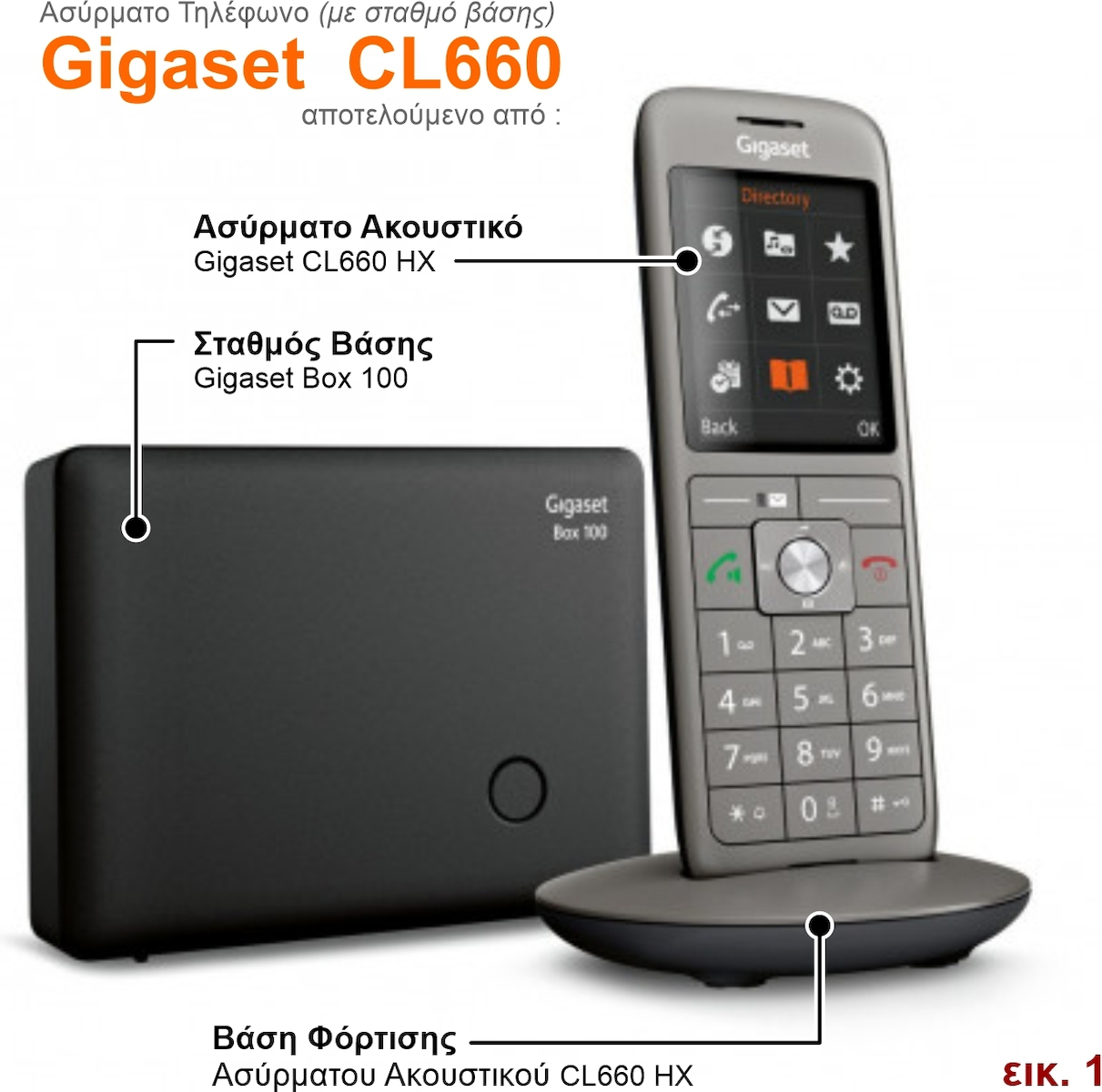
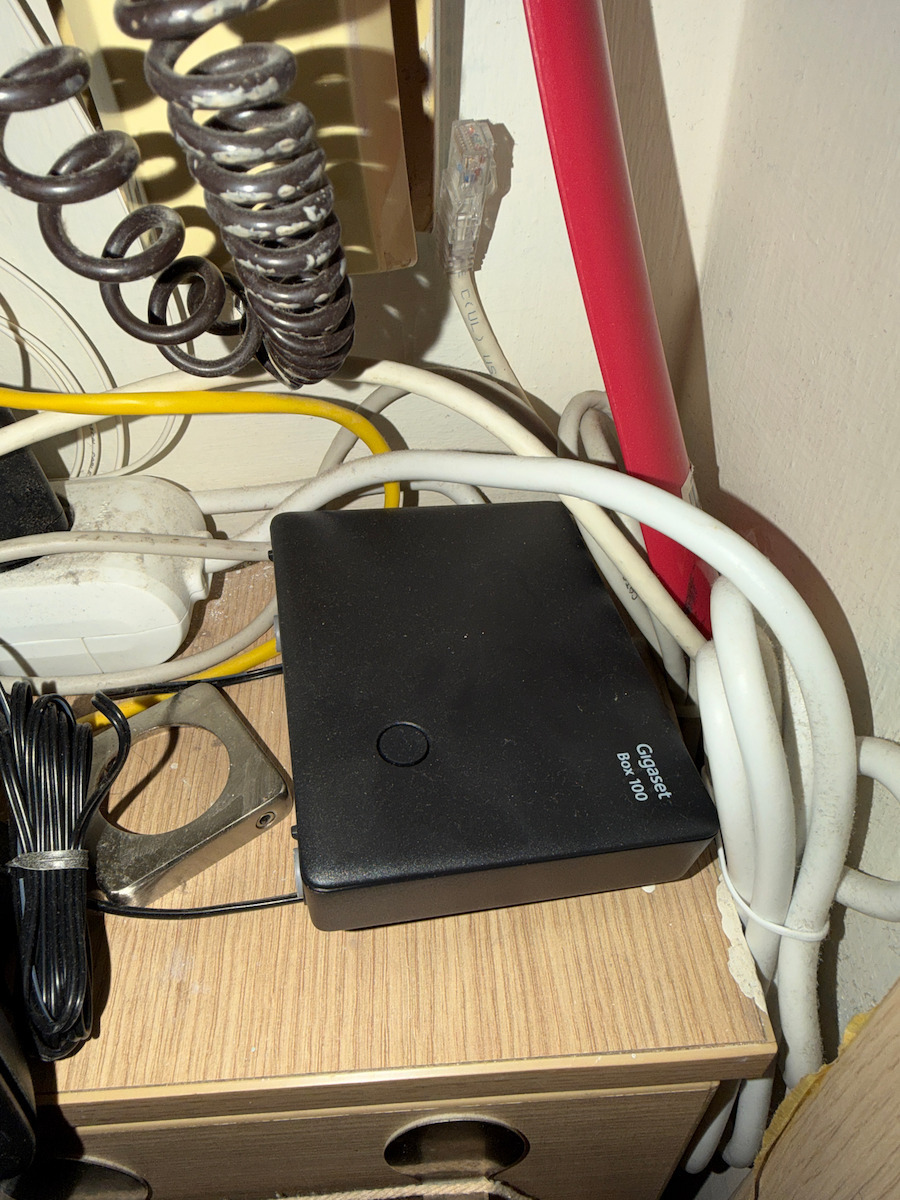
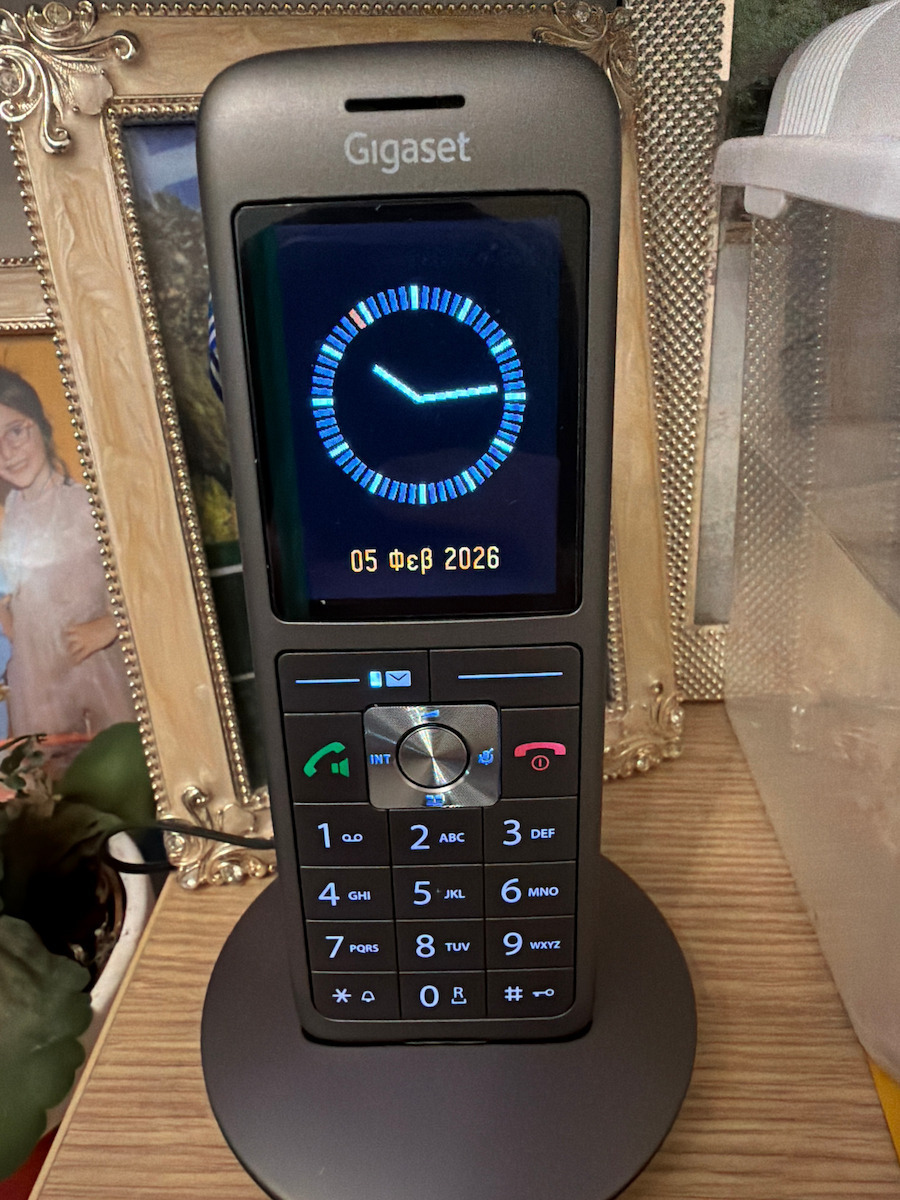
The Gigaset CL660 device (carbon) that I purchased from "Skotsezos", with Express delivery, through "Skroutz", included the Gigaset CL660HX wireless handset, along with its charging/parking base and the Gigaset Box 100 base station that connects to the telephone network and communicates wirelessly with the handset (see also fig.1).
This is a very decent wireless phone, with many features and characteristics, of which I particularly appreciated:
- its elegance with the large color display (2.4'') and the beautiful clock as a screen saver
- its phonebook with a capacity of 400 contacts/names with 3 number entries per contact, along with the ability to import (and synchronize) contacts from the PC and manage incoming calls (via blacklists, VIP, etc.)
- the volume settings for the ringer and the call in both the handset and the speaker in hands-free mode, along with the very good sound quality
- its hands-free headset jack
- the ability to charge it via USB cable, apart from its base (so it can be used while charging), along with its satisfactory battery performance
- the separation of the base station from its charging base, so there is no need for a telephone socket near the phone's parking position
- the ability to actively reduce its radiation (ECO DECT)
- and finally, the ability to set a CLIP image (bmp, jpg, and gif) for each contact/name and custom ringtone sounds (wma, mp3, and wav), in addition to the pre-installed ones.
The device came from Germany and everything (in the packaging box, in the phone's menu, and of course the user manual) was in German, which I don't understand. On the official Gigaset website, I found that user manuals are only available in German, French, and Italian for the CL660! Not in English, and certainly not in Greek. Further searching, I found user manuals in Greek only for the CL660HX wireless handset (and not for the Box 100 base station) in the following link:
https://gse.gigaset.com/fileadmin/legacy-assets/CustomerCare/Manuals/CLxx/CL660HX/A31008-M2862-R601-1-TK19_GR_el.pdf
In these Greek manuals, all the phone's functions are presented in detail, regardless of the base station it is connected to. There are general references to base stations (Gigaset's and third-party manufacturers') but without instructions for the Box 100. Since this base station provides basic functions (only telephone connection, without internet and answering machine), the required information for its use was minimal, so I obtained it by translating (via Google) a couple of pages from the German instructions, which you can see in fig. 2.
I set the menu to Greek and following the very good instructions of deliol (whom I thank very much), I activated the Greek characters in the handset's Charset (for contact/name entries). This way, the device became fully Greek!
- I highly recommend installing the QuickSync program on your computer, which you can find in the following link:
https://www.gigaset.com/hq_en/cms/service/downloads.html#category=442&product=659 (for Windows Vista, 7, 8, and 10. Note: It does not work on Windows 11).
For connecting the wireless headset to your computer, you will need a micro USB - USB cable (not included in the package) which is also used for charging when not on the base, so I recommend a cable of at least 1.20m in length. The QuickSync program has extensive help. For managing the phonebook, you first need to configure the "Area Codes" both in the program (Settings > Area Codes) and on the phone (Settings > Telephony > Area Codes), so that the "International area code" is 00 - 30 and the fields for "Local code" are empty. Then you need to select the contact base on the PC for synchronization with the phone, among: "Windows Contacts", "Microsoft Outlook", and "Google" (I chose "Windows Contacts" to have my landline contacts separated from my mobile contacts in the special Windows folder "C:\Users\userfolder\Contacts"). In the program, the process is completed by selecting Contacts > Sync or Advanced Sync. Additionally, with QuickSync, you can manage images and sounds on your phone ("Explore the phone").
- Finally, I purchased a monophonic Hands Free ANCUS 2.5mm headset (Chinese) from the store, compatible with wireless phones and mobiles with a 2.5mm headphone jack (including Gigaset), which works perfectly.
H συσκευή Gigaset CL660 (ανθρακί) που αγόρασα από το "Skotsezos", με Express παράδοση, μέσω "Skroutz", περιελάμβανε το ασύρματο ακουστικό Gigaset CL660HX, μαζί με την βάση φόρτισης/parking του και τον σταθμό βάσης Gigaset Box 100 που συνδέεται στο τηλεφωνικό δίκτυο και επικοινωνεί ασύρματα με το ακουστικό (βλέπε και εικ.1).
Πρόκειται για ένα ΑΞΙΟΠΡΕΠΕΣΤΑΤΟ ασύρματο τηλέφωνο, με πάρα πολλές δυνατότητες και χαρακτηριστικά, εκ των οποίων εκτίμησα ιδιαιτέρως:
– την κομψότητά του με την ευμεγέθη έγχρωμη οθόνη του (2.4'') και το όμορφο ρολόι ως screen saver
– τον τηλεφωνικό κατάλογό του με δυνατότητα 400 επαφών/ονομάτων με 3 καταχωρίσεις αριθμών ανά επαφή, μαζί με την δυνατότητα εισαγωγής (και συγχρονισμού) επαφών από τον Η/Υ και την διαχείριση εισερχομένων κλίσεων (μέσω black lists, VIP κ.ά.),
– τις ρυθμίσεις έντασης του κουδουνίσματός του και της ομιλίας τόσο στο ακουστικό όσο και στο ηχείο του σε ανοιχτή ακρόαση, μαζί με την πολύ καλή ποιότητα ήχου,
– την υποδοχή του για hands free ακουστικό,
– την δυνατότητα φόρτισής του μέσω καλωδίου USB, εκτός της βάσης του (οπότε είναι χρησιμοποιήσιμο ενώ φορτίζεται), μαζί με την ικανοποιητική απόδοση των μπαταριών του
– τον διαχωρισμό τού σταθμού βάσης από την βάση φόρτισής του, με αποτέλεσμα να μην χρειάζεται πρίζα τηλεφώνου κοντά στην θέση parking του τηλεφώνου,
– την δυνατότητα δραστικής μείωσης της ακτινοβολίας του (ECO DECT)
– και τέλος την δυνατότητα εγκατάστασης εικόνας CLIP (bmp, jpg και gif) σε κάθε επαφή/όνομα και ήχων (wma, mp3 και wav) κουδουνίσματος, ανά επαφή, επιπλέον των προεγκατεστημένων.
Η συσκευή προερχόταν από την Γερμανία και τα πάντα (στο κουτί συσκευασίας, στο menu του τηλεφώνου και βεβαίως οι οδηγίες χρήσης/manual) ήταν στα γερμανικά που δεν γνωρίζω. Στον επίσημο ιστότοπο της Gigaset βρήκα για το CL660 να διατίθενται οδηγίες χρήσης/manual μόνον στα γερμανικά, γαλλικά και ιταλικά! Ούτε αγγλικά, ούτε βεβαίως ελληνικά. Ψάχνοντας περεταίρω βρήκα οδηγίες χρήσης/manual στα ελληνικά μόνον για το ασύρματο ακουστικό CL660HX (και όχι για τον σταθμό βάσης Box 100) στο ακόλουθο link:
https://gse.gigaset.com/fileadmin/legacy-assets/CustomerCare/Manuals/CLxx/CL660HX/A31008-M2862-R601-1-TK19_GR_el.pdf
Σε αυτές τις οδηγίες, στα ελληνικά, παρουσιάζονται διεξοδικά ΟΛΕΣ οι ΛΕΙΤΟΥΡΓΙΕΣ του τηλεφώνου ανεξαρτήτως του σταθμού βάσης με τον οποίο συνδέεται. Γίνονται γενικές αναφορές σε σταθμούς βάσης (της Gigaset αλλά και τρίτων κατασκευαστών) όμως χωρίς οδηγίες για τον Box 100. Επειδή αυτός ο σταθμός βάσης παρέχει στοιχειώδεις λειτουργίες (μόνον τηλεφωνική σύνδεση, χωρίς διαδίκτυο και χωρίς τηλεφωνητή) οι απαιτούμενες πληροφορίες για την χρήση του ήταν ελάχιστες, οπότε τις ανέκτησα μεταφράζοντας (μέσω google) μιά-δυό σελίδες των γερμανικών οδηγιών και μπορείτε να τις δείτε στην εικ. 2.
Ρύθμισα το menu στα ελληνικά και ακολουθώντας τις πολύ καλές οδηγίες του deliol (τον οποίο ευχαριστώ πολύ) ενεργοποίησα τους ελληνικούς χαρακτήρες στο Charset του ακουστικού (για τις καταχωρίσεις επαφών/ονομάτων). Έτσι η συσκευή εξελληνίστηκε πλήρως!
– Συνιστώ ανεπιφύλακτα την εγκατάσταση στον υπολογιστή σας του προγράμματος QuickSync που μπορείτε να βρείτε στο ακόλουθο link:
https://www.gigaset.com/hq_en/cms/service/downloads.html#category=442&product=659 (για λειτουργικό Windows Vista, 7, 8 και 10. Προσοχή: Δεν λειτουργεί στα Windows 11).
Για την σύνδεση του ασύρματου ακουστικού με τον υπολογιστή σας θα χρειαστείτε ένα καλώδιο micro USB – USB (δεν περιλαμβάνεται στην συσκευασία) το οποίο χρησιμοποιείται και για φόρτιση εκτός βάσης, οπότε συνιστώ καλώδιο μήκους τουλάχιστον 1.20m. Το πρόγραμμα QuickSync διαθέτει εκτεταμένη βοήθεια. Για την διαχείριση του τηλεφωνικού καταλόγου, αρχικά πρέπει να διαμορφωθούν οι "Κωδικοί περιοχής" τόσο στο πρόγραμμα (Ρυθμίσεις > Κωδικοί Περιοχής) όσο και στο τηλέφωνο (Ρυθμίσεις > Τηλεφωνία > Κωδικοί Περιοχής), ώστε ο "Διεθνής κωδικός περιοχής" να είναι 00 - 30 και τα πεδία του "Τοπικού κωδικού" να είναι κενά. Στην συνέχεια πρέπει να επιλεχθεί η βάση επαφών στον Η/Υ για το συγχρονισμό με το τηλέφωνο, μεταξύ των: "Windows Contacts", "Microsoft Outllook" και "Google" (επέλεξα τα "Windows Contacts" για να έχω τις επαφές της σταθερής τηλεφωνίας μου διαχωρισμένες από εκείνες της κινητής, στον ειδικό φάκελο των Windows "C:\Users\userfolder\Contacts"). Στο πρόγραμμα, η διαδικασία ολοκληρώνεται επιλέγοντας Επαφές > Συγχρονισμός ή Προηγμένος συγχρονισμός. Επιπλέον, με το QuickSync διαχειρίζεστε τις εικόνες και τους ήχους στο τηλέφωνό σας ("Εξερεύνηση του τηλεφώνου").
– Τέλος, από το κατάστημα προμηθεύτηκα ένα μονοφωνικό ακουστικό Hands Free ANCUS 2.5mm (κινέζικο), συμβατό με ασύρματα τηλέφωνα και κινητά με υποδοχή ακουστικών 2.5mm (μεταξύ των οποίων και της Gigaset) το οποίο λειτουργεί άψογα.